Table of Contents
This guide covers collection of multi-touch screen laptops with practical context and easy-to-follow details. Use it to understand the subject and apply the information confidently.
Latest product Toshiba Satellite U500-1EX Has 13. 3 inch multi-tap screen 1, 280 x 800 pixels, Core i3-330 2. 13 GHz, 4 GB DDR3 RAM, 320 GB hard drive, standard Wi-Fi connection n, Bluetooth 2. 1, HDMI, USB, eSATA, optical drive, webcam, card reader and price of about 1, 100 USD.
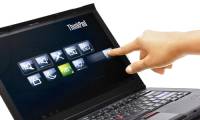
The Lenovo ThinkPad T400s Looks like other business laptops but draws attention thanks to a 14. 1-inch capacitive touchscreen that supports up to 4 fingers at once. Watch videos of 2 people playing games on the T400s (starting price of $ 1, 999).
The HP TouchSmart TX2 Has a 12. 1 inch rotating screen, 3 GB RAM, dual-core AMD Turion chip, 250 GB hard drive, ATI Radeon graphics, 8 cell battery, Vista Home Premium operating system but still has two zoom capabilities. Finger like iPhone. Prices start at $ 1, 149.
Acer Aspire 5738PG Uses a 15. 6-inch multi-tap screen, 4 GB RAM, 320 GB hard drive, HDMI port, 4 USB 2. 0 ports and a starting price of 800 USD.
Studio 17 Is Dell's first laptop with multi-tap. The product has a 17. 3-inch screen (1, 600 x 900 pixels), Dual Core T4300 2. 1 GHz chip (can be upgraded to Core i7), 320 GB hard drive, Radeon 4570 512 MB graphics and a starting price of 899 USD.
Battalion tap CZ-10 Is a multi-tap screen laptop for gamers with Core 2 Duo P8700 chips, 2 GB RAM, ATI Radeon HD 4650 graphics, 250 GB hard drive, 6 cell battery and starting price of 999 USD.
FAQ
What should I check before following these steps?
Confirm device and software compatibility, save important data, and make sure you have the required permissions, files, and account access.
Why might the process not work?
Common causes include outdated software, missing permissions, incompatible hardware, an unstable connection, or completing a step in the wrong order.
Can I undo the changes if necessary?
That depends on the tool or setting. Use built-in restore options when available, keep a backup, and record the original configuration first.
Related Articles
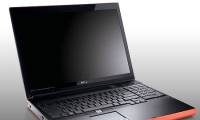 Dell Has Two Models of Multi-touch Screen Laptops3 minutes read
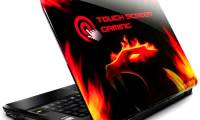 Battalion Multi-Touch CZ-10: Multi-touch Technology Encroaches on Laptops3 minutes read
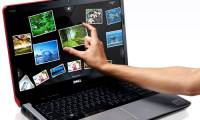 Dell Introduces New Studio Series, Multi-touch Screen3 minutes read
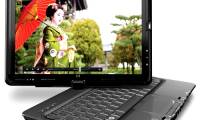 HP Unveiled a Multi-touch Touchscreen Laptop4 minutes read
 Time of Multi-touch7 minutes read
 Lenovo's Flip-flop Multi-touch Screen4 minutes read
Reader Comments 0
Sign in with email or Google to join the discussion.