Table of Contents
Minecraft is a highly creative and open-ended game, so using cheat codes is essential. Playing Minecraft isn't as complicated as many people think; check out TipsMake's Minecraft gameplay guide for more details.

Compilation of the latest Minecraft commands.
Basic Minecraft cheat codes
/tpa: Send a teleport request to one person
/tpahere: Send a teleport request to one person to your location
/tpaccept: Accept the teleport request
/tpadeny: Reject the teleport request
/spawn: Return to your spawn point
/back: Return to the location you just teleported to or the location where you died
/sethome: Mark your current location as your home
/home: Teleport to your home (the location you sethome to)
/money: View your money
/pay: Send money to one person
/balancetop: View top money
/gameruleskeepInventory true: No item loss upon death
/gamemode0: Adjust survival mode
/gamemode 1: Adjust creative mode
/gamemode 2: Adjust adventure mode.

List of the most common cheat codes in Minecraft
/f help [page number] – Displays the command section.
/f list [page number] – Displays a list of factions.
/f show [faction tag] – Displays detailed information about a faction.
/f map [on/off] – Displays the map.
/f power [player name] – Displays the character's energy.
/f join [faction name] – Joins a faction.
/f leave – Leaves a faction.
/f chat – Turns faction chat on and off.
/f home – Returns to the faction home.
/f create [faction tag] – Creates a new faction.
/f desc [enter faction announcement here] – Change faction announcement
/f tag [faction tag] – Change faction tag
/f open – Turn on/off if an invitation is required to join the faction
/f invite [Player Name] – Invite someone to join the faction
/f deinvite [Player Name] – Cancel an invitation to join the faction
/f sethome – Set the faction home
/f claim – Close the territory you are currently occupying
/f autoclaim – Start auto-occupation when you pass through the territory
/f unclaim, declaim – Unclaim the territory you are currently occupying
/f owner [Player Name] – Set/Remove ownership of a 16x16 chunk for a player in the faction
/f ownerlist – View the list of chunk owners in the faction
/f kick [Player Name] – Kick a player out of the faction
/f officer [Player Name] – Appoint a player as deputy
/f leader [Player Name] – Appoint a player as leader
/f noboom – Turn on/off explosions in the faction
/f ally [Faction Name] – Ally with another faction
/f neutral [faction name] – Normal with another faction
/f enemy [faction name] – Opponent with another faction
/f money balance – Displays the amount of money in the faction
/f money deposit - Contribute money to the faction
/f money withdraw - Withdraw money from the faction
/f money ff - Transfer money from one faction to another
/f money fp - Transfer money from faction to player
/f money pf - Transfer money from player to faction
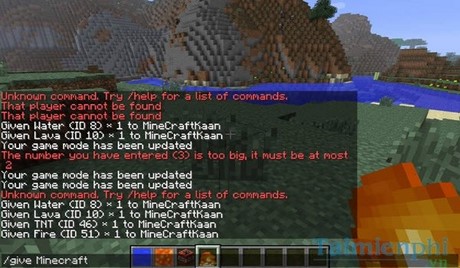
With these basic and common Minecraft cheat codes, hopefully, they will help you learn more about the game and enhance your gaming experience. However, don't overuse Minecraft cheat codes, otherwise, like GTA V , using too many cheat codes will make the game boring very quickly.
You're probably familiar with game cheat codes, especially those used by gamers. You likely remember the cheat codes in Age of Empires that allowed you to change resource stats, or the Warcraft 3 codes that gave you tons of money for your army. More recently, gamers have been using cheat codes in GTA 5, and these codes significantly enhance the gameplay. Minecraft, however , can do even more.
Related Articles
 How to Enable Cheat Codes in Minecraft 1.19 and Common Commands14 minutes read
 Minecraft Bedrock Codes, Minecraft Bedrock Cheats7 minutes read
 Pixelmon Mod Commands in Minecraft: Complete List15 minutes read
 The Most Complete Command of Minecraft, Minecraft Cheat Code10 minutes read
 A Compilation of GTA V Cheat Codes, Cheats, and How to Enter Them14 minutes read
 Minecraft Weather Codes and How to Enter Commands4 minutes read
Reader Comments 0
Sign in with email or Google to join the discussion.