Table of Contents
Registering with Garena makes playing online games easy. Below is a step-by-step guide on how to create an account on your computer.
How to register for Garena on a computer
Step 1: Open your PC or mobile web browser, access the Garena account creation link => select Account on the right side of the screen.
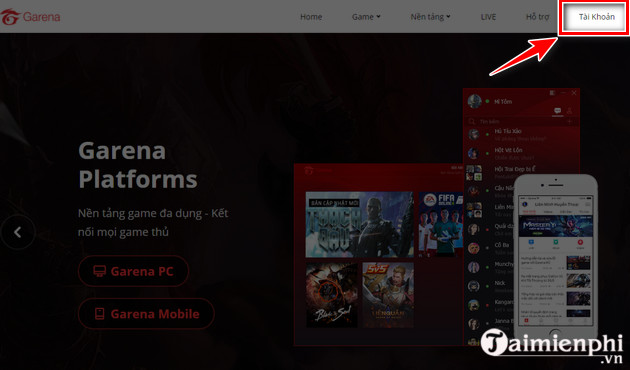
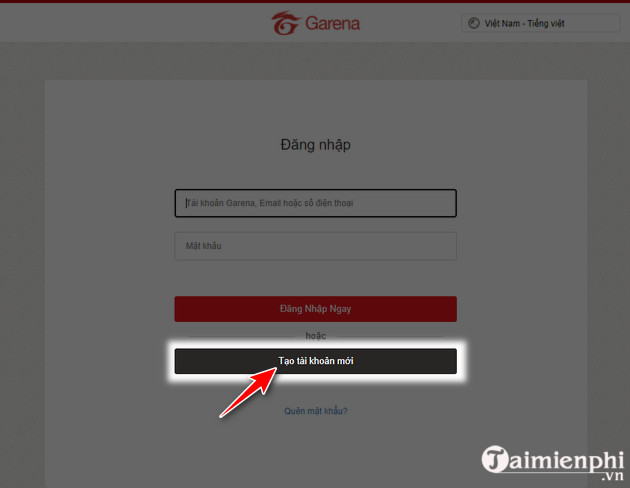
Step 2: The system will immediately take you to the Garena login and registration interface. To create a new Garena account, click the red " Create New Account" button.
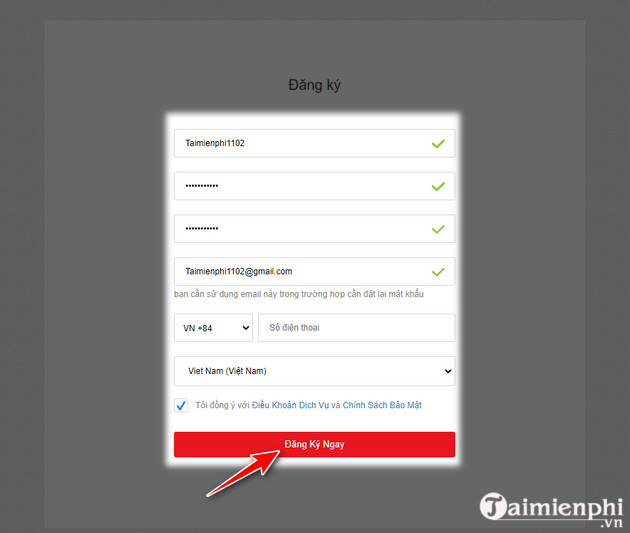
Step 3: In the Registration form , enter all the required information to create a new Garena account => click Register Now after completing the steps.
- Username: The username must be 6 to 15 characters long.
- Password: The password must be 8-16 characters long, contain at least one letter (az or AZ) and one number, and be different from the username.
- Email: Enter your correct email address in case you need to reset your password.
- Phone number: You can enter it or leave it blank.
- Country: Select your country/region.
Step 4: Once the account registration process is complete, you will receive a notification similar to the image below. At this point, you can use your newly created Garena account to log into the system.
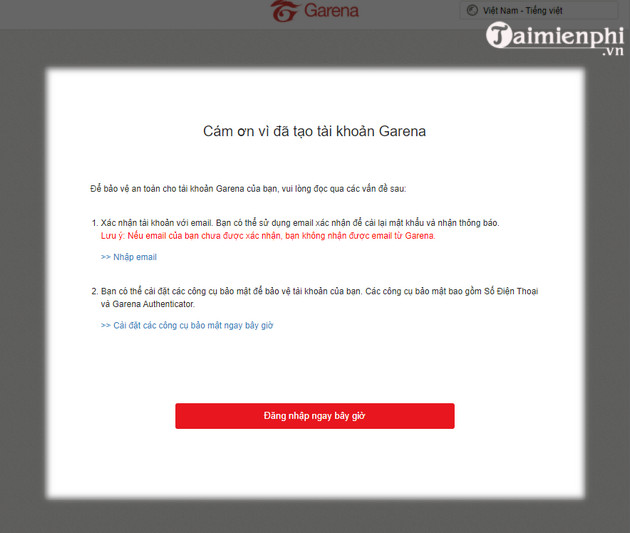
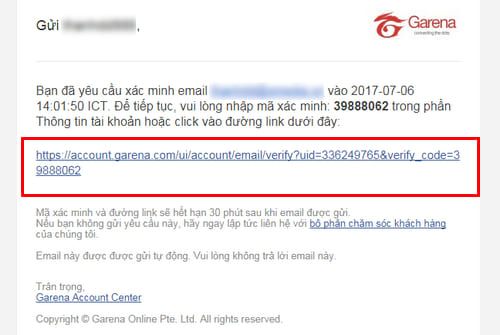
However, users should take one final step: confirming the email for their newly registered Garena account by accessing their inbox (the email address entered in step 3), finding the email from Garena, and clicking on the link to activate the new Garena account.
If you don't already have the software on your computer, please download and install Garena via the link provided by tipsmake below (reference link included).
If you don't already have the Garena app on your computer, you can download and install it to log in to the platform. Once complete, you can quickly experience games like League of Legends, FIFA Online 4, or Arena of Valor.
Related Articles
 How to Spin Gas Garena to Receive Items: Gold4 minutes read
 How to Installing and Playing the Empire Game on Garena6 minutes read
 How to Stream Games on Garena Live from a Computer7 minutes read
 How to Change Garena Password Quickly and Easily9 minutes read
 Instructions to Change Garena Password on the Phone6 minutes read
 How to Fix Connection Failure Garena Quickly2 minutes read
Reader Comments 0
Sign in with email or Google to join the discussion.