Table of Contents
This guide provides a clear, practical overview of Microsoft fixes loud noises on Windows 10, with useful context, important details, and straightforward takeaways for everyday readers.
According to Microsoft, the issue only affects certain Windows 10 users using Dolby Digital 5.1 and only affects certain apps.
"After installing update KB5000842 or later, Dolby Digital 5.1 audio may play with loud noises or squeaks in some applications when using certain audio devices and Windows settings," Microsoft explains. prefer.
For Windows 10 users with stereo configuration, the problem does not occur.
This week, Microsoft released Windows 10 preview cumulative update KB5003690. This update now fixes the loud sound bug for affected users.
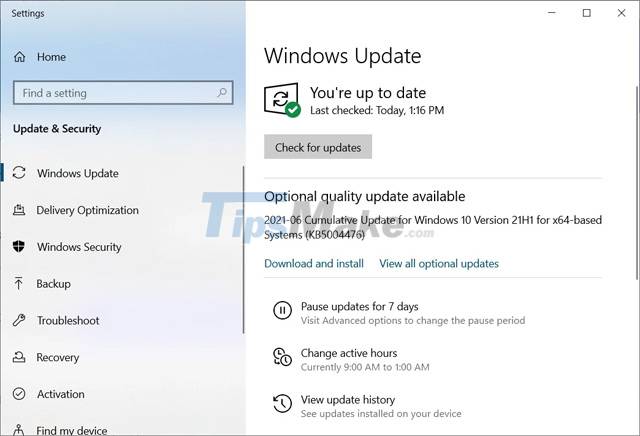
Since update KB5003690 is an optional update, Windows 10 users will only get the fix if they select 'Check for updates' in Windows Update and install the update.
Users who do not want to install the preview update can wait until the mandatory Patch Tuesday update in July 2021 to receive the fix.
Last month, Microsoft also addressed outstanding issues affecting Windows 10 computers with Conexant or Synaptics when updating to Windows 10 2004.
Key Takeaways
Use the information above as a practical reference for Microsoft fixes loud noises on Windows 10. Review each step carefully, confirm any requirements, and choose the option that best fits your situation.
FAQ
What does this guide explain about Microsoft Fixes Loud Noises on Windows 10?
It explains the main concepts, practical considerations, and useful steps related to Microsoft fixes loud noises on Windows 10 without requiring advanced knowledge.
Who can benefit from learning about Microsoft Fixes Loud Noises on Windows 10?
This information is useful for readers who want a clear overview, practical guidance, and reliable steps related to Microsoft fixes loud noises on Windows 10.
What should I check before applying this information?
Review the requirements, confirm that your device, software, or situation matches the instructions, and back up important data before making major changes.
Related Articles
 Simple Changes Can Fix Noisy and Overheating Laptops8 minutes read
 Why Does the Computer Fan Make Noise When Playing Games? Do Gamers Know8 minutes read
 The Fish Is Small but Can Make a Sound as Loud as a Gunshot Explained4 minutes read
 Ways to Prevent the Stomach from Making Too Loud Noises4 minutes read
 Microsoft Rolls Out Update KB5007253 That Fixes Network4 minutes read
 Microsoft Fixes Skype Errors on Windows 8.13 minutes read
Reader Comments 0
Sign in with email or Google to join the discussion.