Table of Contents
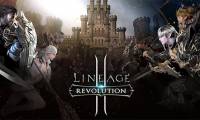
Lineage 2: Revolution is a mobile MMORPG developed and published by Netmarble under license from NCSoft. It combines open-world questing, real-time combat, character progression, guild activities, and large player-versus-player battles.
The original Vietnamese launch announcement is now dated, but the global Netmarble version remains active. Availability, servers, and supported languages can vary by region, so use the current App Store or Google Play listing rather than an old VTC download link.
What kind of game is Lineage 2: Revolution?

The game places a custom character in the Lineage universe and follows a quest-driven progression system. Players move through field areas and dungeons, improve equipment and skills, join a clan, and participate in both cooperative and competitive activities.
It uses Unreal Engine 4 and presents the world from a third-person view. The large interface contains quests, combat skills, menus, events, and upgrade systems, so new players should expect more account and progression management than in a short-session action game.
Core activities
- Story and field quests: introduce systems, unlock content, and provide early progression rewards.
- Dungeons: offer repeatable battles and materials tied to character growth.
- Clans: provide group activities, shared objectives, and access to larger competitive modes.
- Open-field PvP: allows real-time encounters outside the standard story path.
- Fortress Siege: the store listing highlights large 50-versus-50 battles between organized groups.
- Events: rotate over time and may have separate requirements, schedules, and reward limits.
Because this is a live-service MMORPG, menus and progression systems can change. Treat old class lists, reward charts, and event instructions as historical unless they match the current in-game information.
Choosing a character

The launch version emphasized familiar Lineage races such as Human, Elf, Dark Elf, and Dwarf, but the current client may offer more options or different class paths. Read the current skill descriptions before committing resources.
A new player should choose by combat role rather than appearance alone:
- melee characters stay close to enemies and need reliable defenses or movement;
- ranged damage characters have more space to react but must manage positioning;
- support-oriented builds trade some personal damage for healing, buffs, or group utility; and
- specialized PvP builds may feel less efficient during early solo progression.
If the game provides a practice view or skill preview, use it before spending limited upgrade items.
How to download the game safely
- Open Google Play on Android or the App Store on iPhone or iPad.
- Search for Lineage 2: Revolution.
- Confirm that the publisher is Netmarble and review the current compatibility information.
- Install the game and leave enough free storage for additional data downloaded after launch.
- Choose the correct region and server before creating a permanent character.
- Link the account to a supported sign-in method so progress is not tied only to a temporary guest profile.
Android users can verify the current release on the official Google Play listing. Avoid unofficial APK packages and “modified” clients; they may be outdated, unsafe, or prohibited by the game’s rules.
Before you start playing
Use Wi-Fi for the initial game-data download and keep the device charged, but stop playing if it becomes excessively hot. High graphics settings can increase heat and battery use; lower resolution, effects, or frame rate if combat stutters.
Choose a server with acceptable latency and, if relevant, the same server as friends. Characters and purchases may not transfer freely between regions. Review the current server rules before making a purchase.
Progress without wasting resources
- Follow the main quest until the core systems are unlocked.
- Upgrade a consistent equipment set instead of spreading rare materials across every item.
- Join an active clan if group rewards and fortress content are important to you.
- Check the expiration time on event items before saving them.
- Read the probability and purchase information shown in the current client before buying randomized items.
- Link and secure the account before spending money.
Where to get support
For login, purchase, or compatibility problems, use Netmarble’s official Lineage 2: Revolution support page. Include the server, character name, device model, and the exact error, but never send a password or one-time verification code.
For more mobile-game coverage, see TipsMake’s guides to games with memorable stories and free fighting games on mobile.
Related Articles
 How to Install Lineage 2 Revolution: Vietnam on the Computer6 minutes read
 YouTube Kids Was Officially Present in Vietnam, Invited to Download and Experience3 minutes read
 How to Register to Download Lineage 2: Revolution to Receive Valuable Gifts4 minutes read
 Already Have iOS 12.2 with Many Improvements, Invited to Upgrade and Experience3 minutes read
 Apple Officially Released iOS 12.3, Invited to Upgrade and Experience4 minutes read
 Marvel Future Revolution - Download Marvel Future Revolution4 minutes read
Reader Comments 0
Sign in with email or Google to join the discussion.