Table of Contents
The Lenovo ThinkPad P1 (Gen 7), uses LPDDR5X memory in an LPCAMM2 module that users can upgrade or replace by removing screws from the laptop's motherboard.
Key Takeaways About LPCAMM2
- The Lenovo ThinkPad P1 (Gen 7), uses LPDDR5X memory in an LPCAMM2 module that users can upgrade or replace by removing screws from the laptop's motherboard.
- That's a big change from the LPDDR memory found in most modern laptops.
- This type of memory is usually soldered to the motherboard, making upgrades much more difficult.
Key Details About LPCAMM2
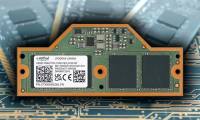
That's a big change from the LPDDR memory currently found in most modern laptops. This type of memory is usually soldered to the motherboard, making upgrades much more difficult. LPCAMM2 - or Low-Power Compression-Attached Memory Module - provides modularity without sacrificing the power efficiency of LPDDR.


Traditional DDR RAM uses SODIMM sticks that plug into the motherboard, just like on a desktop. As iFixit points out, LPDDR is much more power efficient, but it needs to be soldered directly to the mainboard, as close to the processor as possible. Until now, manufacturers have had to choose between upgradeable RAM and power-efficient RAM. LPCAMM2 tries to balance both factors by fastening it to the motherboard with screws instead of solder. And unlike SODIMM bars, each LPCAMM2 module is dual channel, so just one module is enough.
As shown in the hands-on video posted by iFixit, the LPCAMM2 in Lenovo's new ThinkPad P1 can be replaced by removing the back of the laptop and then removing the battery. From there, the LPCAMM2 can be removed by removing the 3 Phillips head screws.
In addition to Micron, Samsung and ADATA are also participating in LPCAMM2. Hopefully that will help users easily upgrade their memory in the future.
FAQ
What is the main update about LPCAMM2?
The Lenovo ThinkPad P1 (Gen 7), uses LPDDR5X memory in an LPCAMM2 module that users can upgrade or replace by removing screws from the laptop's motherboard.
Why does LPCAMM2 matter?
That's a big change from the LPDDR memory currently found in most modern laptops.
What should readers know about LPCAMM2?
This type of memory is usually soldered to the motherboard, making upgrades much more difficult.
Related Articles
 What Is LPCAMM2? Explained5 minutes read
 Lenovo Launches New ThinkPad X1 Xtreme with 'Super Speed' Mode3 minutes read
 Lenovo Launches Three New Thinkpad T, X and L Series with Many4 minutes read
 Lenovo Launches a 4G Laptop4 minutes read
 Lenovo ThinkPad T431s Launched in April3 minutes read
 Lenovo ThinkPad Helix 2 with Core M Broadwell Chip on the Shelf4 minutes read
Reader Comments 0
Sign in with email or Google to join the discussion.