Table of Contents
This guide covers lenovo ideapad y550p - the most powerful core i7 laptop today with practical context and easy-to-follow details. Use it to understand the subject and apply the information confidently.
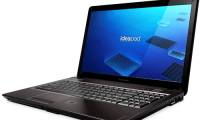
The Y550P uses Intel Core i7-720QM quad-core chip, 1 GB NVIDIA GeForce GT 240M graphics card, 4 GB DDR3 RAM, 500 GB HDD and Blu-ray optical drive (optional).
IdeaPad Y550P has a 15. 6-inch screen with HD 1366 x 768 resolution. Especially the impressive bar warming system with JBL speakers has a sub-woofer, optimizing the audiovisual experience when watching high definition movies or play games.
The device weighs more than 2. 6 kg, size 38. 6 x 25. 4 x 3. 8 cm, featuring SlideBar slider tap control toolbar located on the edge of the keyboard, allowing people to Use your finger to easily navigate to the desired app or folder.
The Y550P uses Windows 7 Home Premium operating system including Lenovo Enhanced Experience feature, a utility that Lenovo works with Microsoft, to help Windows 7 boot 56% faster than XP or Vista, and shutdown time. It is only about 5 seconds.
This laptop also has a multimedia remote controller that maximizes the user experience in listening to music, watching movies. The product is priced from 1, 699 USD and appeared in Vietnam market in December 2009.
FAQ
What should I check before following these steps?
Confirm device and software compatibility, save important data, and make sure you have the required permissions, files, and account access.
Why might the process not work?
Common causes include outdated software, missing permissions, incompatible hardware, an unstable connection, or completing a step in the wrong order.
Can I undo the changes if necessary?
That depends on the tool or setting. Use built-in restore options when available, keep a backup, and record the original configuration first.
Related Articles
 Powerful Lenovo Y550P8 minutes read
 Lenovo's 'Super Strong' Laptop in Vietnam3 minutes read
 IdeaPad Y550P Becomes the Strongest Gaming Laptop3 minutes read
 Lenovo's Latest IdeaPad Collection4 minutes read
 Lenovo Stirred Up the Summer Laptop Market with IdeaPad Y4607 minutes read
 Lenovo IdeaPad: Affirm Your Rank7 minutes read
Reader Comments 0
Sign in with email or Google to join the discussion.