Table of Contents
This guide provides a practical overview of Is Mac Pro Really Necessary, including its main features, benefits, limitations, and important considerations.
But for what purpose does Mac Pro really use and who needs a super powerful computer like this? Join TipsMake to find out why Apple created such an expensive desktop computer.
Mac Pro is a desktop model specifically designed by Apple for jobs that require ultra-high professionalism. Do not confuse its name with other Apple products such as MacBook Pro or iMac Pro, they are completely different devices.
So far, Mac Pro has had 3 generations of machines. The first generation, designed like a regular computer, was released in 2006. By 2013, Apple turned a giant machine into an incredibly beautiful cylindrical block, but it encountered a few The problem is, one of them is the lack of upgrades.
The latest Mac Pro was released by Apple in December 2019 and returned to the traditional tree design. This is the Mac Pro we will talk about in this article, because the remaining two models are too old, not suitable for current use.
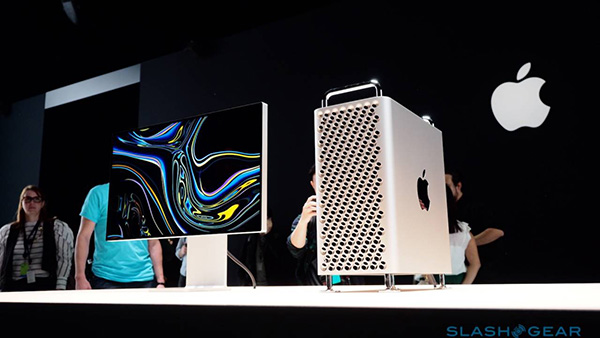
Configuration and upgradability
Unlike the 2013 Mac Pro, this re-export Apple allowed a lot of adjustments on the 2019 version (including the design of the configuration after purchase). When you arrive at Apple's Mac Pro purchase page, you'll see two configuration options. One is the basic design, the starting price is $ 5,999. Another primarily used business option has a starting price of $ 6,499.
The cheapest Mac Pro ($ 5,999) will have the following configuration:
- Xeon W 3.5GHz Intel 8-core processor with Turbo Boost chip up to 4.0GHz
- 32GB DDR4 ECC RAM (4x8GB)
- Radeon Pro 580X graphics card with 8GB of RAM
- 256GB SSD hard drive
Each Mac Pro will come with a Magic Mouse 2, Magic Keyboard with numeric keypad and a USB-C cable to the Lightning port. The device will not have a display.
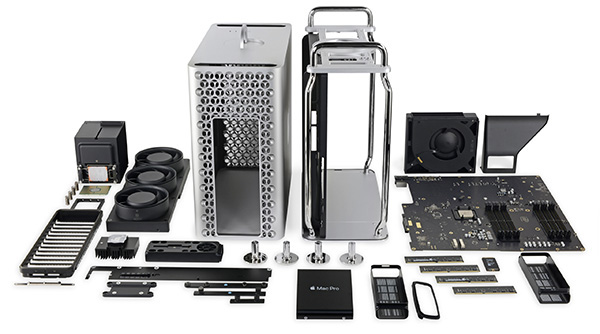
You can upgrade the CPU, RAM, graphics hardware and memory capacity if the basic configurations are not sufficiently used. There are lots of upgrade options, here are a few examples:
- Add $ 1000 to upgrade to a 3.3GHz Xeon W 3.3GHz Intel processor with Turbo Boost chip up to 4.4GHz
- Add another $ 1000 to upgrade to 96GB RAM (6x16GB).
- $ 1600 to have two Radeon Pro W5700X graphics cards with 16GB of GDDR6 RAM each.
- Add $ 800 to upgrade the capacity to 2TB SSD.
- The Apple Afterburner card, priced at $ 2000, is absolutely essential for video editing.
- The $ 400 wheel-mounted stand makes it easy to move the device.
Mac Pro accessories
Apple has equipped some of the necessary accessories for the Mac Pro. The 32-inch Pro Display XDR 6K screen has launched two versions of normal glass and nano textured glass. Glass displays usually cost $ 4,999 and nano textured glass will cost $ 5,999
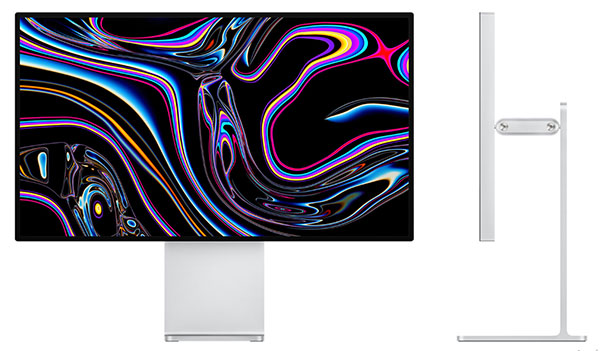
The monitor's screen doesn't come with a cradle, so you'll have to pay an extra $ 999 for a Pro Stand cradle. This product helps you adjust the screen orientation with viewing angles depending on your location. Because the monitor and bracket are magnet-aligned, it's easy to change direction. If the price of a stand like this is too expensive, you can buy another similar product from the outside, the price will be much more affordable.
Obviously, if possible, equip as many features as possible for Mac Pro. To understand more (and also for fun), try to see if you upgrade Mac Pro to the maximum level, you will pay a price.
- Xeon W 2.5GHz Intel 12-core processor with Turbo Boost chip up to 4.4GHz ($ 7000)
- 1.54 DDR4 ECC RAM ($ 25,000)
- Two Radeon Pro Vega II Duo graphics cards with 2x32GB HBM2 memory each ($ 10,800)
- Capacity 8TB SSD ($ 2,600)
- Apple Afterburner Card ($ 2000)
- Wheel Brackets ($ 400)
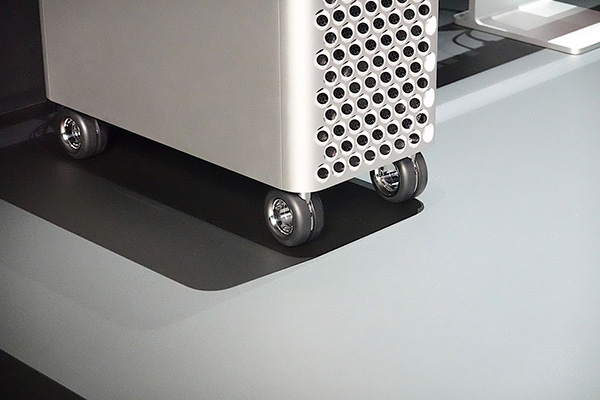 Mac Pro Wheel Brackets
The Mac Pro with the above configuration will cost about $ 50,000. Not to mention the extra screen set as mentioned above, AppleCare + or the installation of software like Final Cut Pro X. The cost of all these accessories is also a large number.
What is Mac Pro used for?
Of course, up to 99% of users never choose Mac Pro. So Mac Pro really used for any purpose? Let's take a look.
Edit photos and videos at super level
For those who are dealing with terabyte-heavy UltraHD videos, they need a machine that is powerful enough to handle the job smoothly. Mac Pro has powerful video cards, gigantic RAM, super-fast SSDs, all of which are designed to cater to those tasks.
Although the Pro Display XDR is quite expensive, having a super-standard color display is essential for graphic design and other professional creative-related work. They need a very precise product and this is where the high-end Apple screen shines.
Graphics performance reserved for heavy tasks
3D applications, such as construction design software, require a lot of video sources. Professional-grade software is much harder to run than regular programs, which is why this specialized industry needs a superpower machine like the Mac Pro.
This also means that computer-aided design, medical imaging, simulating multiple versions of applications, and similar tasks on Mac Pro require more power than conventional computers.
Play games and develop games
Apple's computer products aren't well-regarded when it comes to gaming, but the Mac Pro is powerful enough to run most compatible macOS titles. Of course, you can use Boot Camp to install the Windows Supported operating systems, where you will be able to access more games.
Game developers also use Mac Pro to deploy their work.
Mac Pro alternatives
If you're wondering whether or not to use Mac Pro, it's a bit funny, the answer would be no. This is a machine designed for specialized tasks, using a huge computer device. If you are not a professional in the field of photo editing, video, 3D design, surely you do not need Mac Pro.
So still needed, but at a lower level, which device should I choose to replace Mac Pro?
MacBook
If work is a must, the MacBook is the perfect choice.
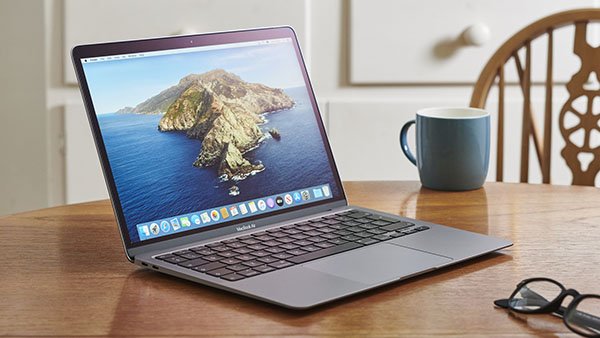
For light tasks like surfing the web or office work, MacBook Air is the optimal choice. It costs between $ 999 and $ 2,249 with the maximum configuration version.
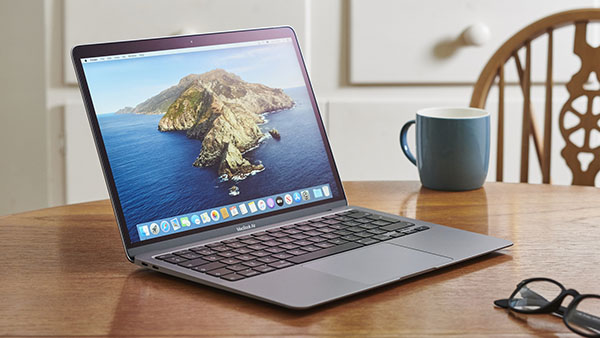
On the contrary, if you need a device that is highly portable and still powerful, go ahead with the MacBook Pro. The 13-inch version of the product starts at $ 1,299, and the 16-inch version starts at $ 2,399. Optimizing the 13-inch MacBook Pro will require $ 3,599 and $ 6,099 for the 16-inch version.
The MacBook Pro cannot handle super-difficult video editing tasks like the Mac Pro, but this laptop is still the device used by many graphic designers and programmers thanks to its superior features.
iMac
You will have more options if you want to use the desktop. One of the best products compared to the Mac Pro is the iMac Pro, which starts at around $ 5,000.
This is still the most optimal choice for most users. You get a 1TB SSD and a 27-inch 5K display, which is four times the basic hard drive on a Mac Pro, but also an extra screen. When upgraded to the maximum, the iMac Pro costs about $ 14,299, a lot softer than the Mac Pro.
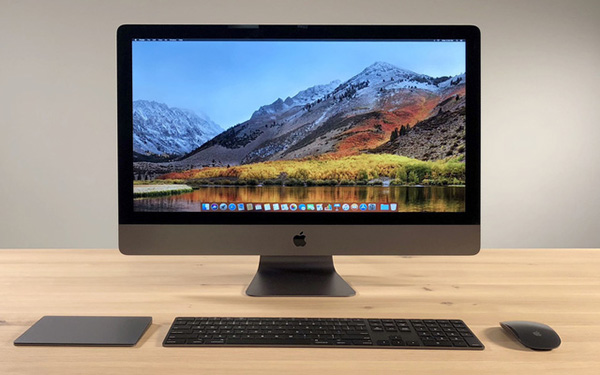
Even more modest are regular iMacs. The iMac has two 21.5-inch ($ 1,099) and 27-inch ($ 1,799) screen versions. However, the basic model of this machine does not include hard drive, you should upgrade to SSD if you choose this device.
Finally, you can choose the Mac mini. This tiny computer can connect to peripherals, including monitors. The Mac mini starts at $ 799 and is currently the cheapest Mac computer available.
PC Windows
If you like Mac Pro, you're probably not a fan of Windows. However, you absolutely can own a PC to perform heavy tasks for a lot cheaper than the Mac Pro.
FAQ
What should I know about Is Mac Pro Really Necessary?
Focus on the key features, requirements, limitations, and practical use cases explained in this guide.
How do I get the best results with Is Mac Pro Really Necessary?
Follow the recommended steps, use current software or information, confirm compatibility, and review settings before major changes.
Are there any risks or limitations?
Potential limitations depend on compatibility, data quality, cost, privacy, support, and how the product or method is used.
Related Articles
 How to Play Pokémon GO on a Computer6 minutes read
 How to Play Pokémon GO on a Smartphone6 minutes read
 26 Types of Poké Balls Explained: Part 25 minutes read
 How to Earn and Use Stardust in Pokémon GO5 minutes read
 Pokémon GO Eggs: Incubation and Hatching Guide4 minutes read
 26 Types of Poké Balls Explained: Part 18 minutes read
Reader Comments 0
Sign in with email or Google to join the discussion.