Table of Contents
Search Google for spin a dreidel. If the interactive spinner appears, choose Spin or Spin again. It gives you a letter. If you’re playing with other people, use the result to move tokens in a shared pot.
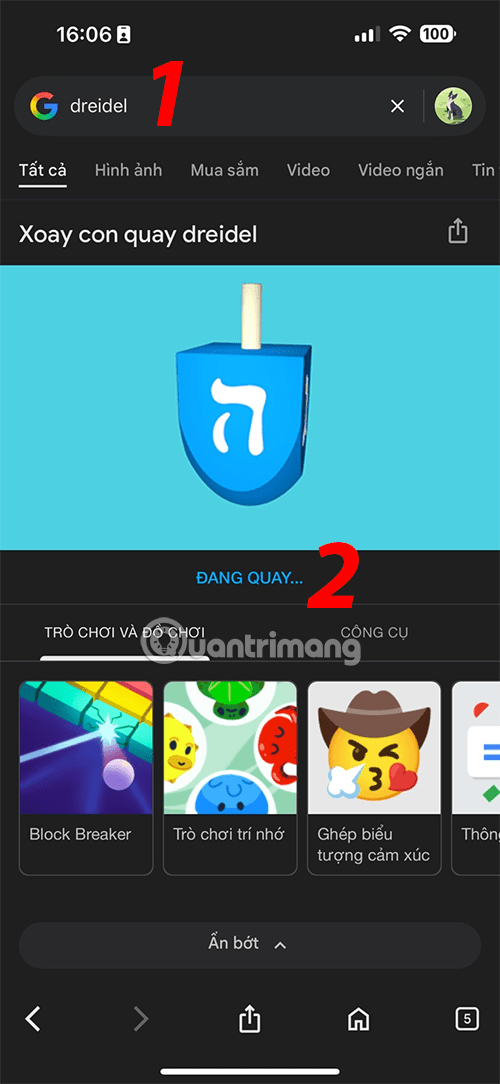
Set up a game with a real or virtual dreidel
Give each player the same number of tokens, such as ten pieces of chocolate gelt. Have everyone put one token in the center. Pick a starting player, then take turns spinning. Agree in advance how to round half a pot and when the game ends.
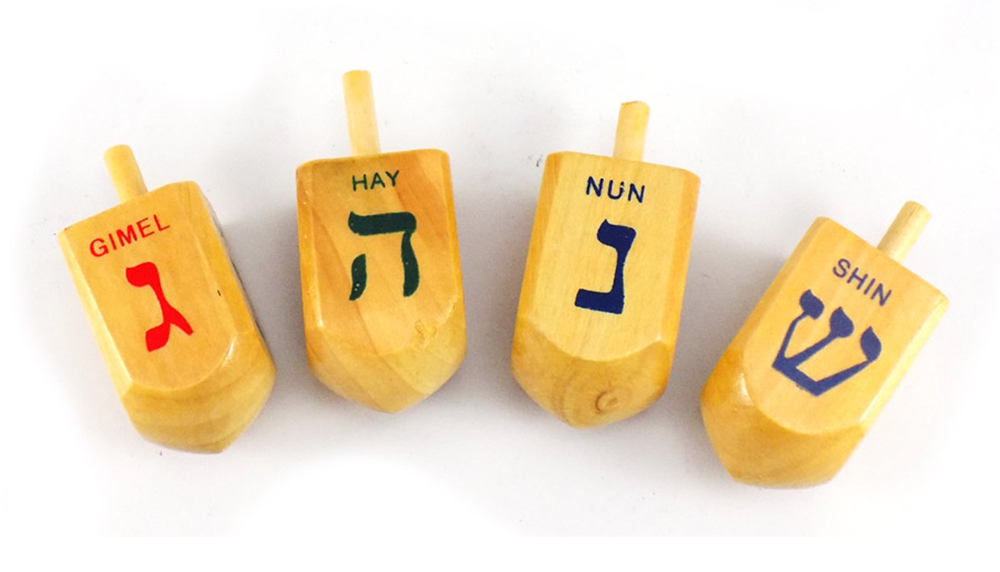
| Letter | What to do |
|---|---|
| Nun (נ) | Do nothing and pass the turn. |
| Gimel (ג) | Take the whole pot. Each player can then add a token to start the next pot. |
| Hei (ה) | Take half the pot. Agree whether to round up when there’s an odd number. |
| Shin (ש) | Put one token in the pot. On many Israeli dreidels, Pei (פ) takes this place. |

Keep going until one player has the tokens or you reach a stopping time you agreed on. For a shorter game, set a time limit and count the tokens at the end.
What the letters mean at Hanukkah
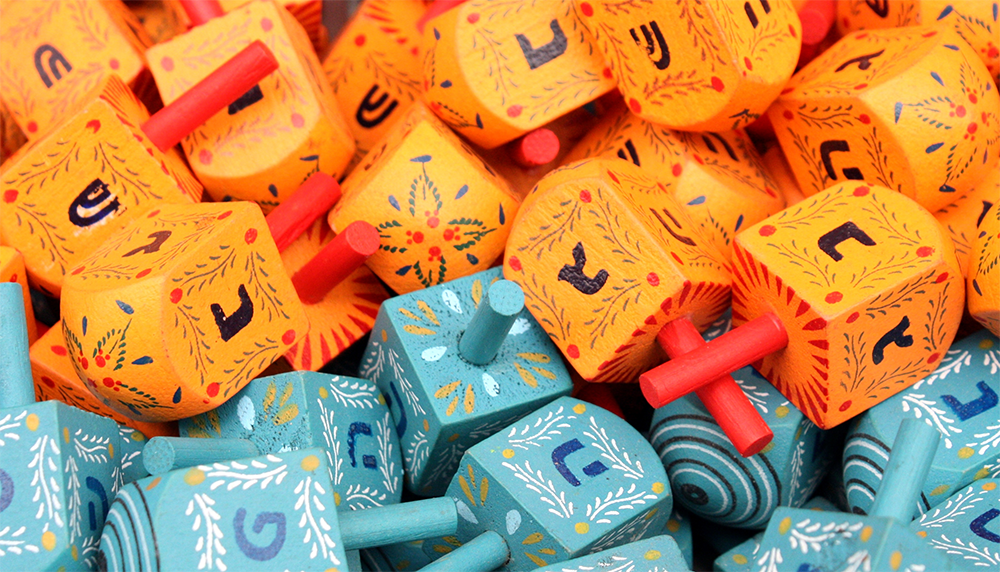
Outside Israel, the letters are commonly read as the initials of Nes gadol haya sham, meaning “a great miracle happened there.” In Israel, Pei can stand for po, “here.” One tradition tells of children using spinning tops to conceal Torah study. Historians also connect the game to older European spinning-top games. See My Jewish Learning’s account of the dreidel’s origins.
Related Articles
 Tips to earn 7500 Coin Master spins from Trade Card
 Get 1 year of free Grab with Spin To Hit event
 Tips for taking gems in the Mobile Coalition
 Top best Acer laptops 2020
 Slow turns have turned familiar objects and phenomena into this wonderful virtual art work
 Google will start deleting photos, comments, pages and more on Google+ from April
Reader Comments 0
Sign in with email or Google to join the discussion.