Table of Contents
This guide explains how to play Valorant for Newbies, with clear steps, practical tips, and important checks before you begin.
In addition to the battle you have to hold a gun to deal with the enemy team according to the different game modes, you can also use specific skills with the characteristics of each character in the game. These skills will assist you to fight alongside the main weapon is a gun.
How to play Valorant is not too difficult, with many gamers who are familiar with FPS games, getting acquainted with Valorant does not take too much time. But for gamers who have never played FPS games, please see the instructions for playing Valorant in the article below.
Guide to play Valorant for newbies
Step 1: First you get acquainted with Spike Rush mode, also known as fast bomb setting. Click Start to start the match, if you have friends, click the plus sign to add your friends
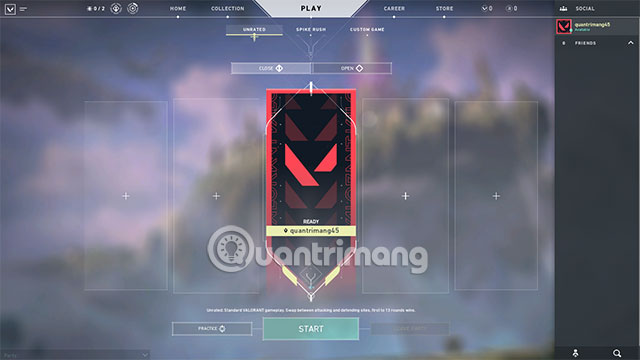
Choose your character below before the countdown into the game ends.

In the game, press B to buy weapons and equipment needed. In bomb setting, there will be a bomb in front of the bombing side. You can pick and place bombs, it's like bombing mode in that Crossfire Zero.
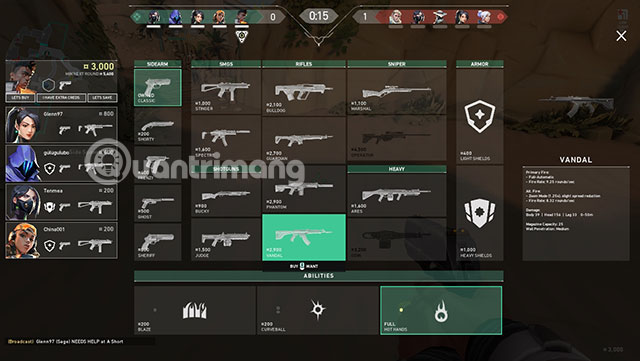
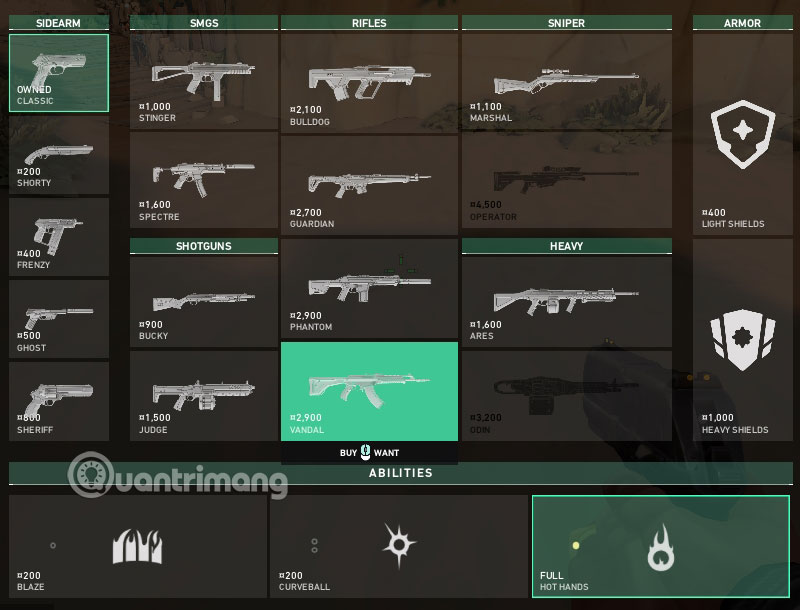
Weapons will have secondary weapons (pistols), main weapons, armor and the character's special skills below instead of the same bombs on CS GO.
When new to the game, you will be given a period of time to prepare weapons and tactics. See where your team goes, follow it. When the countdown timer in the middle of the timer runs out, the walls will be removed, and now your team and the enemy team will start moving around the map.
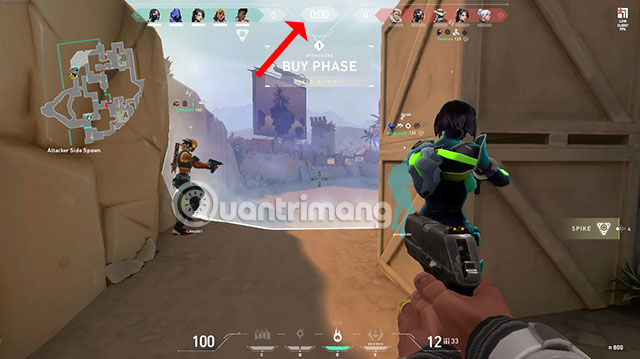
The bar below the middle of the screen will show you the skills you have. Press the corresponding key to use.
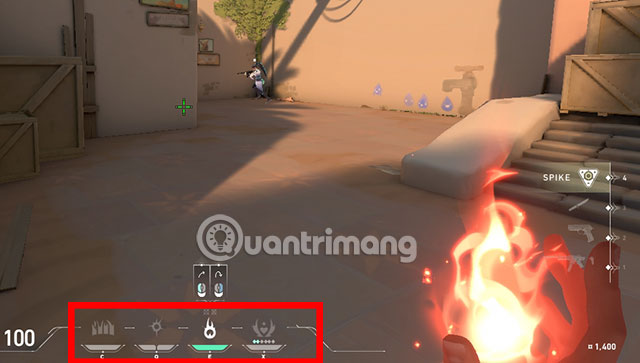
Go to the target, press 4 to remove the bomb and place it there. If the time limit specified and you have not set the bomb, your team will lose. When the game has only 30 seconds left, a notification will be issued to let you know.
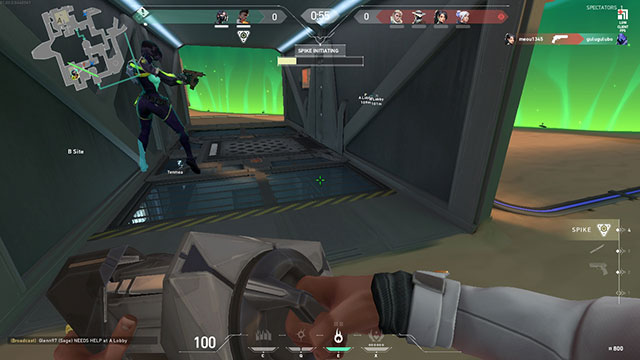
If you die before the bomb is set, the bomb will drop and your team can pick it up to place it.
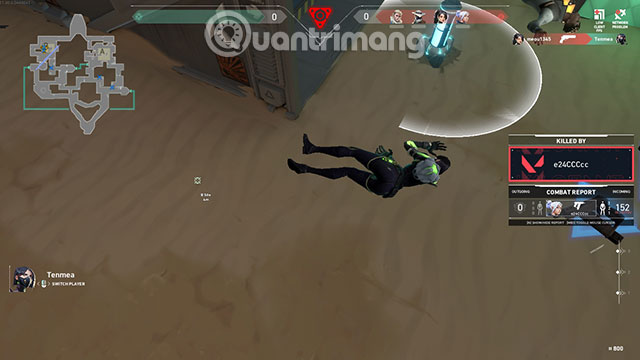
When you finish setting the bomb, the time in the half will change to the time the bomb explodes.
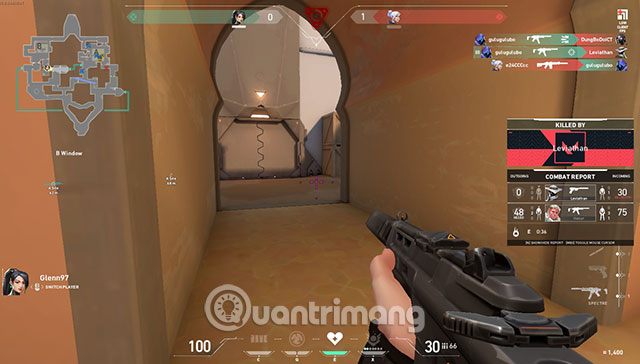
The winning numbers for both teams will be shown above, and you'll also know which members are still alive on both teams.
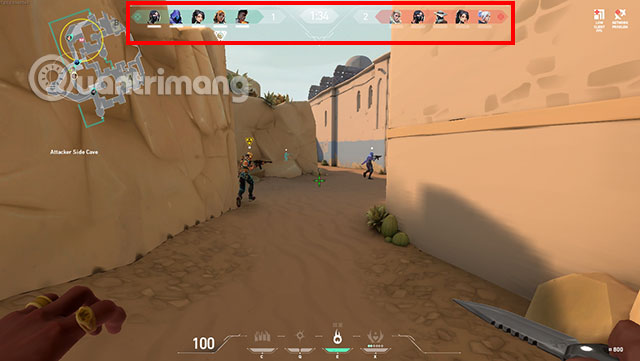
The number of rounds for you to win in the game is 4 rounds, so the pace to complete a bombing match in Valorant will not be too long.
Hopefully, the above guide to playing Valorant will help you who have never played FPS games and who want to learn how to play Valorant before entering this battlefield. Fighting in the game.
FAQ
What should I know about Play Valorant for Newbies?
Focus on the key features, requirements, limitations, and practical use cases explained in this guide.
How do I get the best results with Play Valorant for Newbies?
Follow the recommended steps, use current software or information, confirm compatibility, and review settings before major changes.
Are there any risks or limitations?
Potential limitations depend on compatibility, data quality, cost, privacy, support, and how the product or method is used.
Related Articles
 Collection of Beautiful Quality Valorant Wallpapers3 minutes read
 How to Download Valorant on PC: Step-by-Step Guide5 minutes read
 Overview of Valorant Game - Is Valorant a Game Worth Experiencing Explained14 minutes read
 How to Fix Valorant Failed to Install4 minutes read
 Valorant Weapons: Detailed Weapons List in Valorant4 minutes read
 How to Downloading Valorant Closed Beta: Step-by-Step Guide4 minutes read
Reader Comments 0
Sign in with email or Google to join the discussion.