Table of Contents
Arena of Valor lets eligible players buy selected skins as gifts for friends through the in-game Friends or Gift Center interface. The exact requirements and daily limits vary by regional server, so check the message shown in your client before paying.
Check the gifting requirements first
Do not rely on one universal friendship period or account level. An official global Arena of Valor guide has listed a three-day friendship requirement, level 15, and a maximum of five skins per day, while some regional clients have displayed different conditions such as intimacy thresholds or longer friendship periods.
| Requirement | What to verify in your game |
|---|---|
| Friendship age | How long the recipient must have been on your friends list |
| Account level | The minimum level for sending or requesting gifts |
| Relationship or intimacy | Whether your server requires a minimum friendship score |
| Daily limit | How many gifts the sender can purchase that day |
| Skin eligibility | Whether the selected skin can be gifted and whether the recipient already owns it |
| Currency | The final voucher cost and account balance before confirmation |
The older official Gift Center notes are useful as an example, but the error or confirmation message inside your regional client is the final rule.
How to gift a skin to a friend
- Open Arena of Valor and sign in to the account that will pay for the gift.
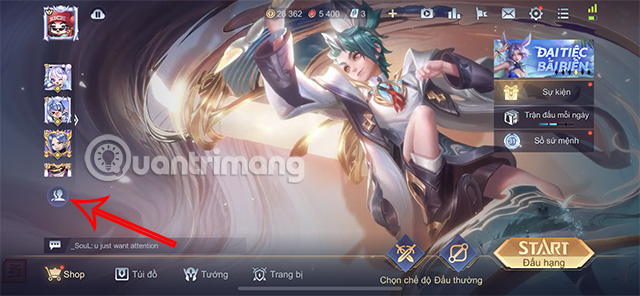
- From the lobby, open Friends.
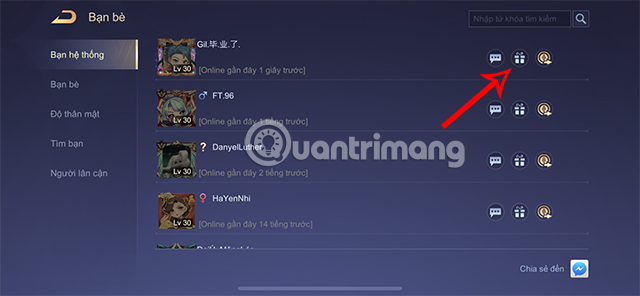
- Find the intended recipient and select the gift-box icon, or open the game's Gift Center.
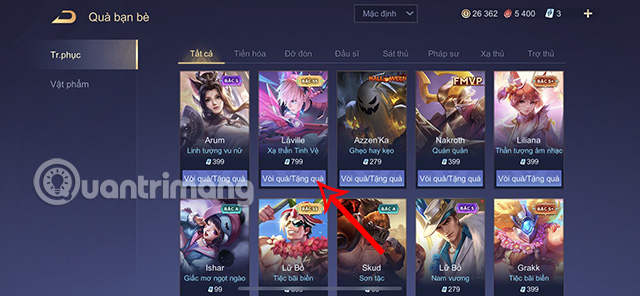
- Browse the skins that are eligible for gifting.
- Select Gift or the equivalent option beside the skin.
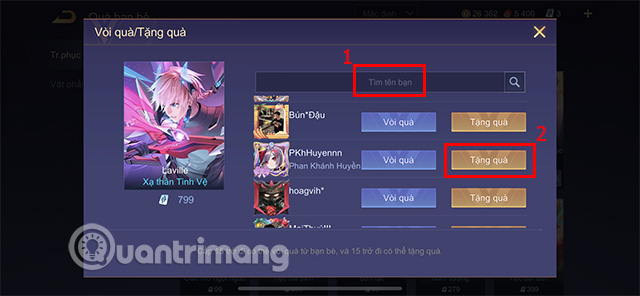
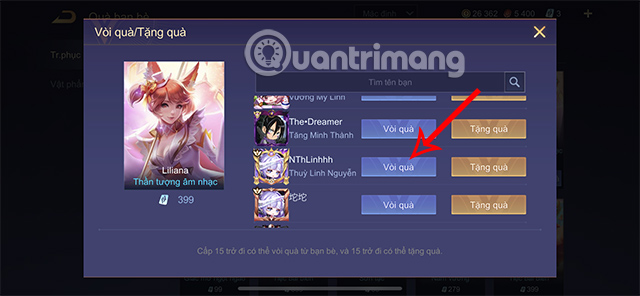
- Search for and select the correct friend. Check the player name, avatar, and server carefully.
- Review the skin, price, and recipient on the final confirmation screen.
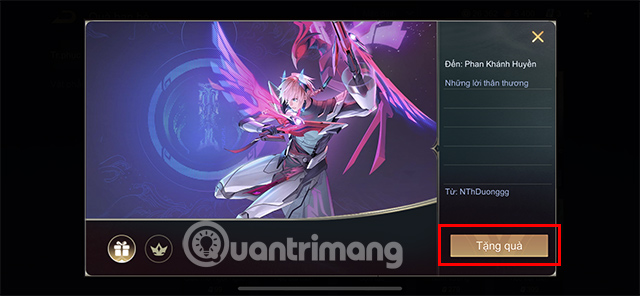
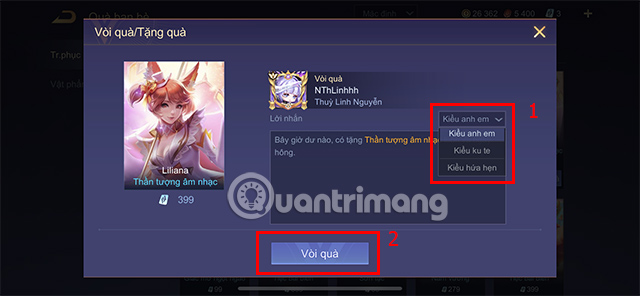
- Add a message if the feature is available, then confirm the purchase.
A skin gift spends in-game currency and normally cannot be casually reversed. Pause at the final screen if the recipient name or item is not exactly correct.
How the gifting screens look
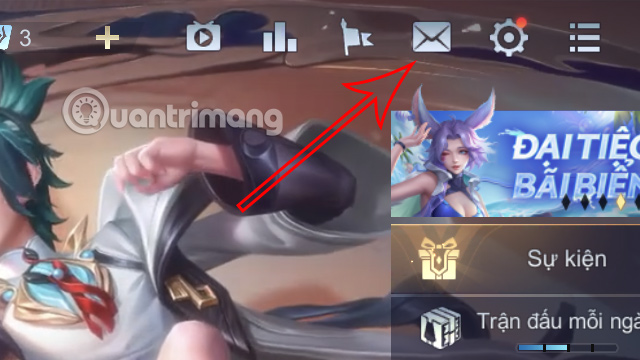
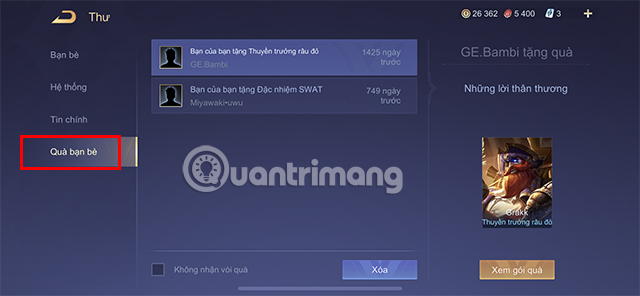
The screenshots below are retained from an earlier regional version of Arena of Valor. They illustrate the usual flow, but button names and placement may differ after an update.
How to receive a skin gift
- Open Mail from the main interface.
- Look for a category such as Friend Gifts.
- Open the message from the sender.
- Claim the attached skin before any displayed expiry date.
- Check the hero's skin collection if the item does not appear immediately.
How to request a skin
Open the Gift Center, select an eligible skin, and choose Request instead of Gift. Select the friend you want to ask and use one of the available request messages. A request does not transfer currency or guarantee that the friend will buy the item.
If you cannot send the gift
- The friendship period, account level, or intimacy requirement has not been met.
- The recipient already owns the skin.
- The skin is limited, unavailable, or excluded from gifting.
- The sender has reached the daily limit.
- The accounts are on different servers or regional versions.
- The account does not have enough vouchers.
- A parental, purchase, or security control is blocking the transaction.
If menu names are difficult to identify, TipsMake's guide to changing the language in Arena of Valor can help you match the interface to these steps.
Gift safely
Use only the in-game gifting feature. Never give another player your password, QR login, payment information, or verification code. A legitimate skin gift does not require the recipient to log in to the sender's account.
Related Articles
 Summary of Events to Receive Free Skins in Arena of Valor in April 20267 minutes read
 How to Change Language in Arena of Valor6 minutes read
 Arena of Valor Gift Codes, Arena of Valor SSS Skin Codes17 minutes read
 Collection of Arena of Valor Splash Art6 minutes read
 minutes read
 How to Restore Arena of Valor Credibility Score Fast11 minutes read
Reader Comments 0
Sign in with email or Google to join the discussion.