Table of Contents
This practical guide explains how to fix your virus & threat protection is managed by your with clear steps and useful context. It also covers common requirements, potential problems, and the details that can help you get better results.
With the second group of users, when Windows Defender encounters an error, they will be very impatient and worried. Your virus & threat protection is managed by your organization is one of the common errors that users encounter. This error prevents users from turning on Windows Defender.
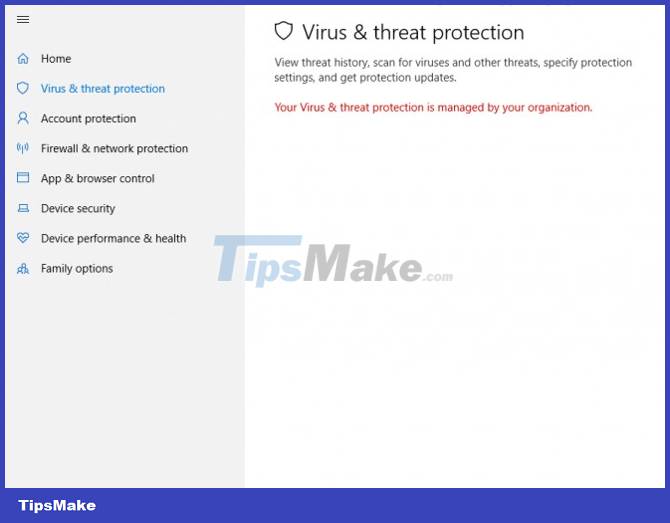
So to solve the error Your virus & threat protection is managed by your organization, what do you need to do? Let TipsMake.com help you.
How to Fix the Error Your Virus & Threat Protection Is Managed by Your Organization
Step 1 : You press the Start button on the screen or the Win button on the keyboard then type cmd. In the search window you will see Command Prompt results, click on the Run as administrator line below.

Step 2 : Copy the command line below and Paste into Command Prompt then press Enter.
REG DELETE "HKLM/SOFTWARE/Policies/Microsoft/Windows Defender" /v DisableAntiSpyware 
Step 3 : After Enter you will see Command Prompt asking if you confirm the command or not. Yes/No question, press Yes and then Enter to confirm.
Step 4 : After running the command, turn off CMD and then reopen Windows Defender. At this point, you will see it asking you to restart the program, click Restart now to restart Windows Defender.
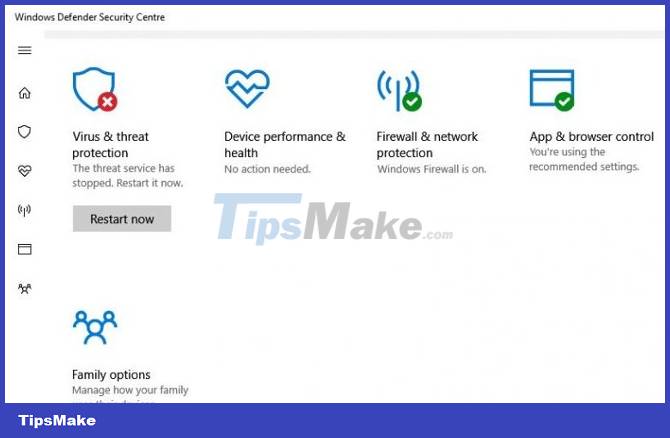
You wait for the system to finish rebooting and everything will work normally. Note that after restarting Windows Defender, you should conduct a scan of your computer system once to see if any viruses or malware have entered.
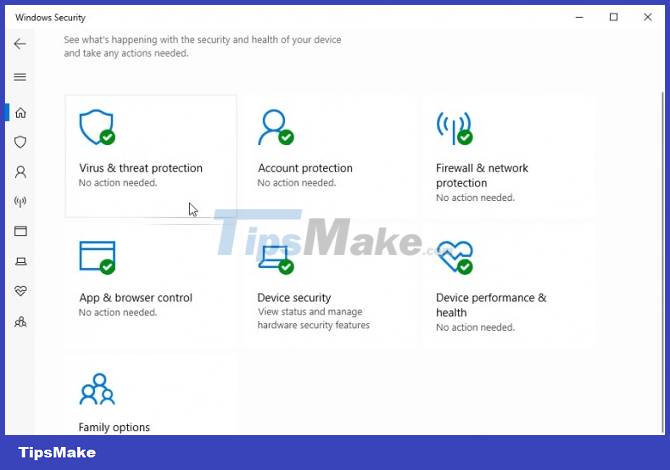
Good luck!
Conclusion
Understanding Your Virus & Threat Protection Is Managed by Your Organization Error makes it easier to compare options, avoid common mistakes, and apply the information in this guide more effectively. Review the relevant requirements before making changes or choosing a solution.
FAQ
How do you fix your virus & threat protection is managed by your?
Follow the steps in this guide in order, confirm the required settings or tools, and verify the result before making additional changes.
Is it safe to fix your virus & threat protection is managed by your?
It is generally safe when you follow the recommended instructions, use trusted tools, and avoid changing settings you do not understand.
What should you do if the process does not work?
Recheck the requirements, restart the device or application when appropriate, and review each step for missed settings or compatibility issues.
Related Articles
 What Is NordVPN Threat Protection and Why Should You Use It?7 minutes read
 How to Open Windows Security in Windows 1011 minutes read
 Technology: 'Suicide' Virus -- New Threat on the Internet1 minutes read
 Top 10 Best USB Protection Software Today9 minutes read
 Are Viruses Still a Threat to Cybersecurity?8 minutes read
 9 Tips to Protect Your Computer Safely from Virus Attacks6 minutes read
Reader Comments 0
Sign in with email or Google to join the discussion.