Table of Contents
Learn how to find rankings in dota auto chess by Region, by region. It also highlights practical details and common issues to consider.
In Dota Auto Chess, the player will have a lobby search, ie a waiting room to join with other players. In this waiting list the player will know the area of each lobby, along with the ping level, map play.
But players can only find the play area with other players to participate, this will help players not encounter lag issues, high ping because the location of the playroom is not near.
Another way that you can find lobby by rank and area you want to play, this way, if you want to do it, you need to search on QIHL Auto Chess website according to the instructions This guide.
- 5 mistakes to avoid when playing Dota Auto Chess if you want to win TOP 1
- How to see rank and number of matches in Dota Auto Chess
- Dota Auto Chess: Combine more than 10 tactics to help you get into the Top 3 easily
- Dota Auto Chess: The most effective tips for making gold and using gold
The Way to Find Lobby by Rank and Region in Dota Auto Chess
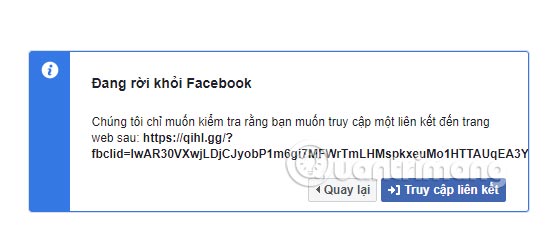
Step 1: Visit the https://qihl. gg/ link to visit lobby site Dota Auto Chess, if you see a message Leaving Facebook, click Access link .
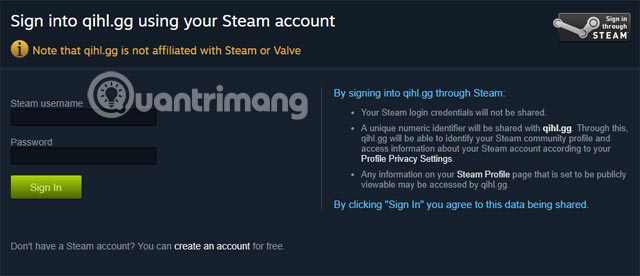
Step 2: Then select the Steam login icon in the upper left corner to log in to your Steam account.

Then log in to your account playing Dota Auto Chess.
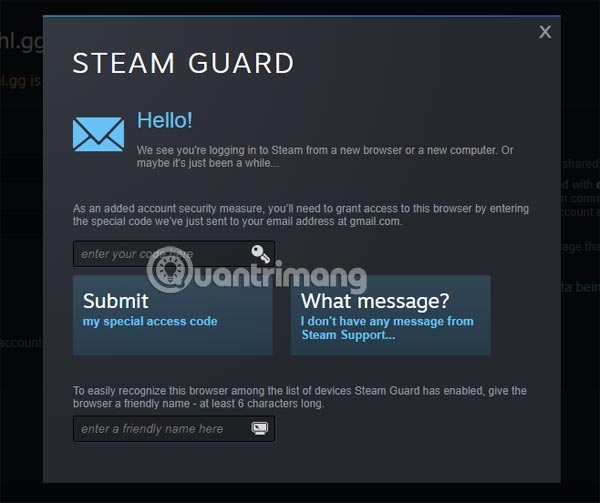
If you see a confirmation code, go to the email associated with the Steam account to find the code and enter it.
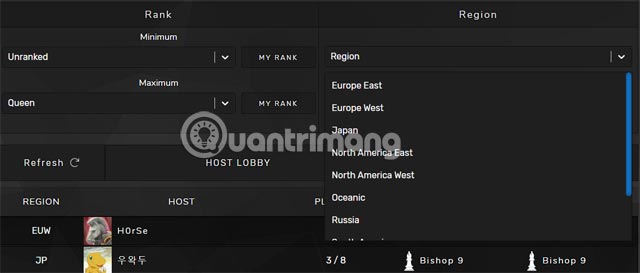
After logging in to QIHL, select the Matchmaking section on the home page, and then there will be a lobby table below. If you want to create your own room, click Host Lobby and select rank room, area, and click Create Lobby to create a room.
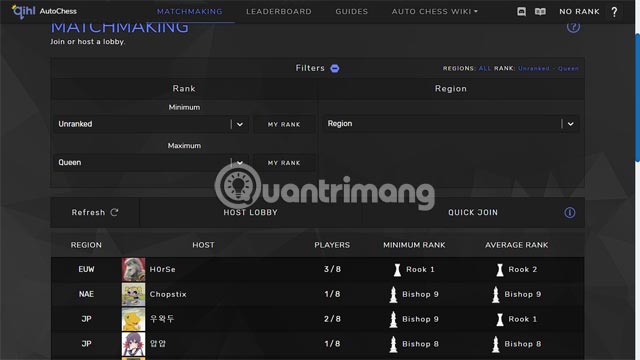
Here you can select the Region in the Region section and the Rank side, there will be the Minimum and Maximum sections for you to choose.
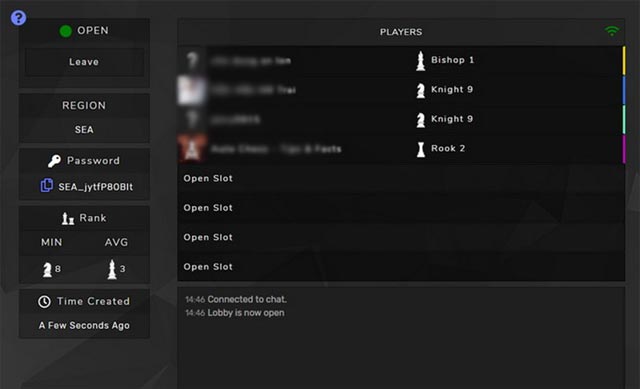
Select a room and you will see a list of players currently in lobby, on the left side you will see a column showing the room status.
Click Join to get the password for that room. Then select the green icon next to the password to copy the password.
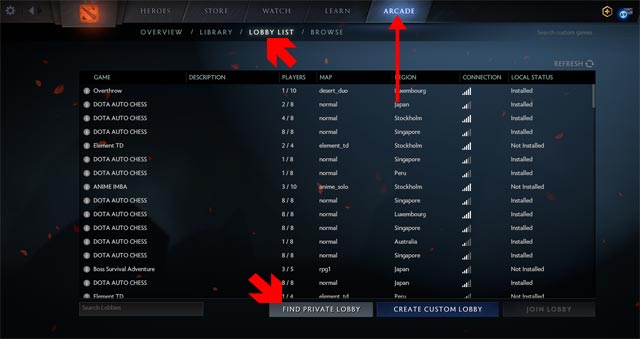
Next to the game, select Arcade > Lobby List and press Find Private Lobby. Then enter the password into the frame with Ctrl + V and click join lobby to enter the game.
By looking for this lobby, you will know who you rank with, so the distance between you and other gamers is not so different. In addition, it also helps you proactively find the lobby near your area, avoid lag, high ping.
Version note: Menus, features, and availability can change between versions. If the interface differs, consult the current official documentation for your device or app.
FAQ
How do I find Rankings in Dota Auto Chess by Region, by Region?
Learn how to find rankings in dota auto chess by Region, by region. It also highlights practical details and common issues to consider.
What should I check before following the steps?
Confirm that your device, software version, account permissions, files, and connection meet the requirements described in the guide. Back up important data before making system-level changes.
What should I do if the process does not work?
Repeat the steps in order, verify settings and permissions, restart the app or device, and compare your screen with the provider's current documentation for your version.
Related Articles
 Dota Auto Chess: Synthesize Assassins to Be Strengthened in This Update4 minutes read
 How to Install Vietnamese Dota Auto Chess4 minutes read
 Dota Auto Chess: Rank the up Line Combo Currently the Most Meta6 minutes read
 Dota Auto Chess: How to Build Teams According to Each Stage of the Most Effective7 minutes read
 5 Mistakes to Avoid When Playing Dota Auto Chess If You Want to Win TOP 17 minutes read
 Dota Auto Chess: Combine More Than 10 Tactics to Help You Get into the Top 38 minutes read
Reader Comments 0
Sign in with email or Google to join the discussion.