Table of Contents
Overview
This guide explains how to download Douyin (Chinese TikTok) in clear, practical terms. It covers the key concepts, recommended steps, common limitations, and useful checks so you can make a better-informed decision.
Today, with the trend of generation Z, TikTok has become an indispensable application in every smartphone, but compared to the TikTok version in Vietnam that is being released, the domestic TikTok version launched by Douyin has many more interesting and attractive features. Let's join this guide to see and learn how to download the latest Chinese version of TikTok 2021.
1. What is TikTok?
TikTok was launched in 2017, it is China's largest music video social networking platform. On this platform, users can create short music videos, lip sync, comedy, music creation,. with duration from 30 - 60 seconds. In China, Douyin was launched in 2016.

While TikTok and Douyin look identical, their data and content are different. Each app's servers rely on their existing marketplaces to deliver information and do not have access to each other's content.
TikTok has more than 1 billion global users in 4 years, while Douyin has about 500 million monthly active users.
2. How to download and use TikTok on smartphone
To be able to use the Vietnamese version of TikTok, you can easily use your smartphone and download it here:
- Link to download TikTok iOS version:

- Link to download TikTok Android version:

You don't need to register an account to watch TikTok on your smartphone, you just need to touch and swipe to slide to see the videos that are displayed according to your needs and interests easily. Or you can search through filters according to the topics you like.
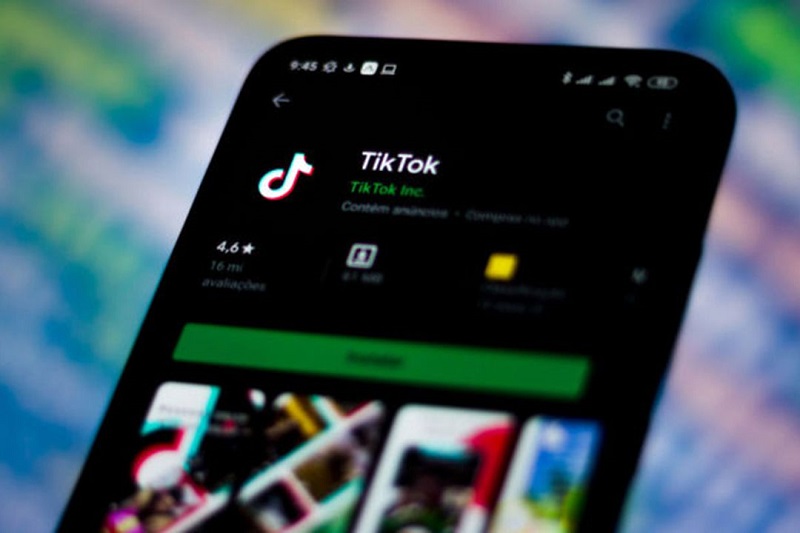
Once you have registered an account, TikTok will display some recommended videos or videos from other TikTokers that you follow. The huge amount of audio and video from each TikToker will make it easy for you to "get addicted" and it will be difficult to watch this entire library.
3. How to download TikTok on computer
Besides, you can also easily install TikTok on your computer, instead of using smartphones. This guide explains to learn more about How to install TikTok on PC simply, the interface is similar to the phone here.

4. How to download TikTok China Douyin version
TikTok in the Chinese market is called Douyin and does not allow downloading in Vietnam, so you need to read the following instructions carefully to download the Chinese version of TikTok:
a) Download Douyin for Android phones
- First, to download the Douyin version of TikTok, go to the official Douyin website
- Select Download now to download, or you can click here

Then you go to install on your Android phone device (allow to install the application)
B) Download Douyin for iOS smartphones
You need to log out of your current AppStore account, create a China AppStore ID to download (then you can log out and log in with your old account)
Then, you access the official Douyin website to download or go to AppStore and type Douyin (Douyin) to download. You can also download Douyin Here
Besides, it's simpler to use the QR code scanning tool from your smartphone and scan the following QR code to download the Chinese version of Douyin (TikTok) here:

Thus, through this article, this guide has guided you on how to install the Chinese version of TikTok (Douyin) in a simple and easy-to-understand way. Wish you success!
Key Takeaways
Use the guidance above as a practical reference for download Douyin. Check compatibility, follow the steps carefully, and verify important details with official documentation when software, security, accounts, health, or purchases are involved.
FAQ
How do I download Douyin (Chinese TikTok)?
Follow the steps in this guide in order, confirm each setting before continuing, and save, restart, or reconnect the device when the instructions require it.
What should I check before I begin?
Confirm the correct device, account access, software version, compatibility, and a current backup whenever the process could affect files, settings, or security.
What should I do if the process does not work?
Repeat the steps carefully, check for model or version differences, install available updates, and consult the manufacturer's official support documentation.
Related Articles
 How to Download Chinese TikTok Videos Without the Logo3 minutes read
 How to Download TikTok Videos on PC Latest Update7 minutes read
 How to Download TikTok China on Android, iOS, iPhone, iPad5 minutes read
 How to Watch Tiktok Videos on Computers Without an Account5 minutes read
 What Is Tiktok and How Does It Work?9 minutes read
 TikTok Studio: Creator Tools, Features, and Setup7 minutes read
Reader Comments 0
Sign in with email or Google to join the discussion.