Table of Contents
This updated guide explains how to bring dynamic island to Android phone with clear steps, practical tips, and useful context. Dynamic Island has redefined the way iPhone users interact with notifications and live activities. But who says only Apple users get to enjoy this? to bring this feature to your device, here are the best Dynamic Island alternatives for Android.
How to Bring Dynamic Island to Android Using Edge Mask
Dynamic Island on iPhone 14 is a new design added by Apple to this latest iPhone product line. And to experience this Dynamic Island design on your Android phone, you can use the Edge Mask application. This application provides many settings for us to adjust the interface for the phone, as well as the Dynamic Island interface on the phone. The article below will guide you to bring Dynamic Island to Android phones.
Step 1:
We will install the Edge Mask application on Android phones using the link below.
- Download Edge Mask app
Step 2:
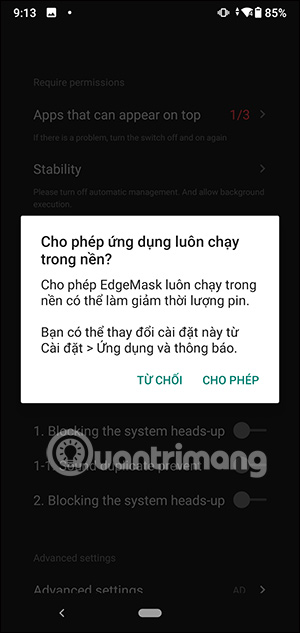
First of all, You need to agree to let the Edge Mask application access some permissions on your phone. You will see a notification displayed on the screen, we will tap Allow or follow the instructions to agree.
Step 3:
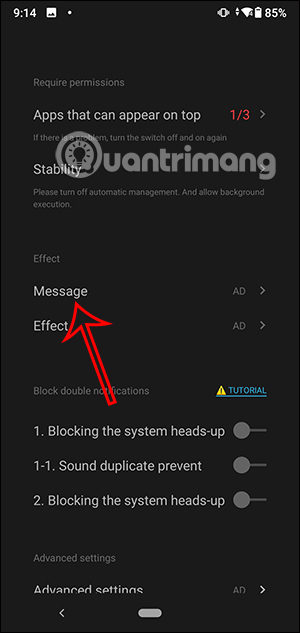
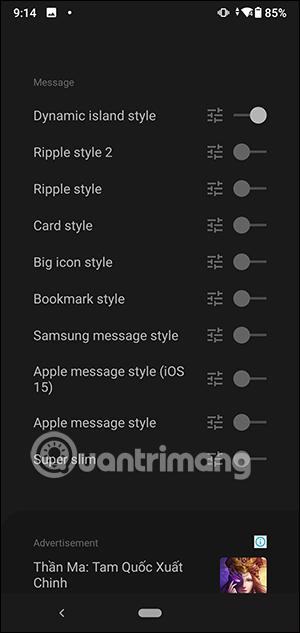
Display the settings for the Edge Mask application. First, in Message, we will choose the effect for the notification on the phone . To use any type of effect, slide the round button to the right to activate.
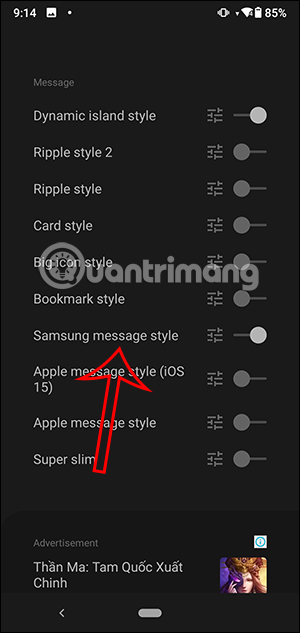
With Dynamic Island interface, Samsung message style effect will be enabled.
Next, select Effect to adjust additional effects when there is a notification such as rotation, bright borders on the edges of the screen, and light wave effects.
Also, the application also suggests adding color effects to the four edges of the screen using the Edge Mask Music application.
Step 4:
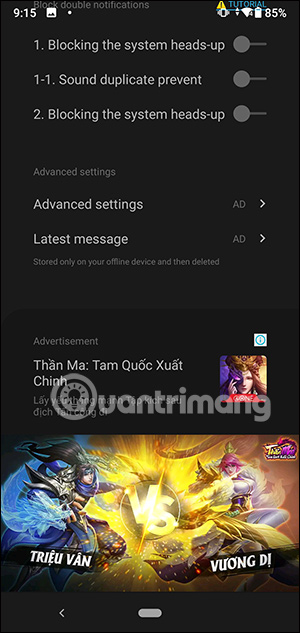
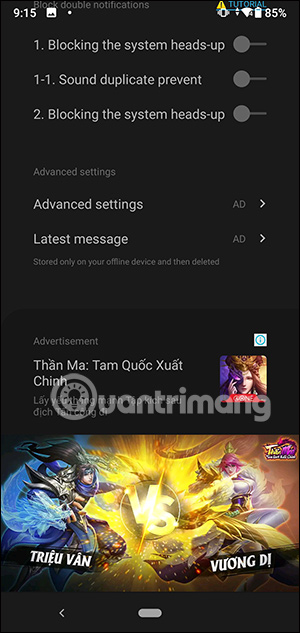
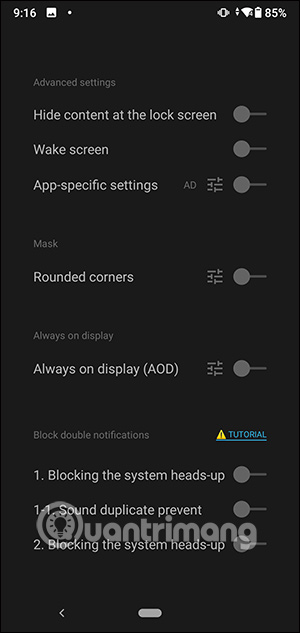
Continue to tap Advanced settings to use more advanced settings. In the Latest message section , you can review the latest notifications.
Step 5:
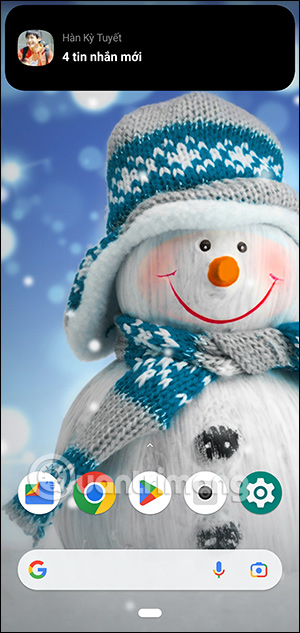
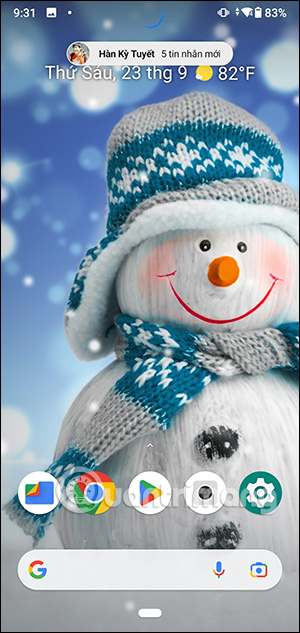
After you have finished installing, the Dynamic Island feature will be enabled on your phone. When a new notification or message arrives, the interface will appear as shown below.
Clicking on the Dynamic Island interface will immediately take us to the notification content so we can view the content.
How to Bring Dynamic Island to Android Using NotiGuy
NotiGuy is a Dynamic Island app for Android that adds a pill-shaped cutout to display your notifications. The app works well and offers additional options, such as mapping the camera hole on your phone.
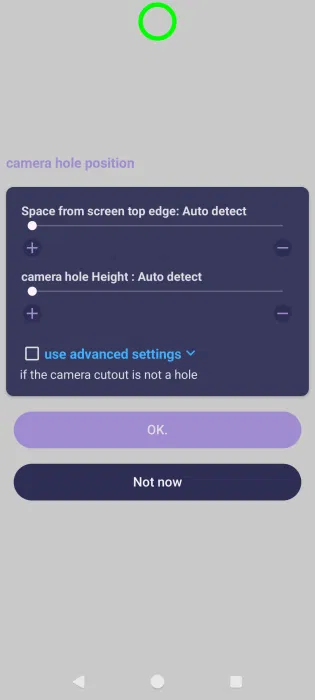
Install the app and let it detect the camera hole position. Adjust it using the slider. For phones without a camera cutout, use the Advanced setting option.
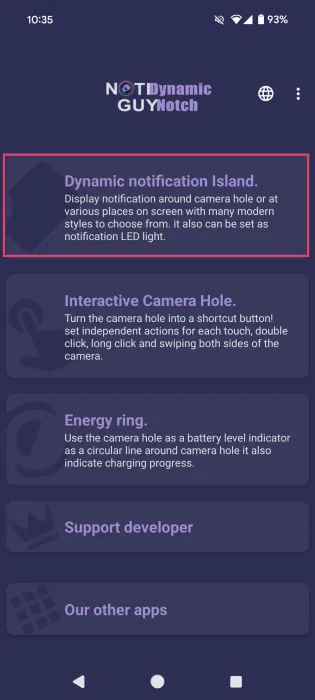
Go through the slides explaining the app's features to get to the main app screen. Tap the Dynamic Notification Island option at the top.
ensure the Enable Dynamic Notification option is enabled.
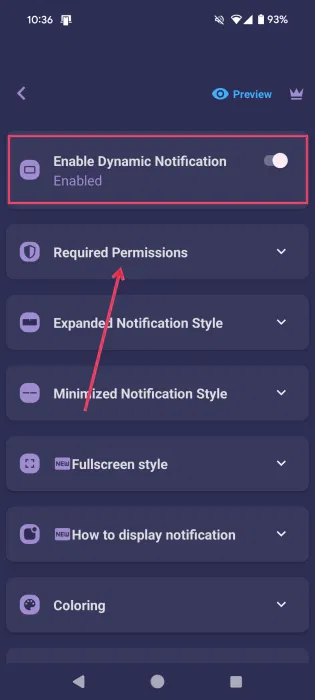
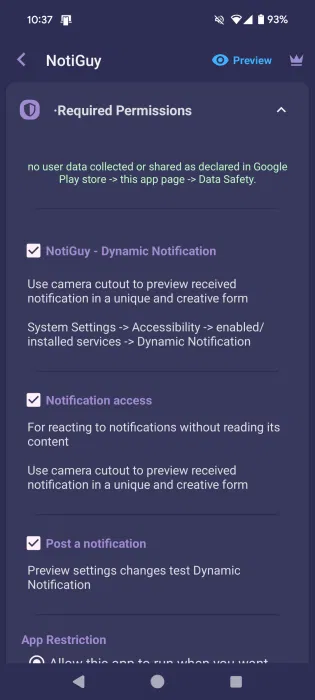
Continue to Required Permissions . Review all the permissions and check the box next to them. You need to enable access to the app through Settings.
Dynamic Island will be activated every time you receive a notification on your phone. for instance, receiving a new WhatsApp message notification.

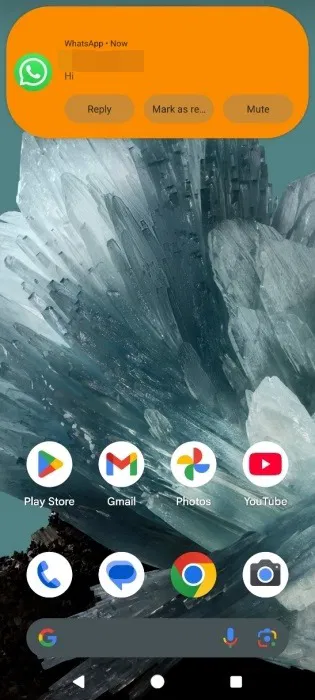
When tapped, options to interact with the message will appear, such as Reply or Mark as read .
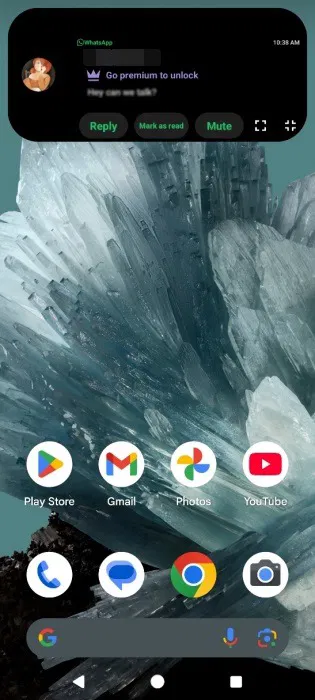
While there is no message preview in the free version of NotiGuy, you can still see it through the blur effect.
Also, you can modify the shape of the Dynamic Island by going to Minimized Notification Style and selecting the option you want.
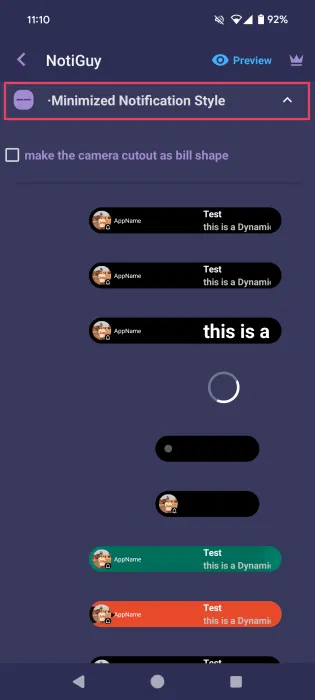
Note that Dynamic Island by NotiGuy only includes notifications. It will not trigger when you play Spotify, for instance, or interact with other apps on your phone.
Also, the app lets you map the camera hole, which is a pretty cool feature. In the app, tap the Interactive Camera Hole option.
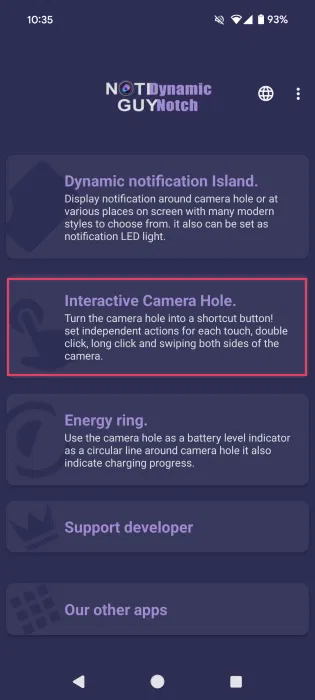
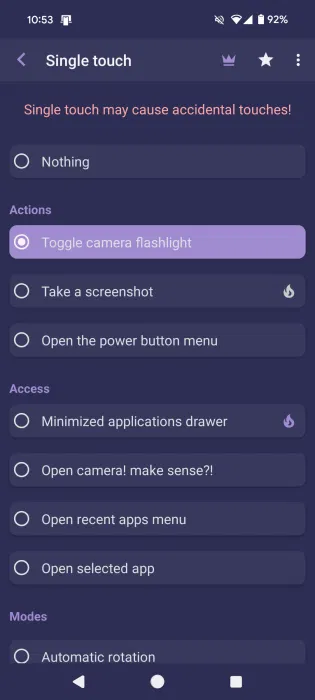
Grant the necessary permissions at the top, then select Single touch . The other options are advanced.
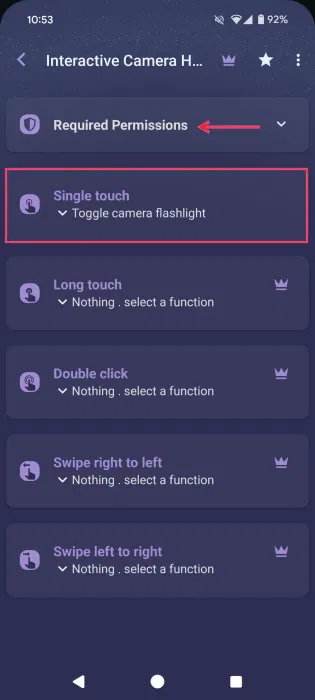
Choose your action, like Toggle camera flashlight . After setting it up for a while, it works pretty well. You can choose to open a selected app or play/pause music, among other things.
How to Bring Dynamic Island to Android Phone Using dynamicSpot
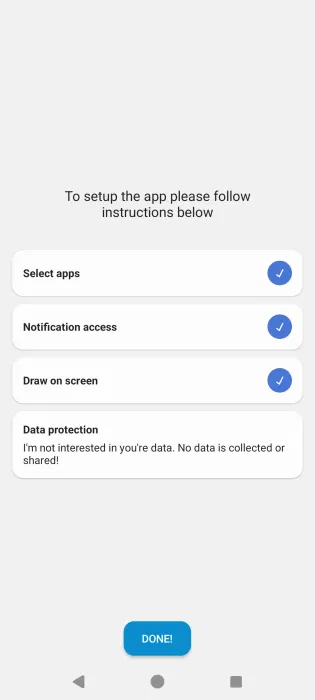
dynamicSpot is another app that brings the Dynamic Island experience to Android. it is mostly free to use, but comes with some premium options. Open the app and grant the necessary permissions.
Select app notifications and other information that will appear in Dynamic Island.
Note : dynamicSpot isn't limited to showing notifications for apps. Apps can show, for instance, when you're playing music in an app, like Meditative Mind.
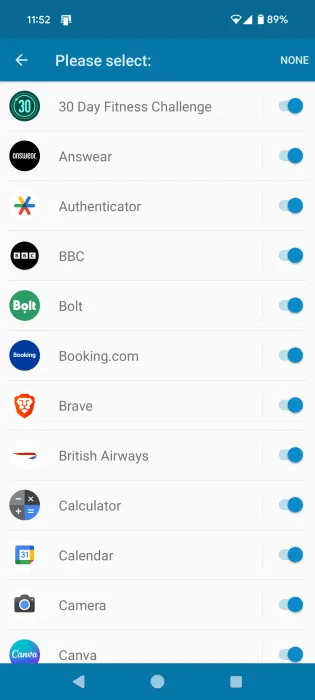
You can choose which apps display system notifications in this way. open Notifications in the dynamicSpot home screen.
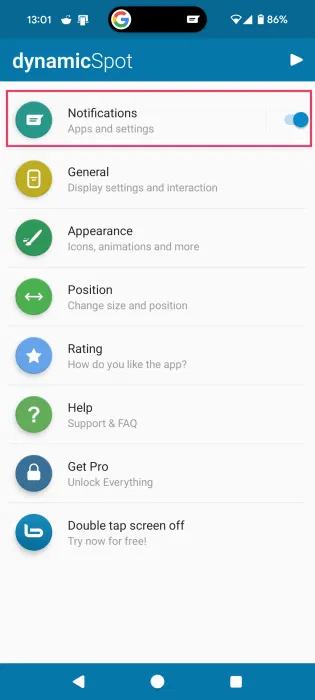
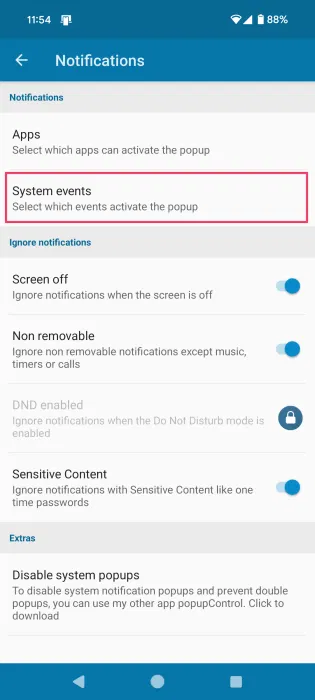
Select System events .
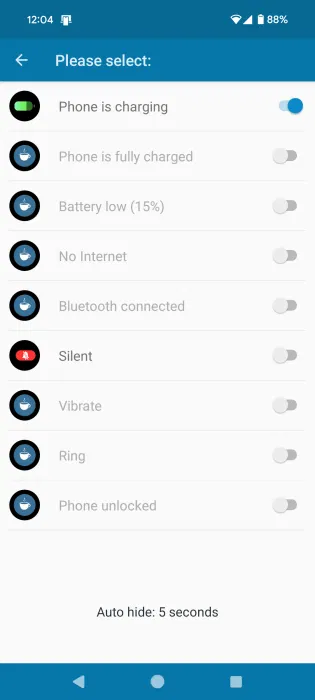
You can only enable the first option, Phone is charging , for free. You need to upgrade to a subscription for the other options.
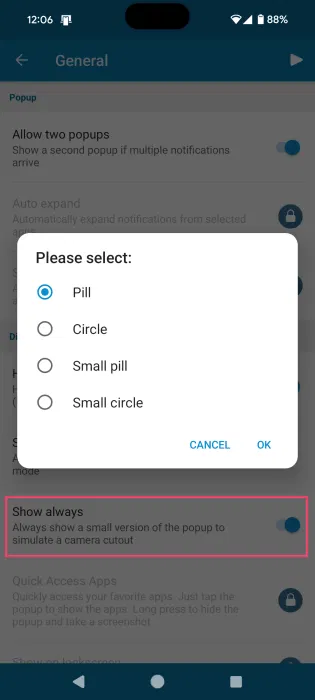
If you like how Dynamic Island looks on screen, under General , leave it set to Show always . Choose whether you want Dynamic Island to be pill-shaped or circular.
Continue modifying how Dynamic Island appears by going to Appearance . for instance, choose a different background color or choose which icons to display.
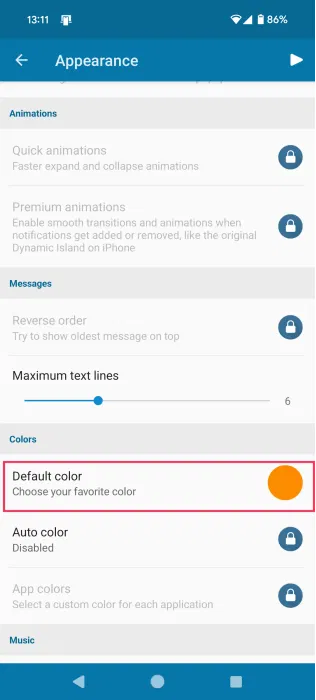
More options, like showing a Visualizer when playing music or showing quick animations, are hidden behind a paywall.
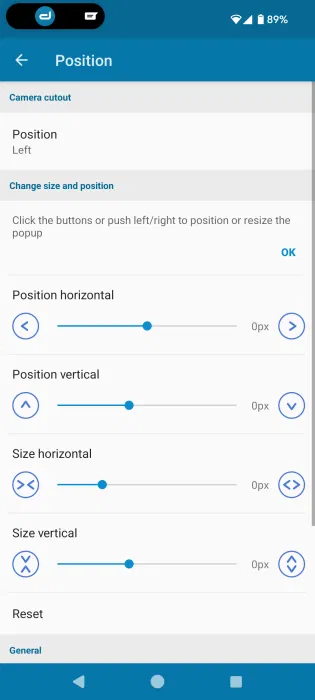
Finally, dynamicSpot lets you change the position to the Left size of the screen if you want. Alternatively, use the bars below to move it to a custom position on your screen.
Just like in the previous app, when you tap Dynamic Island, it will show you ways to interact with the app.
FAQ
What should I prepare before I bring dynamic island to android phone?
Review the requirements and options in the guide first. Having the correct device, app version, account access, or materials ready helps prevent avoidable errors.
How long does it take to bring dynamic island to android phone?
The time depends on the task and your setup. Most basic steps can be completed quickly, while downloads, updates, scans, or troubleshooting may take longer.
What should I do if the steps do not work?
Repeat the instructions in order, confirm that your software or device is supported, and check permissions, connectivity, and available updates before trying again.
Related Articles
 Tips for Using Dynamic Island on Android Smartphones: Main Insights4 minutes read
 How to Use Dynamic Island on iPhone 15: Practical Guide7 minutes read
 iOS 17.1: Complete Guide4 minutes read
 Dynamic Island Explained6 minutes read
 Instructions for Installing Dynamic Island on Windows4 minutes read
 Instructions for Playing the Game Hit the Island on Dynamic Island5 minutes read
Reader Comments 0
Sign in with email or Google to join the discussion.