Table of Contents
This guide covers global laptop market: the risk of missing components! with practical context and easy-to-follow details. Use it to understand the subject and apply the information confidently.
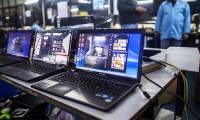
Notebook manufacturers are facing the risk of scarcity of components and components this quarter, research firm DRAMeXchange recommends. According to DRAMeXchange, even PC giants like HP, Dell, Lenovo, Toshiba. Have also started to "experience pain" from the supply of LCD monitors, batteries, hard drives, cases and drives. Optical tightening from the previous quarter. Source: ZDNet After a time of overproduction, components produced massively in a lack of planning, components firms balance their productivity and choose a safe solution that is "less than redundant". The inevitable consequence is that the supply of goods decreases markedly.
" The situation will become even more serious in the third quarter, when laptop sales are expected to surpass 25. 6 million units, up 14. 4% from the second quarter. Meanwhile, parts supply has not increased, if not cut, "said DRAMeXchange. Brands of small laptops will suffer more heavy losses. They have just faced lower-than-anticipated factory sales due to lack of experience, while facing the high cost of production and team costs. According to DRAMeXchange, the trend of continuously lowering product prices to attract customers in the laptop market in the past time is likely to be difficult to continue in the second half of this year. " Now, they are standing on the brink of a lack of crisis.
The price will be squeezed and pushed higher, not the race to sell off, liquidate, clean up as before. " Trong Cam
FAQ
What should I check before following these steps?
Confirm device and software compatibility, save important data, and make sure you have the required permissions, files, and account access.
Why might the process not work?
Common causes include outdated software, missing permissions, incompatible hardware, an unstable connection, or completing a step in the wrong order.
Can I undo the changes if necessary?
That depends on the tool or setting. Use built-in restore options when available, keep a backup, and record the original configuration first.
Related Articles
 Global PC market shows some signs of prosperity after 7 consecutive years of 'recession'.
 Top 5 companies holding 70% of global laptop market share in 2006
 Overview of the global PC market in 2020
 How to check the battery level of the laptop quickly and accurately
 Global Gambling Market to Grow from $465.76 Billion in 2020 to $516.03 Billion in 2021
 CES 2019: The development trend of the laptop world
Reader Comments 0
Sign in with email or Google to join the discussion.