Table of Contents
This guide covers fujitsu laptop and projector with practical context and easy-to-follow details. Use it to understand the subject and apply the information confidently.
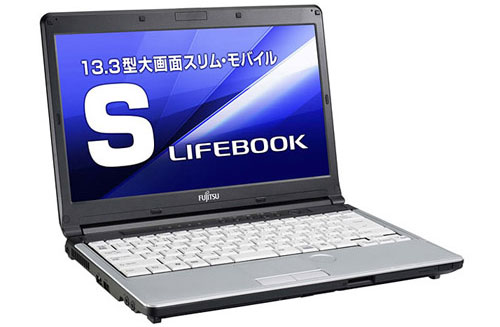 Lifebook S761 / C.
In addition to the interesting and fancy optical drive integration location, Fujitsu's new laptop duo is also equipped with good configuration. Lifebook S761 / C owns 13. 3 inch screen resolution of 1366 x 768 pixels, Intel Core i5-2520M processor with 2. 5GHz speed, 1GB RAM (can be upgraded), hard drive of 160GB capacity.
Lifebook S761 / C will be sold next month for $ 2, 675.
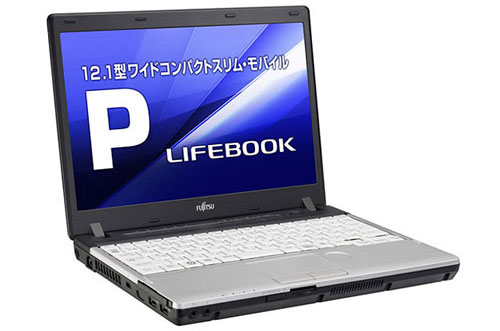 Lifebook P771 / C.
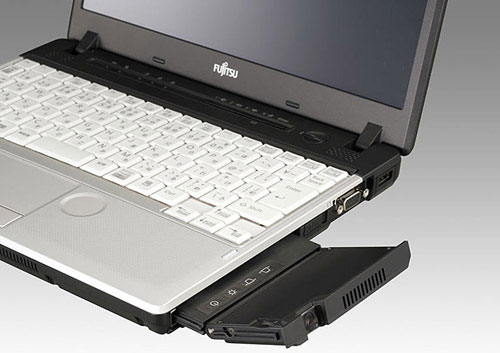 Optical drive location replaced with mini projector.
The other model, P771 / C owns a 12. 1 inch screen with a resolution of 1, 280 x 800 pixels, Intel Core i5-2520M processor with a speed of 2. 5GHz, 1GB of RAM, Intel HM65 Express Chipset, 160GB hard drive.
P771 / C is priced at $ 3, 110 and is available next month.
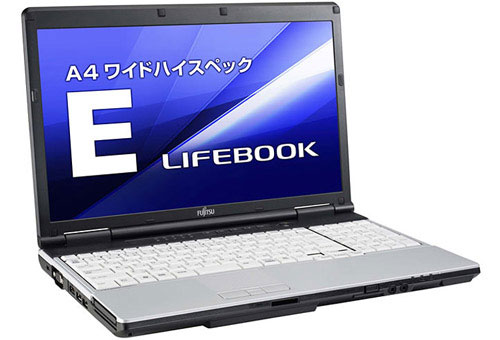 Lifebook E741 / C.
In addition, Fujitsu also introduced the Lifebook E741 / C model with security technology through user-defined vein. The position of this sensor is placed at the bottom corner of the table so that the hand is similar to the position of fingerprint identification slot in many other models.
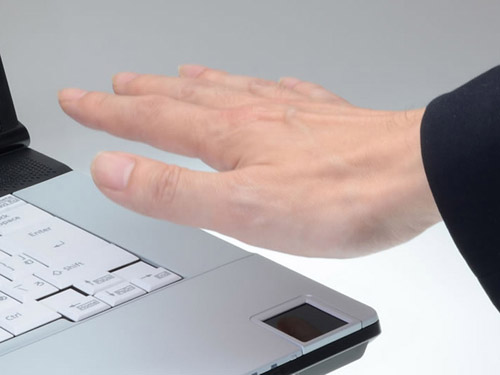 Describe venous identification on Lifebook E741 / C.
Lifebook E741 / C has a very good configuration, it has a 15. 6-inch screen, Core i7-2620M processor with 2. 7GHz speed, 160GB hard drive. The device will be sold in the middle of next month for $ 2, 900.
FAQ
What should I check before following these steps?
Confirm device and software compatibility, save important data, and make sure you have the required permissions, files, and account access.
Why might the process not work?
Common causes include outdated software, missing permissions, incompatible hardware, an unstable connection, or completing a step in the wrong order.
Can I undo the changes if necessary?
That depends on the tool or setting. Use built-in restore options when available, keep a backup, and record the original configuration first.
Related Articles
 How to Connect the Projector to a Computer, Laptop7 minutes read
 Experience the Fujitsu Uh-x - the World's Lightest High-end7 minutes read
 Instructions for Connecting a Computer to a Projector9 minutes read
 Fujitsu 2-screen Laptop3 minutes read
 5 Popular Wireless Projectors to Connect to Laptops, Phones5 minutes read
 Fujitsu BusinessBook Laptop Trio4 minutes read
Reader Comments 0
Sign in with email or Google to join the discussion.