Table of Contents
This guide covers fujitsu 2-screen laptop with practical context and easy-to-follow details. Use it to understand the subject and apply the information confidently.
Recently, electronics giant Fujitsu, Japan has launched the new N7010 laptop with two screens, including a smaller tap screen to increase the convenience of use.
Fujitsu's 'superhuman' laptop called LifeBook N7010 is the version released after two pretty cult versions of LifeBook A1110 and LifeBook A6220. The most special feature of this new laptop is the integration of a 4-inch LCD tap screen above the keyboard with the main function is the screen to adjust music, view photos and open folders quickly. With this tap screen the user can split the working Windows at both the main screen and the sub tap screen below without affecting each other. In addition, the N7010 is quite well configured with Intel Core 2 Duo chip, 2. 26 GHz speed, 256MB video card, Wi-Fi, Bluetooth and integrated Blu-ray format reader, 16-inch main screen, support connecting HDMI to HDTV. Originally revealed, the price of the LifeBook N7010 is around $ 1499 and will be available in the market from November 10.
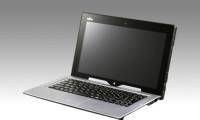
Some pictures of Fujitsu LifeBook N7010 - Photo: Akihabaranews
FAQ
What should I check before following these steps?
Confirm device and software compatibility, save important data, and make sure you have the required permissions, files, and account access.
Why might the process not work?
Common causes include outdated software, missing permissions, incompatible hardware, an unstable connection, or completing a step in the wrong order.
Can I undo the changes if necessary?
That depends on the tool or setting. Use built-in restore options when available, keep a backup, and record the original configuration first.
Related Articles
 Sony Vaio P Rival from Fujitsu3 minutes read
 Fujitsu's Ultra-sharp Touch Screen Laptop Support3 minutes read
 Experience the Fujitsu Uh-x - the World's Lightest High-end7 minutes read
 Fujitsu BusinessBook Laptop Trio4 minutes read
 Fujitsu Has Two More Laptops Running Ivy Bridge Chips4 minutes read
 Fujitsu Introduced a New 3D Laptop Model3 minutes read
Reader Comments 0
Sign in with email or Google to join the discussion.