Table of Contents
Free Pascal (FPC) is an open-source compiler for Pascal and Object Pascal. The project lists 3.2.2 as its latest official release. Use the Free Pascal download page to choose a package for your operating system and processor.

Choose the right Free Pascal package
Start with the operating system and CPU where the compiler will run. Check the project’s release matrix for the exact combination. Some platforms require a cross-compiler or a development build. Read the package README, especially on platforms that need additional linker or development tools.
Compile a first program
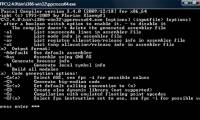
Verify the compiler installation with fpc -iV. Save this example as hello.pas:
program Hello;
begin
  WriteLn('Hello, Pascal!');
end.
In a terminal or Command Prompt, switch to the folder containing the file and run fpc hello.pas. Run the resulting hello.exe on Windows or ./hello on Linux or macOS. If the compiler command is missing, check your installation or PATH before troubleshooting the source.
Before moving a Turbo Pascal or Delphi project
FPC includes multiple language modes, including Turbo Pascal, Delphi and ObjFPC. Matching the dialect helps with syntax, but a project can still rely on libraries, components or platform APIs that are unavailable on the new target. Compile one unit and test its dependencies before porting the whole application.
The compiler and its runtime packages have different licensing terms. Review the relevant files if you plan to distribute a program or library built with Free Pascal.




Reader Comments 0
Sign in with email or Google to join the discussion.