Table of Contents
This article examines Apple Released iOS 11.4.1 Update, with Features to Combat Cracking Tools. It presents the main facts, practical implications, and key points in a clearer, easier-to-follow format.
This new feature is not working by default, so users must manually activate it by going to Settings, security and password.

With this new feature, about 1 hour after your iPhone or iPad is locked, iOS will block the connection with external accessories via the Lightning port. This will help prevent the use of tools for iPhone unlocking such as the GrayKey.
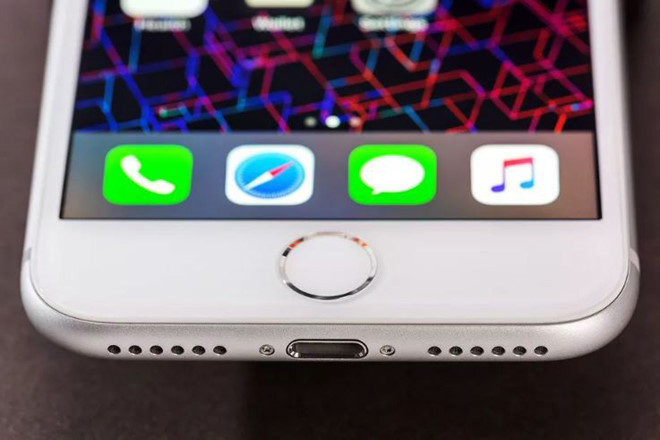
Apple is constantly increasing security, enhancing users' privacy from hackers and cases of entering their personal data. But this means that law enforcement agencies will find it more difficult to access criminal iPhone content.

In addition to restricting USB access, in iOS 11.4.1 update, Apple also focuses on fixing some operating system errors related to the AirPod search feature and syncing with Exchange accounts.
Apple Officially Released iOS 11.4
Finally, Apple has officially released iOS 11.4 after six beta versions, now users can update their device.
iOS 11.4 although not much of the interface improvements compared to iOS 11.3 was released at the beginning of April 2018 but it will give users a better experience by adding some new features such as Tin Message in iCloud, AirPlay 2 and Classkit Library.

To update to iOS 11.4, users can proceed directly via OTA protocol by visiting. Settings -> General -> Software Update .
Or if you want to use iTunes to restore using firmware, users can access the link below to download.
- https://ipsw.me/11.4
Note: For firmware updates and iTunes you should:
- Create Backup before upgrading so that if there is an error, it will not lose data.
- Check your Apple ID account (if possible, turn off the iPhone/iPad search or exit completely).
- Be sure to use the amount of free memory required.
- Charge more than 50%.
FAQ
What is the main point of Apple Released iOS 11.4.1 Update, with Features to Combat Cracking Tools?
This new feature is not working by default, so users must manually activate it by going to Settings, security and password. With this new feature, about 1 hour after your iPhone or iPad is locked, iOS will block the connection with external accessories via the Lightning port.
Why is Apple Released iOS 11.4.1 Update, with Features to Combat Cracking Tools important?
Apple Released iOS 11.4.1 Update, with Features to Combat Cracking Tools matters because it can affect how readers understand, choose, use, or respond to the subject discussed in the article.
What should readers verify about Apple Released iOS 11.4.1 Update, with Features to Combat Cracking Tools?
Check the date, product or software version, compatibility, and any current guidance before acting, especially when technology, security, health, or pricing is involved.
Related Articles
 Apple Officially Released iOS 12.1.1 Update with Many New Features3 minutes read
 Apple Officially Released iOS 12.1, Adding Many New Features4 minutes read
 New Features Updated on iOS 14.45 minutes read
 Apple Officially Released iOS 11.3, Allowing to Turn Off the Device When the Battery Is Slow3 minutes read
 How to Update iOS 14.3 Beta 3 to Increase Stability and Many4 minutes read
 Apple Released iOS 11. 3. 1 Update, Fixed the Touch Error When the iPhone Replaced the Screen Not4 minutes read
Reader Comments 0
Sign in with email or Google to join the discussion.