Table of Contents
Check track credits and platform labels first, then build more of your listening around artists or curators you trust. These steps can reduce how often you encounter AI-generated music. There’s no universal label or reliable cue you can hear in every track.
1. Check labels and credits where they exist
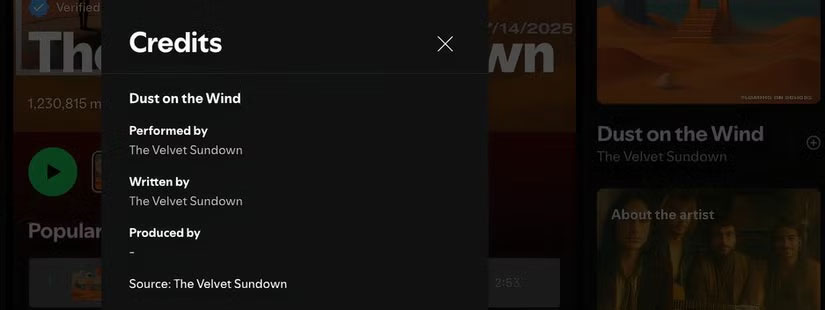
Spotify’s AI Credits can identify parts of a track that were disclosed as AI-generated. Deezer says it tags music it detects as fully generated and excludes it from recommendations. It has also announced an AI music toggle. Check whether the control is available in your app. A track without a label may still involve AI.
2. Verify the recording and artist
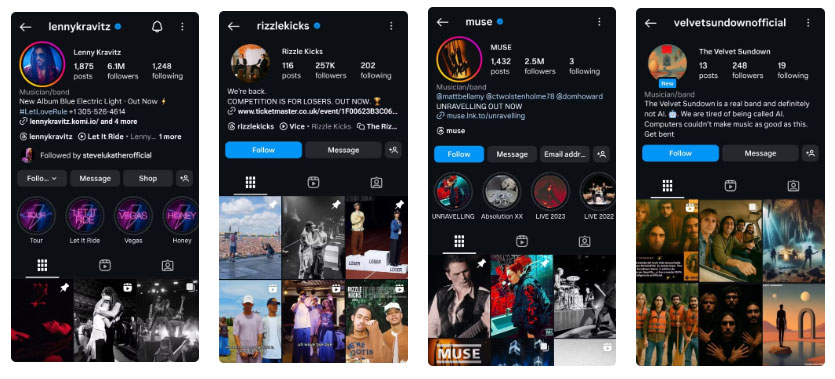
Compare the track’s credits and release details with the artist’s or label’s official site. Look for a release announcement, recording credits or another independent source if it matters. Generic lyrics, processed vocals, stage names and a small social presence are all possible in human-made music. Use them only as prompts to look for better evidence.

3. Choose how you discover and save music
Follow artists, labels and playlist editors you recognize. Save tracks you want to hear again to your own playlists, and turn off autoplay or use recommendation controls if a service repeatedly plays music you’d rather avoid. See other ways to find music and playlists or how Last.fm approaches music discovery.
Bandcamp’s policy prohibits music generated wholly or in substantial part by AI. That policy gives you another way to choose where to browse or buy music, while enforcement still depends on detection and reporting.

Related Articles
 5 free music streaming apps better than Spotify
 How to Choose the Right Music Streaming Service for You
 How to find songs on 7 music streaming services at the same time
 3 ways to stream music to Sonos speakers
 Is YouTube Music 'worth the money'?
 How to turn Groove and OneDrive into a music streaming tool
Reader Comments 0
Sign in with email or Google to join the discussion.