Table of Contents
This guide covers acer aspire r7 - ultrabook 'exclusive' design with practical context and easy-to-follow details. Use it to understand the subject and apply the information confidently.
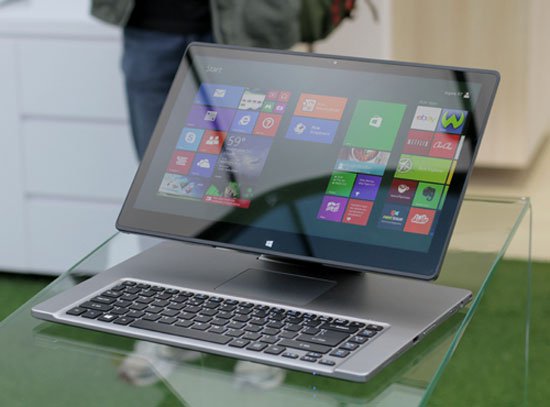 Acer Aspire R7 with flexible stand.
Acer Aspire R7 Was first introduced in late May last year but has not been widely sold to the market. The product follows the trend of "transforming laptop" With the use of flexible hinge mechanism but there are many differences compared to the products launched earlier. The relatively long hinge section has a joint with the screen part rotating in two different directions very flexible.
R7 has a rugged alloy shell but the weight of 2. 4 kg is not really impressive even though it is standard ultrabook because it is a hybrid model. The product may not be suitable for users who often need to move. Actual testing shows that joints or open, close and tight movements show high precision in manipulation.
The keyboard part is a bit different when designing the touchpad touchpad upwards instead of below the tradition of a laptop. This layout helps the computer when placing a laptop-like screen to show only the keyboard part and adjust the mouse pointer over the screen tap. With this design, the appearance of the touchpad doesn't seem to be necessary. The keyboard of the keyboard is light, precise and less stressful when typing long time.
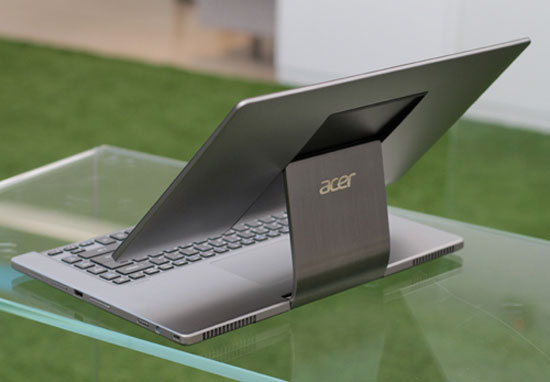 Flexible coupling behind.
The R7 has a nice 15-inch Full HD display. Although it has a slightly glossy screen technology when used outdoors, it can be overcome by increasing the maximum brightness. The tap of the device is also very sensitive and supports up to 10 tap points at the same time. It can fold open in the form of a clamshell like a laptop, stand up like a desktop with a removable keyboard and fold backwards for use as a tablet.
Aspire R7 Has two options for processor chips including Intel Core i5 or i7, 6 GB RAM and 500 GB hard drive with 24 GB SSD cache. The reference selling price at launch is 999 USD.
Actual Photo Acer Aspire R7
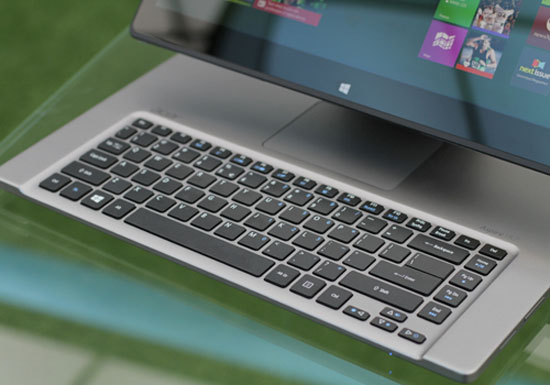 Keyboard with small navigation keys and close to hinges.
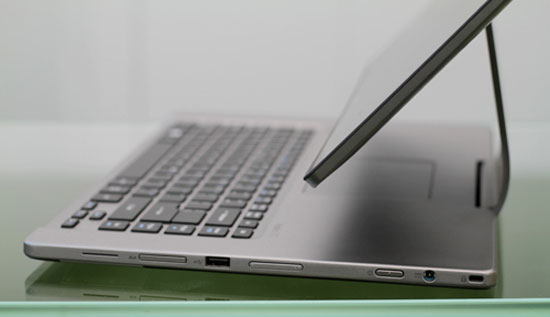 Right side with USB port, volume up and down, power jack.
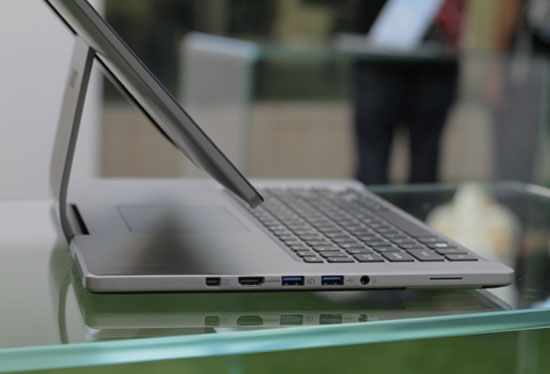 The left edge is HDMI, DisplayPort, USB 3. 0.
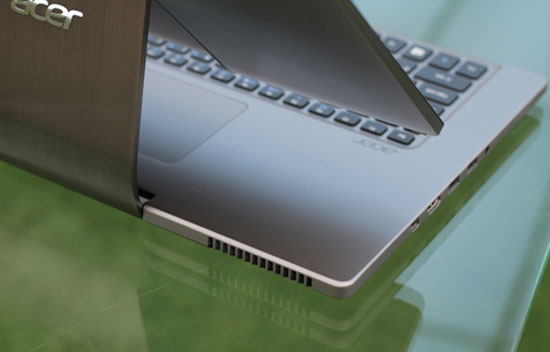 Radiator slot behind the machine.
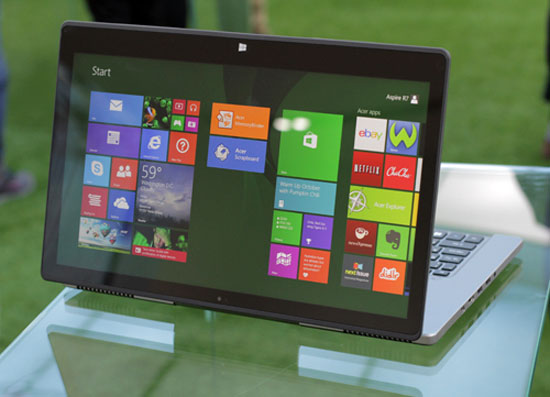 Turn the screen backwards.
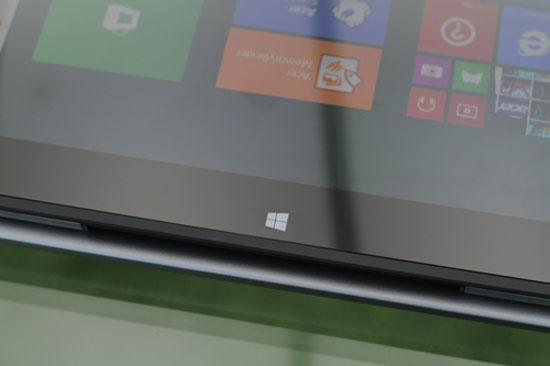 Windows button supports tap.
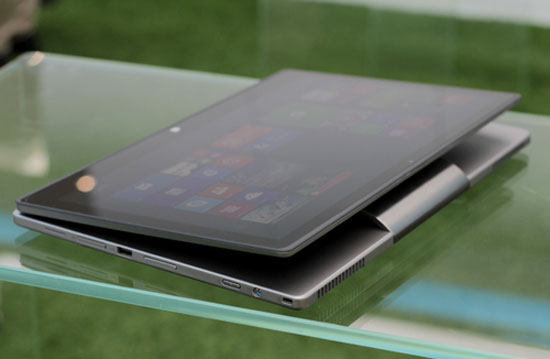 Folded posture used as tablet.
FAQ
What should I check before following these steps?
Confirm device and software compatibility, save important data, and make sure you have the required permissions, files, and account access.
Why might the process not work?
Common causes include outdated software, missing permissions, incompatible hardware, an unstable connection, or completing a step in the wrong order.
Can I undo the changes if necessary?
That depends on the tool or setting. Use built-in restore options when available, keep a backup, and record the original configuration first.
Related Articles
 Ultrabook Aspire S3, S7 Allows Ordering3 minutes read
 The Strengths of the Acer Aspire P3 Hybrid Computer6 minutes read
 Acer Launches the World's Thinnest Ultrabook4 minutes read
 Acer Increased Aspire S3 Ultrabook Configuration to Compete MacBook Air3 minutes read
 Aspire S7 Can Be Sold in the UK in Late September3 minutes read
 Ultrabook Acer Aspire S7 Weighs 1 Kg, 12 Mm Thin3 minutes read
Reader Comments 0
Sign in with email or Google to join the discussion.