Table of Contents
The options below offer different strengths for users interested in 5 reasons to expect Windows 8. Review the key details and consider which choice best matches your needs.
Although Microsoft has not shared any information about the official launch date of Windows 8, many signs that this event will take place this year. Windows 8 is considered a major turning point compared to previous versions. Why is Windows 8 so desirable? What kind of interesting things does this operating system appear?
1. Ribbon interface
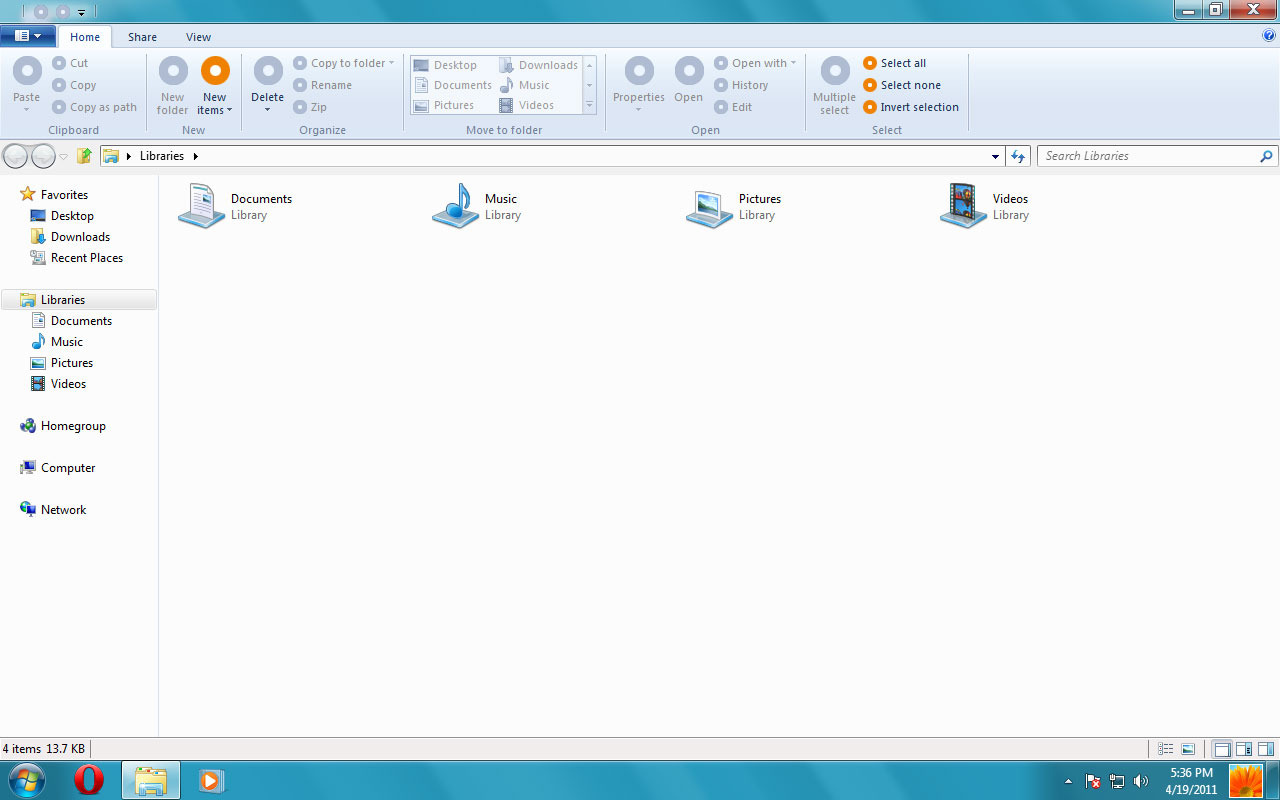 Ribbon interface
Ribbon interface is an interface in which functional groups on the menu (menu) of the window are divided into each tab (card) separately. Ribbon is the interface still used on new Microsoft software such as Office 2007.
Some users treat Ribbon too strangely and prefer a more traditional drop-down menu, but undeniably the new interface promises to provide a more flexible, customizable and quite useful experience.
2. Internet Explorer 10
Microsoft has worked relentlessly. As soon as Internet Explorer 9 was released, there was many leaked information about the next version of IE 10 of this browser.
IE 9 only runs on Windows Vista and Windows 7, does not support Windows XP or earlier versions. IE 10 does not even support Windows Vista, only for Windows 7 and newer versions.
3. Windows Store
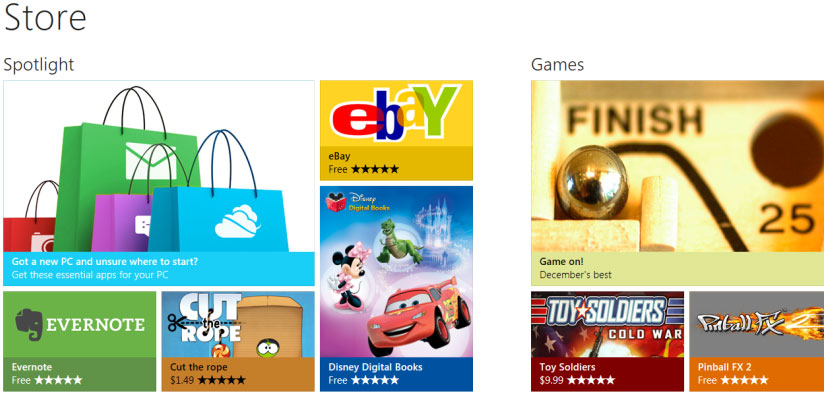 The Windows Store is the only place to sell applications for the Windows 8 Metro style interface
Windows Store will be the place for customers to buy applications for Metro-style interface of Windows 8. In fact, the Windows Store is the only place users can buy these applications - a move that Microsoft thinks will be Improve application quality and reduce the risk of application or malware errors.
4. Operating system on USB drive
One of the most popular features of Windows 8 is the ability to store an entire operating system on a USB drive. Users can plug the USB device into any compatible computer and choose to boot from USB instead of the normal hard drive or SSD.
5. Windows 8 tablet
Windows 8 not only runs on desktops, but also supports ARM-based hardware, laptops and tablets. Metro interface and many features of Windows 8 seem to be designed specifically for touch screen devices.
While the tablet market is dominated by Apple's iPad 2; Amazon Kindle Fire also gained great success but not the first choice for business users, if it can bring a good user experience at a reasonable price, Windows 8 tablet will win the chance high work.
While the beta version of Windows 8 will be available within the next two months, the official version is likely to appear in the third quarter of this year.
FAQ
How were the 5 reasons to expect Windows 8 options selected?
The options are compared by usefulness, ease of use, core features, and their fit for the situations described in the article.
Which option is best for beginners?
Choose the option with the simplest setup, clear documentation, and the features you actually need. A more advanced option is not always the better starting point.
What should I check before choosing?
Check compatibility, current availability, pricing or licensing, privacy requirements, and whether the product still receives updates and support.
Related Articles
 10 Reasons Why Games Keep Crashing and How to Fix Them5 minutes read
 7 Reasons Microsoft Urges Users to Abandon Windows 10 to Switch to Windows 116 minutes read
 Windows Subsystem for Linux Is About to Appear on Windows Server3 minutes read
 Laptop Windows 8 Is Expensive4 minutes read
 Still Using Windows 7? This Is the Reason Security Should Upgrade11 minutes read
 Windows 11 Event: When, How to Watch Live and What to Expect5 minutes read
Reader Comments 0
Sign in with email or Google to join the discussion.