Table of Contents
What Do You Know About Ports on Laptops? is easier to understand when the core ideas are paired with practical examples. The sections below explain the topic clearly, highlight useful steps, and point out details that can prevent common errors.
Do you know the name and function of the ports and slots that appear on your laptop?  Ethernet port . This port is rarely used unless there is no wireless connection or in case you want to connect to the Internet faster, especially in a hotel, you will have to use it.
  Modem port . In case Internet speed is not available, you will need an indirect connection (dial-up and that is when you need to use this port).
 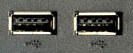 USB 2.0 ports . USB ports help connect all types of peripheral devices, including USB drives, mice, keyboards, cameras and music players. All laptops today come with standard USB 2.0 ports, which have faster data transfer speeds when connected devices also support that speed.
 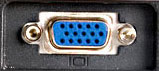 VGA . This port can connect a laptop to a projector or a second monitor. The VGA port is a great opportunity if you want to use a laptop as a desktop computer.
 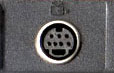 S-Video port . Use this port to transfer laptop screens to TVs, sometimes useful if you want to use a laptop like a DVD machine. This is a good solution for renters or narrow houses with no room for players.
 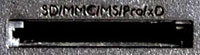 5-in-1 card reader slot . Many laptops provide card reader slots (card reader), a way to easily transfer data from digital cameras or mobile phones to laptops. 5-in-1 card reader slot supports SD, MMC, Memory Stick, Memory Stick Pro and xD cards. These are the most popular cards today.
 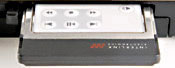 ExpressCard slot . Used for broadband connection, watching TV on computers (TV tuner), memory card readers.
 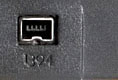 IEEE 1394 port . Also known as a FireWire port, allows transferring large amounts of data from peripherals to computers. If you like editing or recording home movies, you'll use the FireWire port regularly with a digital video camera.
 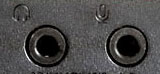 Headphone port and mic . Each laptop has at least one mic and headphone port. But many laptops, especially those with built-in webcams, also have built-in mics. If you're on a plane, look for a laptop with two headphone ports so you can watch movies with your relatives on the plane.
FAQ
What is What Do You Know About Ports on Laptops??
Do you know the name and function of the ports and slots that appear on your laptop?
Why is What Do You Know About Ports on Laptops? important?
A clear understanding of What Do You Know About Ports on Laptops? helps you make informed decisions, avoid common mistakes, and use the relevant tools or techniques more effectively.
How should beginners approach What Do You Know About Ports on Laptops??
Start with the fundamental concepts, follow the examples step by step, and test each change in a safe environment before applying it to important systems or data.
Related Articles
 6 Common Connection Ports on Laptops and Computers7 minutes read
 How to Identify USB 3.0 Ports on a Laptop or PC8 minutes read
 Why Do Future Laptops Need USB-C Ports on Both Sides?8 minutes read
 Learn to Use Lesson 3 Computer - Basic Buttons and Ports on the Computer10 minutes read
 16 Connection Ports Are Commonly Found on Computers and Their Functions20 minutes read
 How to Disable USB Ports: Step-by-Step Guide6 minutes read
Reader Comments 0
Sign in with email or Google to join the discussion.