Table of Contents
This guide provides a practical overview of Updated iOS 12.4.7, iPhone 5s, iPhone 6 Has Not Been Abandoned by Apple, including its main features, benefits, limitations, and important considerations.
iOS 12.4.7 doesn't bring any new features, instead only fixing security issues. However, it still shows Apple's interest in users of old devices.
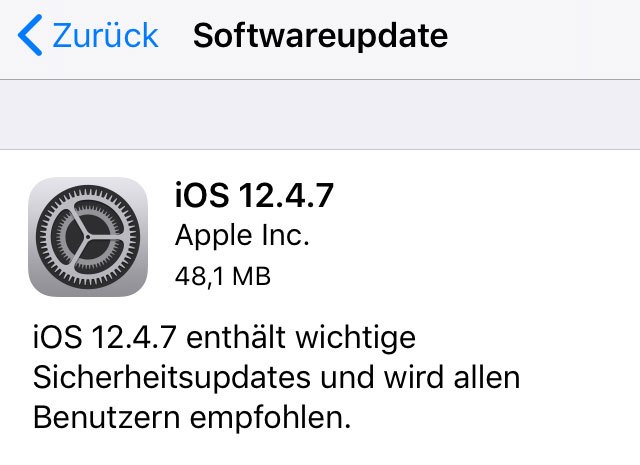
Some devices on Apple's updated list, such as the iPhone 5s or iPad Air, are more than 6 years old. This number is doubled, even tripled compared to most current high-end Android smartphones, as Android manufacturers usually only support software updates for 2-3 years.
Users of older iPhone and iPad devices can go to Settings> General Settings> Software updates to download and install iOS 12.4.7.
FAQ
What should I know about Updated iOS 12.4.7, iPhone 5s, iPhone 6 Has Not Been Abandoned by Apple?
Focus on the key features, requirements, limitations, and practical use cases explained in this guide.
How do I get the best results with Updated iOS 12.4.7, iPhone 5s, iPhone 6 Has Not Been Abandoned by Apple?
Follow the recommended steps, use current software or information, confirm compatibility, and review settings before major changes.
Are there any risks or limitations?
Potential limitations depend on compatibility, data quality, cost, privacy, support, and how the product or method is used.
Related Articles
 Launching iOS 12.4.3 for Iphone 5s and Iphone 6, Apple Has Not2 minutes read
 How to Report an Abandoned Vehicle: Step-by-Step Guide5 minutes read
 Launched for 6-7 Years, iPhone 5s and iPhone 6 Have Just2 minutes read
 8 World Famous Abandoned Places Make You Shiver5 minutes read
 List of Devices Updated to iOS 14 and IPadOS 14: Support from iPhone 6s and3 minutes read
 How to Manually Update Apple Watch4 minutes read
Reader Comments 0
Sign in with email or Google to join the discussion.