Table of Contents
The strongest mobile battle royale choices are PUBG Mobile, Fortnite, Free Fire, and Call of Duty: Mobile. All four are active, offer squad play, and approach the last-player-standing format differently. Choose by gameplay style and device capability—not by the obsolete minimum specifications in older download lists.
Quick comparison
| Game | Best for | What to consider |
|---|---|---|
| PUBG Mobile | Tactical looting, large maps, realistic gun handling | Many optional maps and resource packs can use substantial storage |
| Fortnite | Building, Zero Build, frequent mode changes, creator experiences | Availability and installation method vary by device and region |
| Free Fire / Free Fire MAX | Short matches and broad phone support | MAX uses higher-quality visuals and needs more capable hardware |
| Call of Duty: Mobile | Battle royale plus fast traditional multiplayer | Optional HD resources and maps increase the final install size |
1. PUBG Mobile

PUBG Mobile is the best fit if you want deliberate looting, vehicles, long sight lines, and weapon handling where attachments matter. It includes multiple maps and modes, so you can download only the resources you plan to use and add others later.
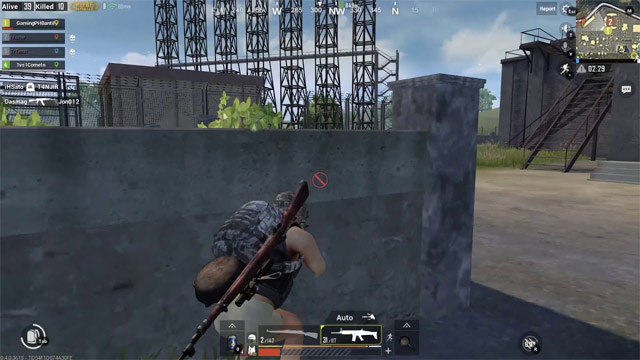
New players should spend time in Training Grounds before entering ranked matches. Set graphics for a stable frame rate, use headphones to identify footsteps, and learn a small set of weapons rather than changing loadouts every match. The guides to choosing PUBG Mobile attachments and using peek controls cover two useful fundamentals.
Download through the official PUBG Mobile site or the official listing in your device's app store. Do not use modified APK packages that promise free currency or unfair advantages.
2. Fortnite
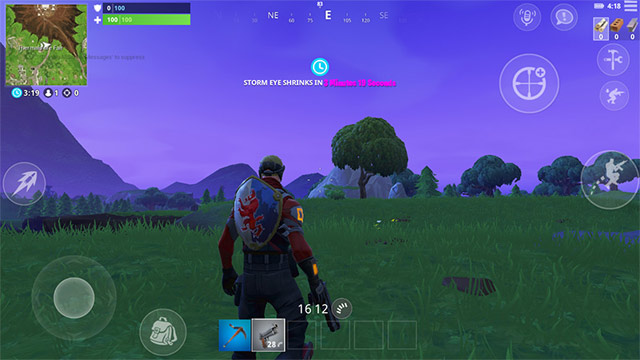
Fortnite combines battle royale shooting with a building system, while Zero Build removes construction for players who prefer direct gunfights. It also includes creator-made experiences beyond battle royale, making it the broadest choice in this list.
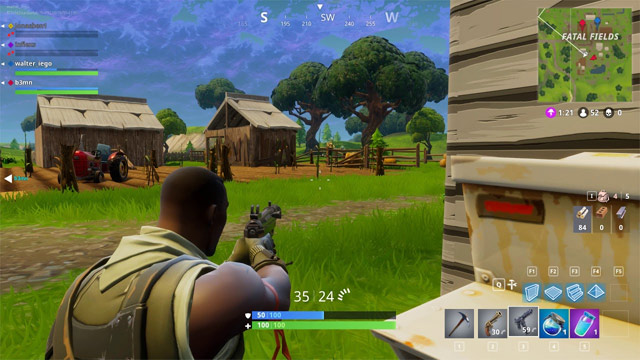
Installation is less uniform than for most mobile games. Android users should follow Epic's current mobile page; iPhone and iPad availability depends on region and the stores Epic supports there. Check the official Epic Games mobile download page for the method available to your device. Avoid third-party installers, because old Fortnite APK links quickly become incompatible and may be unsafe.
3. Garena Free Fire and Free Fire MAX
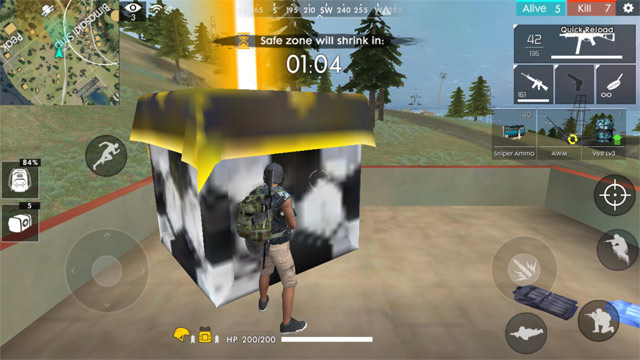
Free Fire emphasizes compact matches, accessible controls, character abilities, and quick movement. The standard game is the practical starting point for a lower-spec phone. Free Fire MAX offers upgraded presentation while using Firelink so players can share progress and play with the same community.
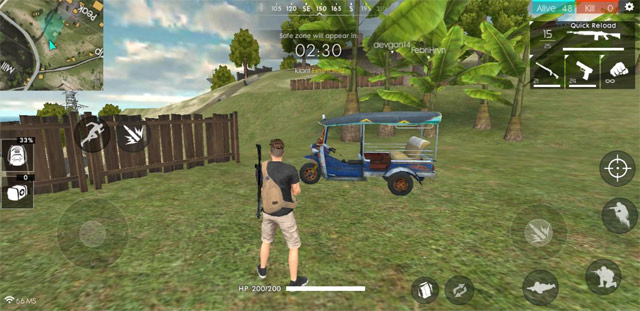
If the game stutters, lower shadows and visual quality before changing control sensitivity. For tactics, see the TipsMake guide to playing Free Fire's Military Island more effectively. Install the appropriate version from the links on the official Free Fire site or your regional app store.
4. Call of Duty: Mobile
Call of Duty: Mobile is a good choice when you want both battle royale and conventional multiplayer in one app. Its battle royale mode supports solo and squad play, while the multiplayer side offers shorter team modes such as Team Deathmatch and Domination.
The initial download does not represent the final storage requirement because maps, weapons, operators, and HD resources can be added separately. Start with standard assets, test performance, and download optional content only when you need it. The official Call of Duty: Mobile page links to supported stores.
Games removed from the old list
Rules of Survival was removed because its service ended in 2022. The original article's system requirements for PUBG Mobile, Fortnite, Free Fire, Knives Out, and Grand Battle Royale were also removed: mobile operating-system support and download sizes change over time, and several listed versions were years out of date.
How to choose
- Pick PUBG Mobile for methodical, tactical battle royale.
- Pick Fortnite for building, Zero Build, and varied creator modes.
- Pick Free Fire for short sessions or a less powerful phone.
- Pick Call of Duty: Mobile to switch between battle royale and classic multiplayer.
Before installing, check the current app-store compatibility notice, available storage, and regional availability on your own device. Those live listings are more reliable than a fixed requirements table.
Related Articles
 Last Z: Survival Shooter: Zombie Survival Shooting Game6 minutes read
 There Was Survival Game of Survival Game Between PUBG and Fortnite of Xiaomi, Invited to Download4 minutes read
 14 Best Free Shooter Titles on Mobile Devices (Part 1)5 minutes read
 How to Install Vietnamese Interface for PUBG Mobile4 minutes read
 Disorder, a Completely New Survival Co-op Shooter, Has a Beta3 minutes read
 Pioner - Survival Shooter Set in Post-Apocalyptic Russia3 minutes read
Reader Comments 0
Sign in with email or Google to join the discussion.