Table of Contents
Free learning apps serve different purposes: language practice, help understanding a math problem, classroom organization, or quiz review. Choose the activity first, then check what remains free after any trial. A free download does not mean a full course is free.
Compare the options
| App | Useful for | Cost distinction |
|---|---|---|
| Duolingo | Short language practice | Free courses; optional paid features |
| Photomath | Working through supported math problems | Free core help; additional Plus features |
| Google Classroom | Assignments and teacher feedback | Access depends on account and school setup |
| Kahoot! | Quiz-based review | Free basic use; hosting and feature limits vary |
| ABCmouse | Early learning activities | Basic access differs from Premium and trial offers |
| Babbel | Structured language lessons | Free samples; full courses require a subscription |
Duolingo: build a practice habit
Duolingo offers short exercises for language practice. Its courses can be used without a subscription, while paid plans add features. Choose a level the learner can manage, and supplement app exercises with reading, listening, and conversation. A streak or score is a habit measure, not proof of fluency.
Photomath: understand the steps
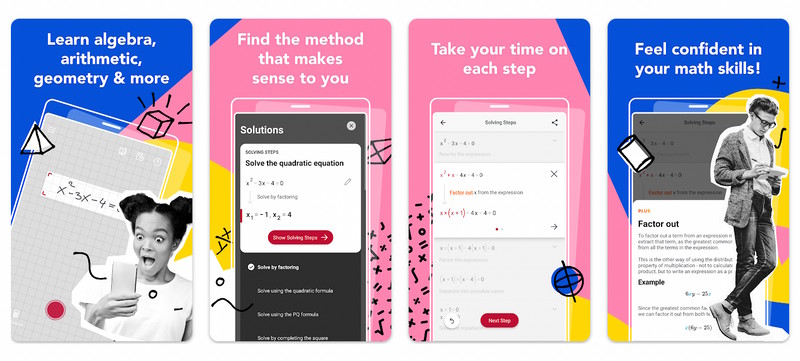
Photomath scans supported math problems and presents solution steps. Check that it recognized the original expression correctly before reading the answer. Ask the learner to explain one step and solve a similar problem independently; copying a result does not show understanding. Some additional explanations and tutorials are part of the paid Plus offering.
For another camera-based study workflow, see using Gauth to check and understand homework.
Google Classroom: follow assigned work
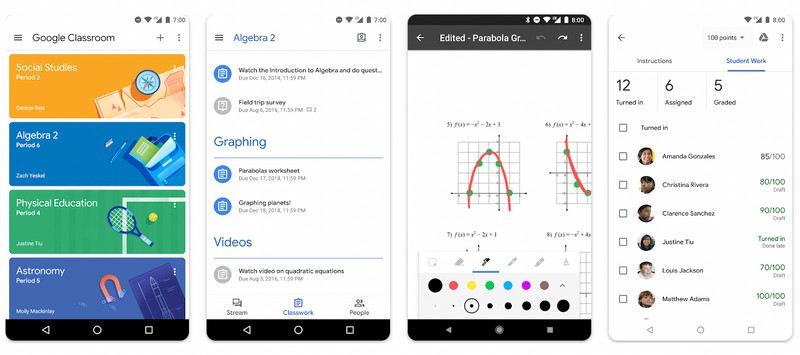
Classroom helps teachers distribute materials, collect work, and give feedback. It is not a standalone library of lessons for children. Use the account and class invitation provided by the school; available features differ between personal and institutional accounts. Google's Classroom FAQ explains eligibility.
Kahoot!: review through questions
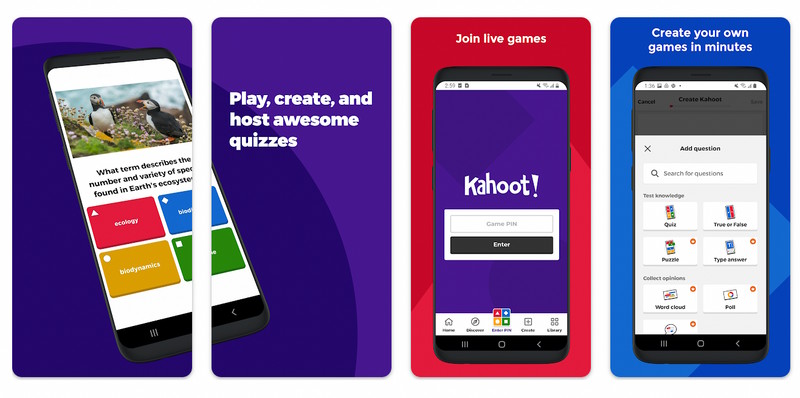
Kahoot! can make a short review session interactive. Select questions that test the learning goal, and discuss why answers are right or wrong after the game. Basic free use has limits that depend on account type and plan; check participant capacity and premium question types before preparing a class activity.
ABCmouse: check Basic versus Premium
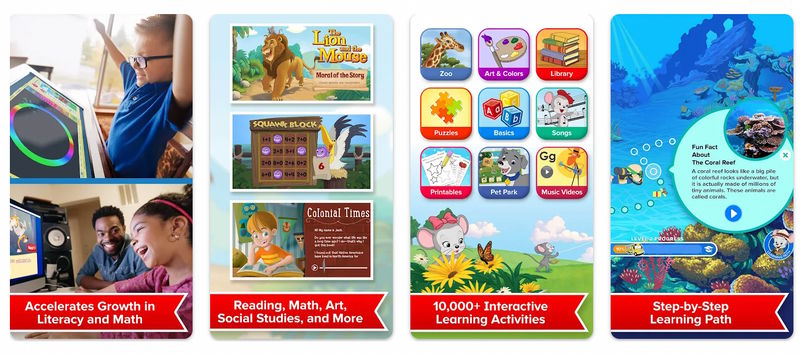
ABCmouse provides early learning activities across subjects such as reading and math. The provider distinguishes free Basic access from its paid Premium offering. Choose Basic Access if that is your intention; a button advertising a free Premium trial can lead to a renewing subscription. Review the exact offer before signing up.
Babbel: a paid alternative with free samples
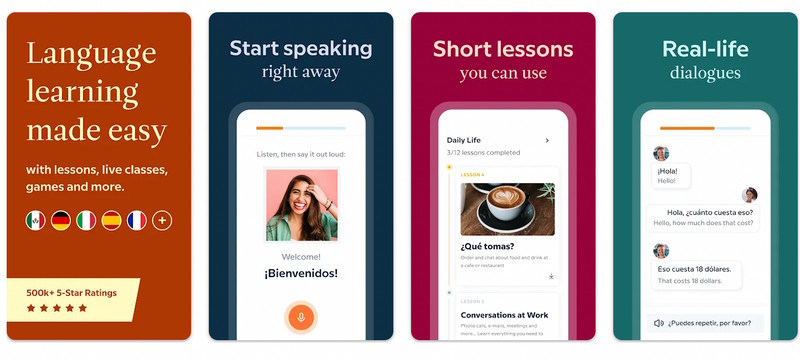
Babbel focuses on structured language practice. It belongs in the comparison as an alternative, rather than a completely free course provider: its free-access guidance offers sample lessons, with a subscription for full course access. Check account eligibility and whether the lesson level fits the learner before paying.
Choose one app and a clear goal
Test a small activity with the child, check reading level and account requirements, and review ads, sharing settings, and purchases. Agree on an outcome such as explaining a math step or using five new words in a conversation. Teachers and parents can use Minecraft-themed block-coding activities when programming is the goal instead.





Reader Comments 0
Sign in with email or Google to join the discussion.