Table of Contents
The best architectural renderer depends on where the model was created, how quickly the image must update, and whether the goal is an interactive client walkthrough or a carefully controlled final still. Blender is the strongest free all-purpose option; D5 Render, Twinmotion, Lumion and Enscape emphasize real-time visualization; V-Ray and Corona prioritize production-quality control; Cinema 4D with Redshift suits broader motion-design and visualization work.
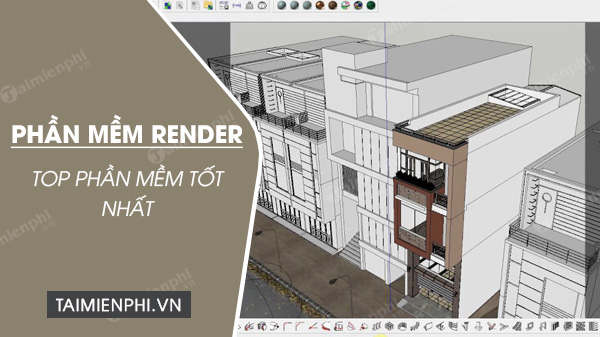
Rendering software compared
| Renderer | Best for | Workflow type | Cost note |
|---|---|---|---|
| Blender | Free modeling, animation and rendering | Standalone 3D suite | Free and open source |
| D5 Render | Accessible real-time architecture and interiors | Standalone with CAD/BIM sync plug-ins | Free individual tier plus paid plans |
| Twinmotion | Fast CAD/BIM visualization and presentations | Real-time standalone tool | Eligibility and commercial terms vary |
| Lumion | Landscape-rich scenes, images and video | Real-time standalone tool | Commercial; requires a capable GPU |
| Enscape | Live visualization inside design software | CAD/BIM plug-in | Commercial subscription |
| V-Ray | Detailed photorealism across many host applications | Renderer plug-in and related Chaos tools | Commercial |
| Corona | High-end architectural stills and animation | 3ds Max and Cinema 4D renderer | Commercial |
| Cinema 4D + Redshift | Visualization, animation and motion design | Integrated 3D and GPU-rendering workflow | Commercial subscription |
| Foyr Neo | Quick browser-based interior concepts | Cloud interior-design platform | Subscription with a trial |
1. Blender
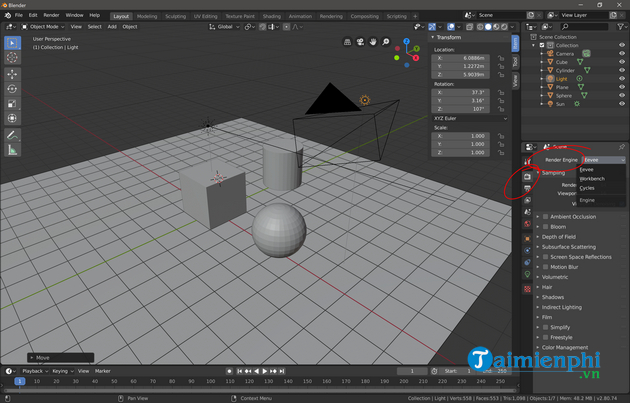
Blender is free and open source. Cycles provides path-traced production rendering, while Blender's real-time tools support faster look development and previews. The application also includes modeling, UV tools, compositing, animation, scripting and an extensive add-on ecosystem.
Choose Blender when budget and flexibility matter and the team can invest in learning. Architecture-specific asset management and CAD interoperability may require preparation or add-ons, so test scale, materials and BIM exports early.
2. D5 Render
D5 Render is a real-time visualization application with path-traced output, an AEC asset library and sync plug-ins for tools including SketchUp, Revit, Rhino, Archicad and Blender. Its individual free tier makes it an approachable route from a design model to stills, animation and interactive presentation.
D5 requires a compatible ray-tracing-capable GPU and operating system. Check the current support list before downloading, especially on older laptops or integrated graphics. Paid plans add assets, collaboration and other professional capabilities.
3. Twinmotion
Twinmotion turns imported CAD and BIM models into real-time scenes with materials, vegetation, people, weather and presentation tools. It is well suited to fast design reviews, panoramas, video and immersive client experiences, and it connects naturally with the Unreal Engine ecosystem.
Licensing and free-use eligibility can change, so confirm current Epic terms for your organization. Also test round-tripping: a smooth live link is more valuable than a large effects library if the source model changes every day.
4. Lumion
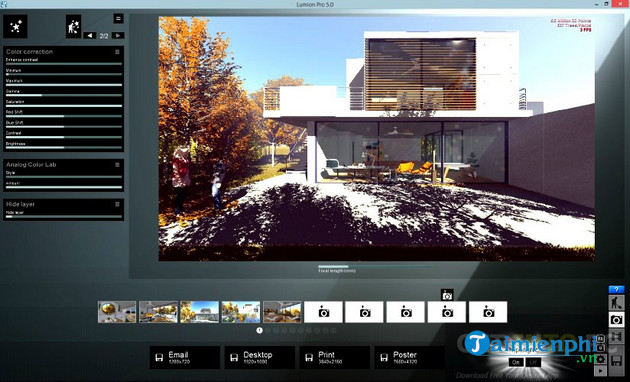
Lumion is popular for quickly transforming architectural models into furnished, landscaped stills and movies. Its asset library, environmental effects and approachable controls reduce the amount of manual scene building.
GPU capability is a decisive constraint. Review Lumion's official system requirements against the size of your projects, not just the minimum needed to launch the program. Large scenes, high-resolution output and ray tracing demand more GPU memory and storage.
5. Enscape
Chaos Enscape runs directly with supported CAD and BIM applications, giving designers a live rendered view while they work. It is a strong choice when architects need immediate feedback, walkthroughs and client review without exporting a model into a separate scene-building package.
The main advantage is workflow speed; the trade-off is less separation between design and visualization. Confirm support for the exact Revit, SketchUp, Rhino, Archicad or Vectorworks release used by the team.
6. Chaos V-Ray
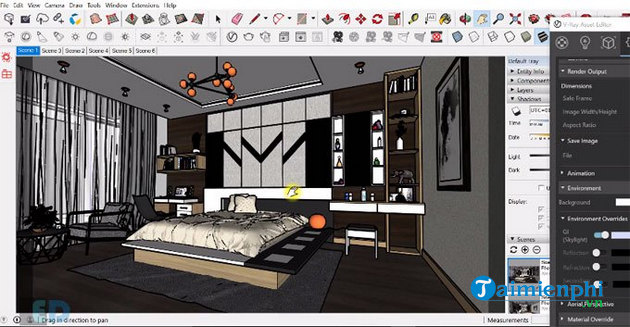
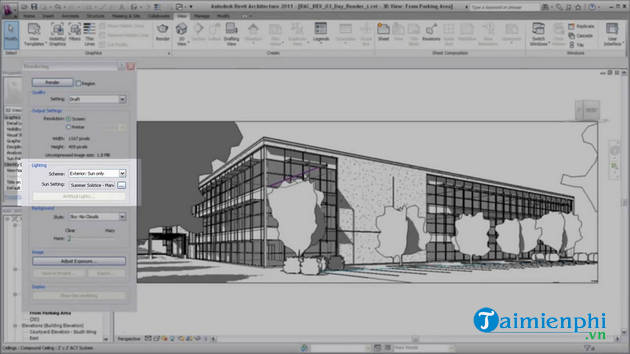
V-Ray is made by Chaos and is available for multiple design and 3D platforms. It was not “introduced by 3ds Max,” as the old article claimed. V-Ray fits teams that need photorealistic output, detailed material control and established production workflows across applications.
Because features and licensing differ by host, choose the V-Ray edition that matches the modeling application. Expect a larger learning investment than with a real-time one-click workflow, especially for color management, sampling, lighting and optimization.
7. Chaos Corona
Corona is dedicated to architectural visualization in 3ds Max and Cinema 4D. It emphasizes an approachable physically based workflow, high-end stills and animation, with tools for lighting, materials and post-processing.
Corona is an excellent fit for studios already centered on one of its supported hosts. It is not the right choice when the source application is unsupported or when the priority is an instant in-model VR walkthrough.
8. Cinema 4D with Redshift
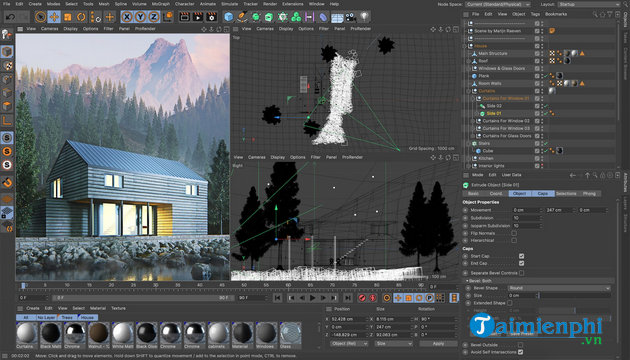
Cinema 4D is a broad 3D creation and animation suite. Current subscriptions include Maxon's Redshift GPU renderer, making the combination useful for architectural films, product visualization, motion graphics and scenes where animation is as important as a still image.
It is more general than an architecture-only renderer. Check GPU support, plug-in compatibility and the path from the source CAD/BIM model before adopting it for a building workflow.
9. Foyr Neo
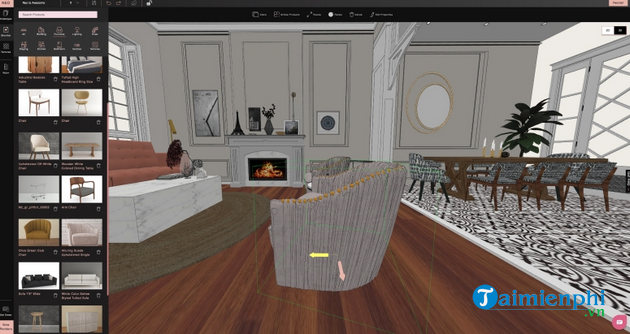
Foyr Neo targets interior designers who want fast layouts, catalog assets and client-ready renderings without maintaining a complex local 3D pipeline. It is easier to enter than many production renderers, but it is a subscription service with a limited trial, not a free renderer.
Obsolete entries removed from the old list
Autodesk VIZ/Viz Render and NVIDIA mental ray are legacy products and should not be recommended as current downloads. Maxwell and OctaneRender still exist, but the old descriptions incorrectly called commercial tools free and provided no workflow guidance. Autodesk Revit remains current, but it is principally BIM-authoring software rather than a rendering engine.
How to choose and test a renderer
- Match the host application. List the exact Revit, SketchUp, Rhino, Archicad, 3ds Max, Cinema 4D or Blender version used by the team.
- Define the output. A live walkthrough, a 4K still, a long animation and a VR presentation have different needs.
- Benchmark your hardware. Test a representative full project, not the vendor's small sample scene.
- Check synchronization. Change geometry, materials and lights in the source model and confirm what survives an update.
- Price the complete workflow. Include host software, render licenses, assets, cloud credits, storage and render-farm costs.
- Verify color and delivery. Establish resolution, color space, file format and revision procedures before final output.
For adjacent workflows, compare 3D interior design software, furniture and room design tools, and AutoCAD alternatives. A short trial with the team's real model is more reliable than any universal “best renderer” ranking.
Related Articles
 What Is Render? What Is Render Farm? Learn About Render in Graphic Design4 minutes read
 What Is Adobe Dimension? Overview of Adobe Dimension4 minutes read
 What Does the Ray Tracing Technology on the GeForce RTX 20x Series Mean to Gamers?9 minutes read
 Nvidia Launches Deep Learning Super Sampling 2.0, an3 minutes read
 What Is NextJS? All the Basic Knowledge You Should Know13 minutes read
 Click: How to Model Bullets in 3ds Max9 minutes read
Reader Comments 0
Sign in with email or Google to join the discussion.