Table of Contents
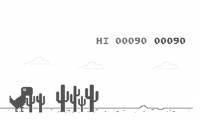
Chrome's Dinosaur Game can be modified temporarily from DevTools. You can change the T-Rex's speed or replace the game's game-over function for the current page. These commands affect only the built-in game session; reloading or closing the page restores normal behavior.
The game uses internal Chrome code rather than a public API, so the commands may stop working after a browser update. Run only the short commands you understand, and never paste an unknown script into DevTools.
Open the Chrome Dinosaur Game
Enter chrome://dino in Chrome's address bar and press Enter. You do not need to disconnect the computer from the internet. Press the Space bar or Up Arrow to begin.
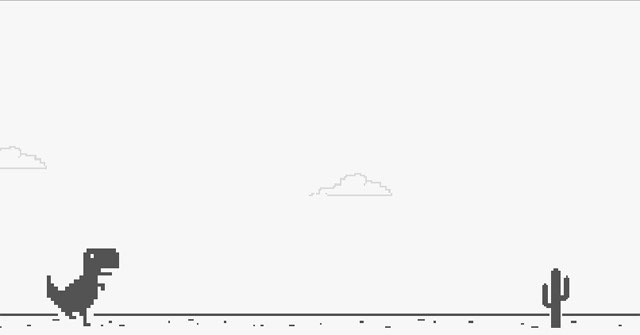
Controls are simple:
- Space or Up Arrow: start or jump.
- Down Arrow: duck while running.
- Space: restart after a collision.
Open DevTools and the Console
Step 1: Right-click the game and select Inspect. On Windows or Linux, you can also press Ctrl + Shift + I; on macOS, press Command + Option + I.
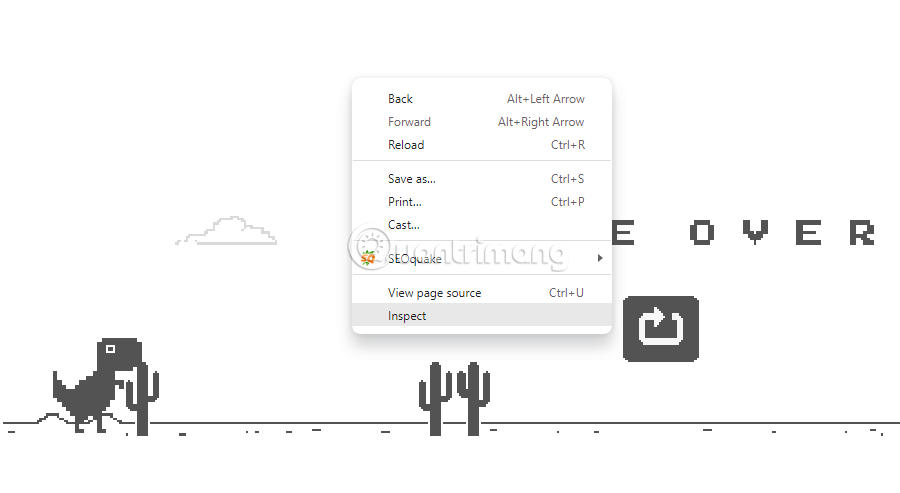
Step 2: Select the Console tab. If the game is paused while DevTools is focused, click the page before testing the result.
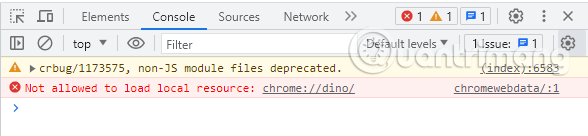
Chrome may display a self-XSS warning when someone tries to paste code. That protection exists because malicious instructions can steal account or page data. Type these short commands yourself if Chrome blocks pasting; do not disable the warning merely to run code copied from an untrusted page.
Temporarily prevent game over
First save the original game-over function so it can be restored:
const originalGameOver = Runner.prototype.gameOver;Then replace it with an empty function:
Runner.prototype.gameOver = function () {};
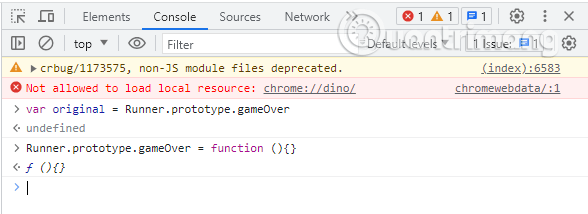
Collisions should no longer end the current run. This is a local experiment, not a permanent setting or a way to change any online score.
To restore collisions without reloading, run:
Runner.prototype.gameOver = originalGameOver;If the Console reports that Runner is not defined, start the game and try again. If it still fails, the internal implementation has changed; reload the page and play normally.
Change the dinosaur's speed
Use the current game instance's setSpeed() method:
Runner.instance_.setSpeed(20);
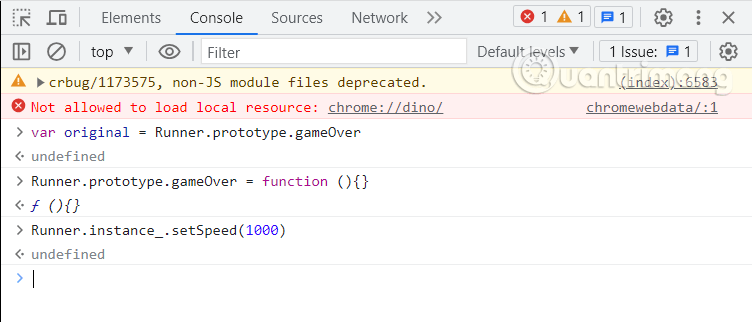
The number is the requested running speed. Try moderate values such as 10, 20, or 50. Extremely high values can make animation and collision behavior unstable rather than creating a useful challenge.
You can enter the command again with a different number. Reload chrome://dino when you want the game to return to its normal starting state.
Example of the modified game
The following clip demonstrates the kind of result produced by changing the internal game functions:
Why the changes do not persist
DevTools evaluates the commands in the JavaScript context of the current Dinosaur Game page. It does not edit Chrome's installed files. A reload creates a fresh game instance and reloads the original functions, which is also the simplest recovery step if a command produces an error or the game stops responding.
Related Articles
 'Hack' the Dinosaur Game of Google Chrome to Make Your T-rex3 minutes read
 'Hack' Google Chrome's Dinosaur Game to Make Your T-Rex Immortal5 minutes read
 The Game 'Dead Dinosaur' on Google Chrome Is Beautifully4 minutes read
 Google Finally Revealed the Origin of the Legendary T-rex Dinosaur When the Computer Lost Its5 minutes read
 What Is the Ending of the Dinosaur Game T-rex on Chrome?4 minutes read
 Tips to Know When Playing the Immortal Mayor4 minutes read
Reader Comments 0
Sign in with email or Google to join the discussion.