Table of Contents
This updated guide examines The Ultrasonic Fingerprint Sensor Can Recognize 2 Fingerprints at and organizes the essential facts, background, and practical takeaways in clear American English.
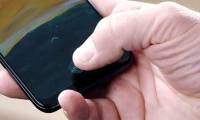
According to Qualcomm's advertisement, the large size makes 3D Sonic Max more reliable and faster response speed. Instead of having to choose the same position as before, the large sensor also helps users to position their fingers on the screen easier. Even 3D Sonic Max can recognize two fingerprints at the same time for added security.

Qualcomm's director of mobile devices, Alex Katouzian, said the new sensor will not be affected by the screen size, so the reading image is more complete and clear.
However, despite being 17 times larger, the 3D Sonic Max sensor still has the same response speed (fingerprint scanning time) as the old one.
Today, Qualcomm has not released a list of devices that will be equipped with the new 3D Sonic Max sensor. A lot of information is that the first device will be Samsung's Galaxy S11 smartphone launched in early 2020 or Apple's iPhone 12. Let's wait and see.
- Qualcomm officially launched Snapdragon 865, 765, optional 5G chip located on SoC or removable
- Windows 7/8 / 8.1 copyright can still upgrade Windows 10 for free
FAQ
What is The Ultrasonic Fingerprint Sensor Can Recognize 2 Fingerprints at about?
It provides a structured overview of Qualcomm, explains the main context, and highlights practical takeaways for readers.
Why does this topic matter?
Understanding the main concepts helps readers evaluate the issue, avoid common mistakes, and make better-informed decisions.
How should readers use this information?
Use the guidance as a practical starting point, confirm details that may have changed, and follow current product, safety, or security recommendations.
Related Articles
 3D Ultrasound Fingerprint Sensor Under Qualcomm's First Screen in the World4 minutes read
 How to Install Fingerprint Sensor on LG G6 Phone2 minutes read
 Can the Phone Be Unlocked by the Fingerprint of the Dead?6 minutes read
 How to Increase the Sensitivity of the Fingerprint Sensor on iPhone and5 minutes read
 The Researchers Successfully Developed Capacitive Image Sensors with High Resolution and Sensitivity7 minutes read
 It Is Already Possible to Integrate an Optical Fingerprint3 minutes read
Reader Comments 0
Sign in with email or Google to join the discussion.