Table of Contents
This updated guide explores the truth about virtual RAM on Android with practical details, clear explanations, and useful takeaways. Android's virtual RAM feature — called RAM Plus (Samsung), Extended RAM (vivo), or Memory Extension (Xiaomi) — has been a source of controversy for years, with some believing it actually takes up internal storage.
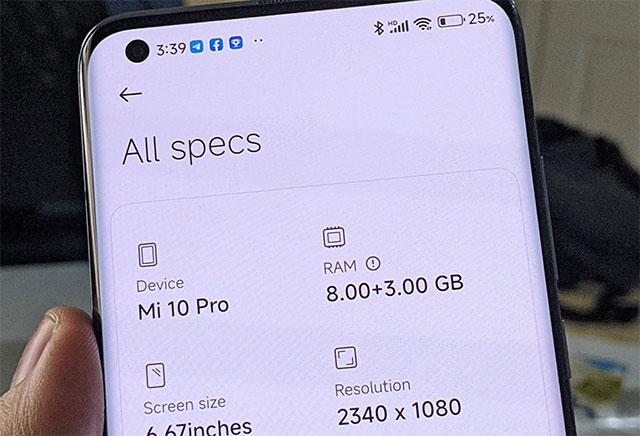
" Evague " Explanation from the Manufacturer
Virtual RAM — a popular feature on Android — is often misunderstood. When you enable it, your phone often warns you about memory usage. for instance:
- iQOO Neo9 Pro: " RAM can be dynamically expanded to 8GB. Part of the memory (ROM) will be utilized ".
- Xiaomi Poco X3: " Add 1GB RAM by occupying memory. Use this feature only when the device has enough free space ".
These messages make users think that virtual RAM is 'eating' storage, but the truth is much more complicated. The RAM expansion feature relies on zRam — a kernel module that dedicates a portion of physical RAM to compressing data at a ~2:1 ratio, allowing more data to be stored in less space. By default, the feature does not interfere with storage, despite warnings from the settings menu to the contrary.
When zRam is full, the least used data is moved to the swap file on the storage — but only read/write at minimal performance to avoid wear. for instance, when you enable "8GB+8GB Extended RAM" mode on Neo9 Pro, 2GB of memory is occupied after reboot. The swap file is only used if zRam reaches its limit.
This explains why the memory is still being taken up — suggesting the manufacturer isn't lying, just being transparent — and also confirms that the swap file isn't constantly being read/written. zRam trades off low CPU latency for data compression, allowing for smoother multitasking.
Next time you enable "Extended RAM" or "Memory Extension", remember that:
- This feature optimizes RAM performance without "stealing" your storage.
- Swap file only activates if zRam is overloaded — a rare case with 8GB+ RAM on many modern smartphones.
FAQ
What is the main takeaway about The Truth About Virtual RAM on Android?
The key is to understand the core idea, compare the available options, and apply the practical guidance that matches your situation.
What should beginners know about The Truth About Virtual RAM on Android?
Start with the essential steps and terminology. Avoid changing advanced settings until you understand how they affect performance, privacy, cost, or compatibility.
How can I use this information in practice?
Follow the relevant section in order, test one change at a time, and confirm the result before moving to the next step or recommendation.
Related Articles
 The Best 5 Virtual SIM Apps for Android7 minutes read
 Siro - Vietnamese Virtual Assistant Exclusively for Android5 minutes read
 9 Best Virtual Reality Apps for Android8 minutes read
 Tips to Put Virtual Navigation Bar on iPhone X on Android Devices4 minutes read
 The Way to Equip the Equipment Is Very Strange but Effective in6 minutes read
 How to Fix Android Phone Error Virtual Battery Alert5 minutes read
Reader Comments 0
Sign in with email or Google to join the discussion.