remote access
-
 Add or remove user accounts for Windows Home Server 2011
after installing windows home server 2011 you need to start configuring it. part of the configuration work is adding users on the network. this article will show you how to implement and manage their access
Add or remove user accounts for Windows Home Server 2011
after installing windows home server 2011 you need to start configuring it. part of the configuration work is adding users on the network. this article will show you how to implement and manage their access
-
Setting up VPN yourself does not need support from expensive software
in this tutorial we will show you how to set up a vpn server on windows 7 or vista and make a connection from remote clients windows xp, vista, or windows 7.
-
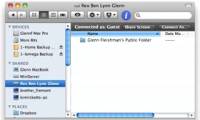
Access Windows 7 computer from Mac OS X Lion
if you are using both a mac and pc at home or office, due to business needs, you want to access files on a windows 7 computer using mac os x lion.
-
Set up remote access with dynamic IP address
to solve the problem with a computer with dynamic ip, we need to have a dns address that can update ip addresses regularly.
-
Access Apple Mac OS X remotely via Windows
remote desktop utility in windows xp and windows 2003 allows you to see the display of the remote control
-
Limit remote control to Teamviewer
the name teamviewer is no stranger to current internet users, and especially with some users who frequently use for remote access to better manage their work.
-
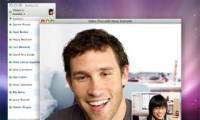
Use chat services for remote access
in this article we will show you how to use ichat or skype to access or control another mac.
-
Remote access: OS X included tools
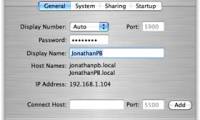
paired with back to my mac, screen sharing becomes much more powerful - just the computers you want to connect to are under your personal control.
-
Control Mac remotely via Web
logmein and gotomypc will connect you to a mac remotely via a web browser.