Are you looking to buy a new laptop? While laptops are the top choice for those looking for a portable computer, your choices don't stop there. In addition to laptops, there are also notebooks and ultrabooks. Both offer a different set of specifications for you to consider.
Notebook: the Most Compact Device

Although some people use the terms "laptop" and "notebook" interchangeably, they are actually different devices. Notebooks usually have a screen size of less than 15 inches, are lightweight and can support basic computing tasks. When launched, they were quite similar to netbooks, compact devices that allowed users to browse the web and check email. Unlike tablets, both notebooks and netbooks have physical keyboards, making them suitable for tasks that require a lot of typing.
However, due to their size and significant capacity limitations, netbooks were discontinued around 2013, while notebooks continued to develop. Over time, with technological advances, the line between notebook and laptop is becoming increasingly blurred. Notebooks today often have powerful processors and larger screens, not too different from traditional laptops.
Other devices also blur the lines between notebooks and mobile computers. Chromebooks fit into the category of notebooks (which are lightweight devices designed for basic computing), while others are called "light laptops." Distinguishing between the options may require some thought!
Ultrabook: More Powerful Device in a Compact Design
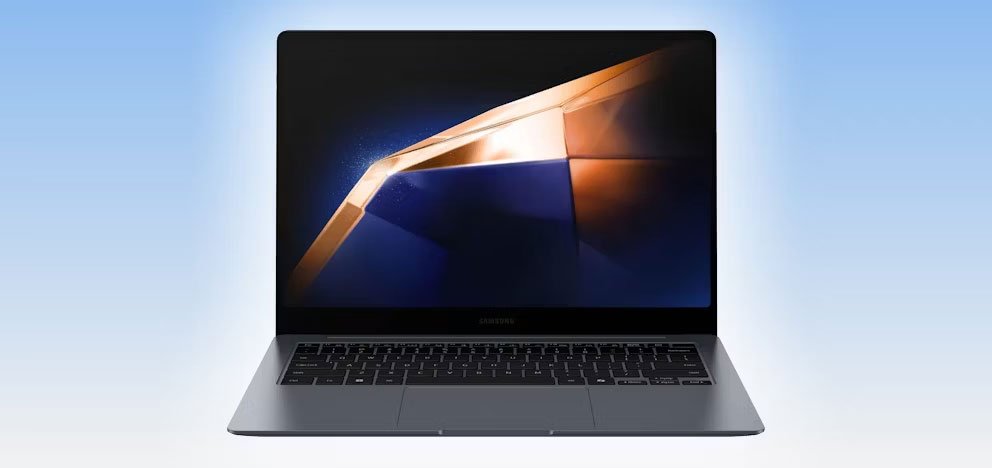
More powerful than notebooks, ultrabooks (a term coined by Intel) are thin and light devices that don't affect performance or battery life too much. So while they have the portability of a notebook, they function more like a traditional laptop.
Laptop: Versatile and Powerful
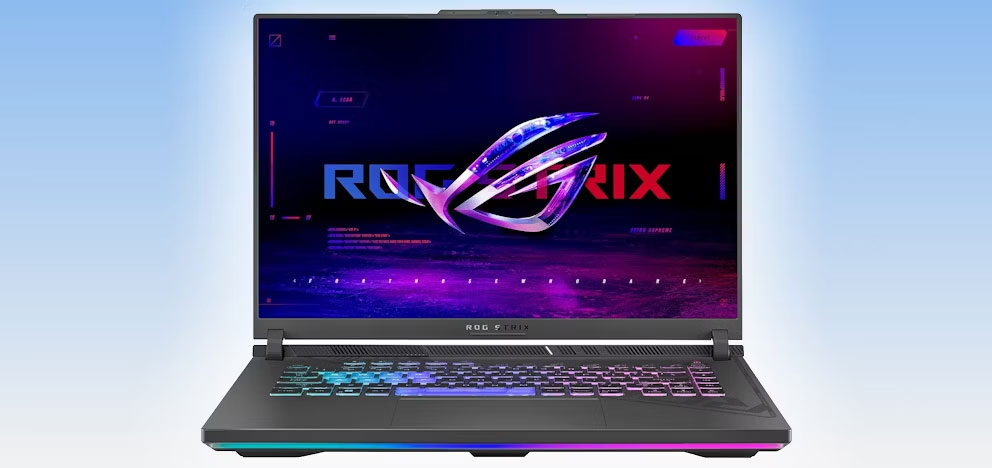
Laptops are typically larger, at least compared to notebooks, and more versatile, as many models cater to different needs and preferences. For example, if you are a gamer, you might like the ASUS ROG Strix G16 gaming laptop. In addition, if you need a laptop that can balance design and powerful performance, you can choose MacBook Air.
Should I Buy a Notebook, Ultrabook or Laptop?
Choosing between a notebook, ultrabook or laptop depends on your needs and budget.
- Notebooks are a great choice if you need an affordable and lightweight device for basic tasks like web browsing, taking notes, or streaming media. It is especially suitable for students and the elderly.
- For those who value portability but need more power and longer battery life, such as frequent travelers or business professionals, ultrabooks offer a compact and capable solution.
- If you need a versatile and powerful machine that can handle everything from gaming and programming to content creation, laptops are the best all-round choice, with a variety of models to suit every need and budget. book.
And the last point is often the most important: The amount of money you'll spend really determines the type of laptop you'll buy!


Reader Comments 0
Sign in with email or Google to join the discussion.