Table of Contents
This guide covers how the laptop is called ultrabook with practical context and easy-to-follow details. Use it to understand the subject and apply the information confidently.
Thin
In fact ultrabook has no limit on screen size, but they must keep the overall size and compact weight set by Intel. Just need to achieve thinness and weight below the specified level, any product as long as there are keyboards and monitors sticking together can be considered ultrabook.
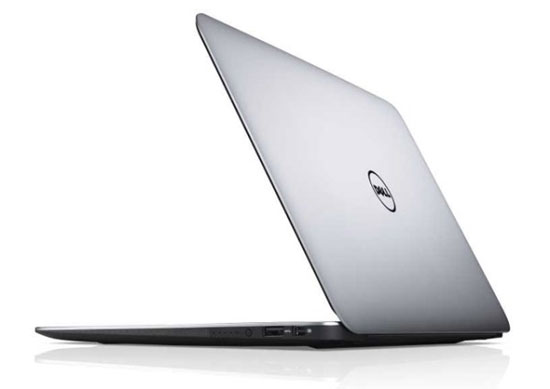 Dell XPS 13
Dell XPS 13 13. 3-inch screen, thin 18mm or HP Specter 14-3210nr 14-inch, thin 21mm screen and Lenovo IdeaPad Yoga 13 Convertible, computer shape is 23mm thick but can still be considered ultrabook.
Battery Life
The first ultrabooks have 5 hours of battery life. This year the standard was raised to 9 hours, ensuring users get ultrabook ' Service ' for 1 shift. More and more ultrabooks have better battery life, for example Samsung Series 9 NP900X4C Can operate continuously for 10 hours.
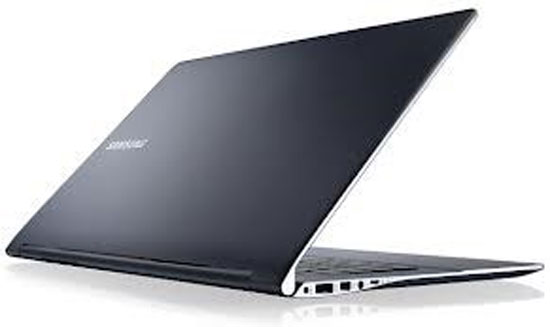 Samsung Series 9 NP900X4C
Efficiency
Ultrabook is designed to ensure good performance but still retains its slender appearance. To be like that, there are not many hardware options for manufacturers. All thin and light laptops must be equipped with the latest generation Intel Core processor At the time of the new launch which can be called ultrabook.
Ultrabook also often use solid-state drives instead of HDD. SSDs are faster, smoother, lighter and cooler than HDD drives. Thanks to the SSD, ultrabook can boot quickly from hibernation in 7 seconds.
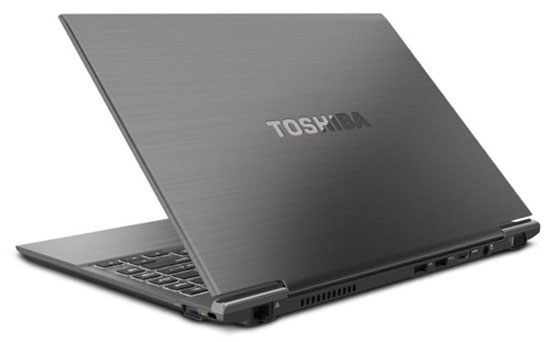 Oshiba Portege Z935-P300
SSD drives are not mandatory standards, but they are used more and more on ultrabooks because of the above advantages. The price of SSDs has also started to decline, boosting their popularity by manufacturers. The ultrabook product uses a typical SSD, including the Toshiba Portege Z935-P300.
Hardware
Ultrabooks don't have any special connections beyond the standard. Most modern, ultrabook will have at least 1 USB 3. 0 Port or Thunderbolt to Ensure high data transfer rates.
Another connection is also gradually popular though not compulsory standards on ultrabook is WiDi (Wireless Display). WiDi allows you to create images, movies and other content from ultrabook to play on TVs that support WiDi.
Management and Security
Ultrabooks are not aimed at a specific user. But the good news is that ultrabook is equipped with advanced security features that can be used in enterprise environments.
Ultrabook must have Intel Management Engine As a tool to allow IT departments to manage and remotely control all of the company's ultrabooks. There is also Intel Anti-Theft Technology And Identity Protection Technology are Also mandatory features on every ultrabook.
 Ultrabook must have security features from Intel
These tools and features ensure data safety inside ultrabooks ( In both corporate and personal use ) rooms for lost cases as well as enhance privacy for ultrabooks with regular users.
FAQ
What should I check before following these steps?
Confirm device and software compatibility, save important data, and make sure you have the required permissions, files, and account access.
Why might the process not work?
Common causes include outdated software, missing permissions, incompatible hardware, an unstable connection, or completing a step in the wrong order.
Can I undo the changes if necessary?
That depends on the tool or setting. Use built-in restore options when available, keep a backup, and record the original configuration first.
Related Articles
 An Ultrabook Laptop Explained13 minutes read
 Acer Is Coming Out with a 15-inch Ultrabook for $$ 6993 minutes read
 ASUS Out Ultrabook Super Durable, Weighing Only 1. 27 Kg4 minutes read
 Office People Choose Tablet or Ultrabook?8 minutes read
 HP's First Ultrabook Launched at 27 Million3 minutes read
 Innovative Ultrabook, Intel Will Surpass Apple in Technology?3 minutes read
Reader Comments 0
Sign in with email or Google to join the discussion.