Table of Contents
This guide covers Samsung came out with an ultra-thin laptop competing with Apple with practical context and easy-to-follow details. Use it to understand the subject and apply the information confidently.
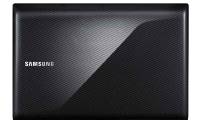
On February 24, South Korean conglomerate Samsung Electronics Co Ltd unveiled a new ultra-thin laptop called the 9 Series, to stay competitive with Apple's "dominance" in the high-end notebook market segment.
Samsung 9 Series price In Korea is 2. 5 million won (about 2, 220 USD). The device will compete directly with the ultra-thin MacBook Air that Apple launched in October 2010.
Under the plan, the Samsung 9 Series will start "spreading" globally from next month, with subsequent releases in the Americas and Europe.
The event of launching a new ultra-thin laptop helps Samsung emerge to become one of the "most annoying" competitors to challenge "Apple. " Because today, besides the laptop sector, Samsung also constantly "rival" with Apple in the field of martphone and tablet computer.
According to survey firm DisplaySearch, Apple overtook Hewlett-Packard (HP) in the past quarter to become the world's number one laptop maker, thanks to the increased consumption of its iPad tablet.
With more than 10 million notebooks and tablets sold in the past quarter, accounting for 17% of the world market share, "Apple" has been "thrashed" by HP when it sold less than a million products, with a market share of 15. 6%.
However, even though Apple is occupying the world's number one position with three cult products, the iPhone, iPad and MacBook, there is no certainty that the US technology firm will preserve its position, when its rival Samsung continuously grew year by year.
On the occasion of the 9 Series launch, Samsung also announced that it wants to become the sixth-largest laptop maker worldwide this year, instead of the seventh place in 2010.
FAQ
What should I check before following these steps?
Confirm device and software compatibility, save important data, and make sure you have the required permissions, files, and account access.
Why might the process not work?
Common causes include outdated software, missing permissions, incompatible hardware, an unstable connection, or completing a step in the wrong order.
Can I undo the changes if necessary?
That depends on the tool or setting. Use built-in restore options when available, keep a backup, and record the original configuration first.
Related Articles
 Samsung Series 9 Is Somewhat Better Than the MacBook Air4 minutes read
 Samsung's Ultra-thin Laptop Costs from 14 Million VND5 minutes read
 Apple Is Preparing to Export Ultra-thin 15-inch Laptops3 minutes read
 Stylish with Ultra-thin Laptops7 minutes read
 Ultra-thin Laptops Can Replace MacBook Air7 minutes read
 Dell Launches an Ultra-thin Laptop4 minutes read
Reader Comments 0
Sign in with email or Google to join the discussion.