Table of Contents
This guide covers standard 10gb connection per second from Apple and Intel with practical context and easy-to-follow details. Use it to understand the subject and apply the information confidently.
 New connector on MacBook Pro.
To finish, after years of waiting for Apple and Intel officially introduced the new and integrated connectivity standard on the " Apple " MacBook Pro model. This connector, called Apple Thunderbolt By Apple, promises transfer speeds of up to 10Gb per second. The company also said that this speed is a dual channel, ie at one time both devices can receive and send data at the same speed.
The new connection standard was announced by Apple to be useful in addition to RAID connectivity, Gigabit Ethernet and good FireWire and USB support, along with other connectivity ports like HDMI, DVI, DisplayPort and VGA. Apple hopes that Thunderbolt will be widely accepted as a super high-speed connection standard. Even so, USB 3. 0 may be one of Thunderbolt 's "worthy" competitors at this time.
Meanwhile, on its website, Intel also introduced a new connection technology called Light Peak (called Thunderbolt by Apple). Intel said that with this standard, users can transfer a standard HD movie in less than 30 seconds. The company also said the standard is compatible with DisplayPort or PCI Express protocols.
FAQ
What should I check before following these steps?
Confirm device and software compatibility, save important data, and make sure you have the required permissions, files, and account access.
Why might the process not work?
Common causes include outdated software, missing permissions, incompatible hardware, an unstable connection, or completing a step in the wrong order.
Can I undo the changes if necessary?
That depends on the tool or setting. Use built-in restore options when available, keep a backup, and record the original configuration first.
Related Articles
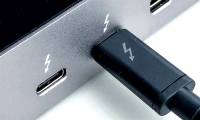 The Reason Thunderbolt 3 Is the Preferred Connection Standard7 minutes read
 Apple May Have to Switch to Usb-c If It Wants to Sell in Europe4 minutes read
 Computer Connection: Light Peak Optical Cable4 minutes read
 Apple Surpassed Intel Because Intel Just Sat There9 minutes read
 Xiaomi Will Launch the World's First Android 10GB RAM4 minutes read
 How to Receive 10GB of Free Data When Changing SIM 4G Viettel5 minutes read
Reader Comments 0
Sign in with email or Google to join the discussion.