Table of Contents
How to pre-download EA FC 26 Online on PC, PS5, Xbox.
FC 26 Online Configuration
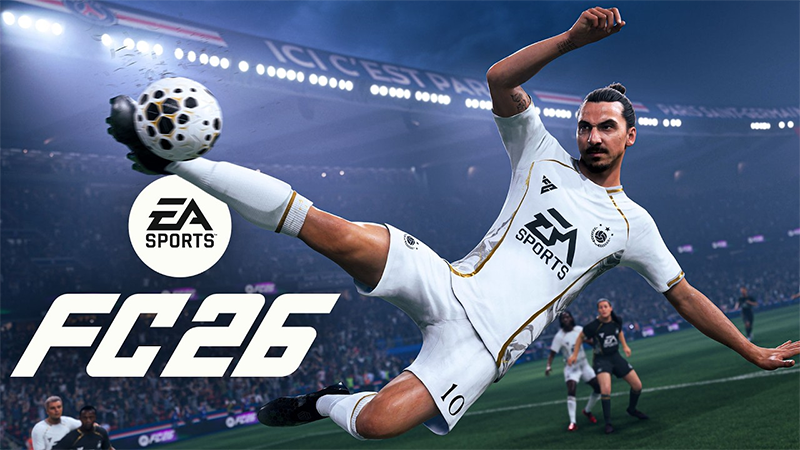
FC 26's hardware requirements haven't changed much from FC 25 – a sign that EA continues to prioritize broad compatibility over optimizing for high-end hardware.
Minimum Configuration
- Operating System: Windows 10/11 - 64-Bit
- Processor: AMD Ryzen 5 1600 or Intel Core i5 6600K.
- Memory: 8 GB RAM.
- Graphics: AMD RX 570 or Nvidia GTX 1050 Ti.
- DirectX: Version 12.
- Storage: 100 GB available space.
- Sound Card: DirectX 12 compatible graphics card or equivalent.
- Connection: Internet cable.
Recommended Configuration
- Operating System: Windows 10/11 - 64-Bit
- Processor: AMD Ryzen 7 2700X or Intel Core i7 6700.
- Memory: 12 GB RAM.
- Graphics: AMD RX 5600 XT or Nvidia GTX 1660.
- DirectX: Version 12.
- Storage: 100 GB available space.
- Sound Card: DirectX 12 compatible graphics card or equivalent.
- Connection: Internet cable.
EA FC 26, the next version of the famous football series from EA Sports, is coming very close to players. For the virtual football community, especially the Ultimate Team mode, 'starting early' always brings a huge advantage in building a squad, experiencing gameplay and grasping the meta.
The preload feature allows players to pre-install the entire game before the official server opens. Thanks to that, you just need to wait until the release date to be able to enter the field immediately, without wasting time waiting for the huge download capacity of more than 57 GB.
EA FC 26 pre-load start date and installer size
- Ultimate Edition: Pre-download available from September 17, 2025.
- Standard Edition: pre-download available from September 24, 2025.
- Game size: approximately 57.2 GB (confirmed by PlayStation Game Size account).
In particular, Ultimate Edition players can also experience 7-day Early Access, which means they can enter the game from September 17 via FC 26 Web App to start the season in Ultimate Team.
How to preload FC 26 on PC
How to Preload EA FC 26 on PC ( Steam, Epic Games Store, EA App)
EA FC 26 Steam
EA FC 26 Epic Game Store
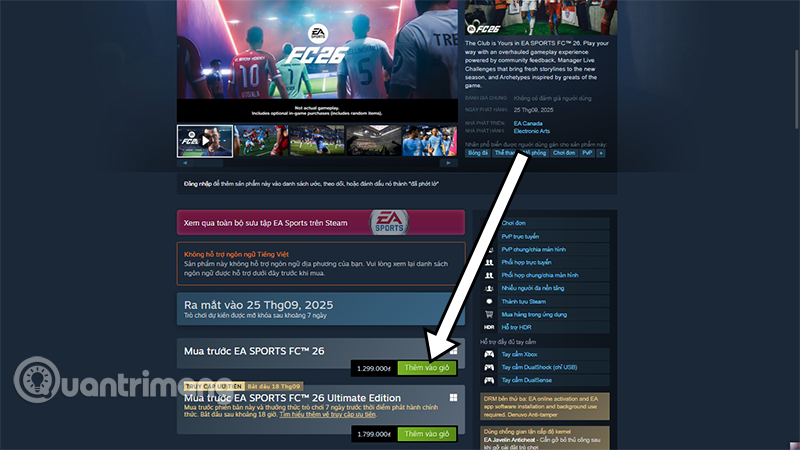
- To preload EA FC 26 on PC, You should pre-order the game on the store of your choice:
- Open Steam, Epic Games Store, or EA App.
- Visit the EA FC 26 game page.
- Proceed to Pre-purchase.
- After 12/09/2025, the Preload button will appear.
- Click and wait for the game to download to your device.
Or choose the AE FC 26 Online download link above to download the game according to the game distribution platform you are using. Remember that you must have Steam or Epics Game Store before.
⚽ Note: No matter what platform you download on, you still need more than 60GB of free space to avoid installation errors.
How to Preload EA FC 26 on PlayStation (PS4, PS5)
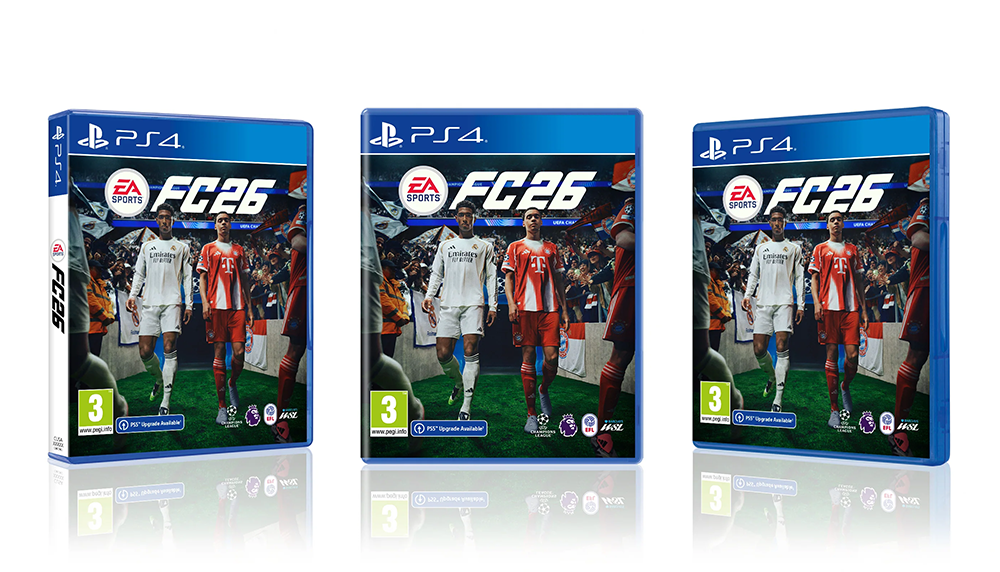
- Step 1: For PlayStation players, the preload process is also straightforward:
- Step 2: Go to PlayStation Store, search for EA FC 26.
- Step 3: Pre-purchase the game.
- Step 4: Go to Library in your PlayStation account.
- Step 5: Select EA FC 26 and click Download., then the system will download the game, ready to unlock on release date.
With PS5, you can also choose to prioritize pre-loading games like Ultimate Team or Kick Off, saving space and getting into the game faster.
How to Preload EA FC 26 on Xbox One and Xbox Series X/S
Similar to PlayStation, Xbox also supports preload:
- Step 1: Go to Microsoft Store/Xbox Store.
- Step 2: Search for EA FC 26.
- Step 3: Pre-purchase if you don't own it yet.
- Step 4: Select Preload in the game menu.
- Step 5: Wait for the game to finish loading.
One advantage of the Xbox Series X/S is that you can pre-install each content pack (modes), which is convenient for managing hard drive space.
Why should you pre-download EA FC 26?

- Save time: No need to wait hours to download games on release day.
- Avoid bandwidth congestion: EA download servers are often overloaded when new games are released.
- Get in the game instantly: Be ready to join the match from the first minute.
- Ultimate Team Advantage: Build your squad, hunt for player cards and enter the transfer market earlier than your opponents.
Preloading EA FC 26 is an indispensable choice for all gamers who love electronic football, especially those who seriously invest in Ultimate Team. With a capacity of up to more than 57 GB, preloading helps you take the initiative in time, avoid interruptions and be ready to burn out with the virtual football world as soon as EA FC 26 is officially released on September 26, 2025.
Don't forget to follow EA FC 26 Hub for more hot news, meta squad guides, and tips on building the best club.
FAQ
What should you know about preload EA FC 26 online?
In practical terms, how to pre-download EA FC 26 Online on PC, PS5, Xbox.
Why does preload EA FC 26 online matter?
The article highlights that how to preload FC 26 on PC How to Preload EA FC 26 on PC ( Steam , Epic Games Store , EA App) EA FC 26 Steam EA FC 26 Epic Game Store To preload EA FC 26 on PC, you need to pre-order the game on the store of your.
What is the main takeaway?
The main takeaway is that how to Preload EA FC 26 on PlayStation (PS4, PS5) Step 1: For PlayStation players, the preload process is also very simple: Step 2: Go to PlayStation Store, search for EA FC 26.
Related Articles
 How to Preload Doom the Dark Ages on PC, PS5, and Xbox6 minutes read
 How to Play Among Us Online, Download Among Us Online4 minutes read
 Tips for YouTube to Stop Preloading Videos to Save Network Bandwidth6 minutes read
 How to Speed up Playing FIFA Online 45 minutes read
 How to Know If Someone Is Online: Step-by-Step Guide3 minutes read
 How to Use Word Online to Edit Text Online5 minutes read
Reader Comments 0
Sign in with email or Google to join the discussion.