Table of Contents
This article examines Opera on Android Has Unlimited Free VPN Integration. It presents the main facts, practical implications, and key points in a clearer, easier-to-follow format.
Understanding Opera on Android Has Unlimited Free VPN Integration
Opera has long integrated a free VPN service into a browser on a computer and recently they have done this for mobile browsers on Android. This means that Opera browser users on Android can access anonymous, unlimited bandwidth and access to some blocked websites.
Currently, the VPN feature is only available on Opera beta, but Opera said it will soon update this feature for all users.
To use Opera VPN on Android devices, users need to access the link below to update to the latest Opera beta version:
https://play.google.com/store/apps/details? id=com.opera.browser.beta.
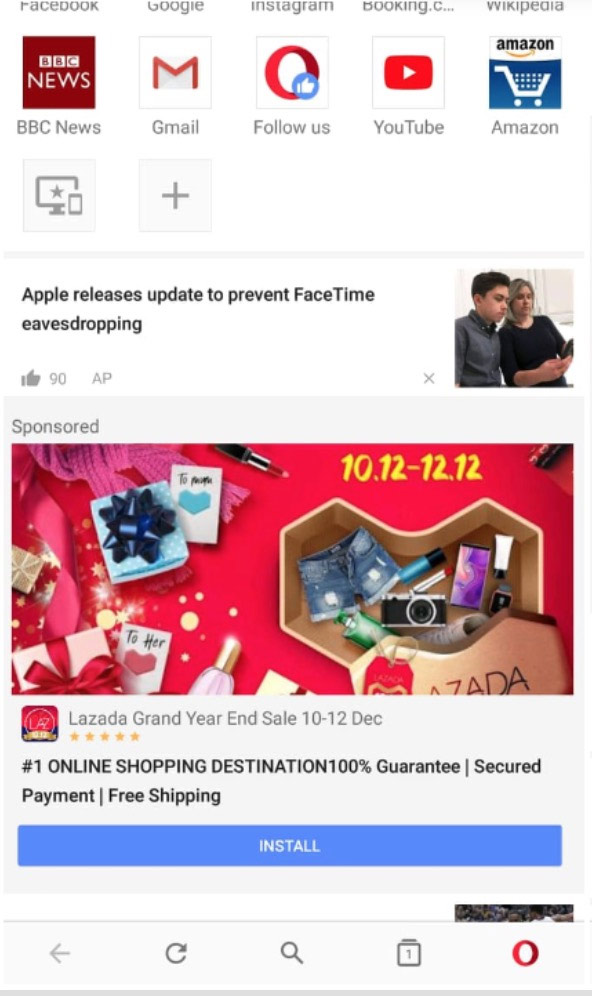
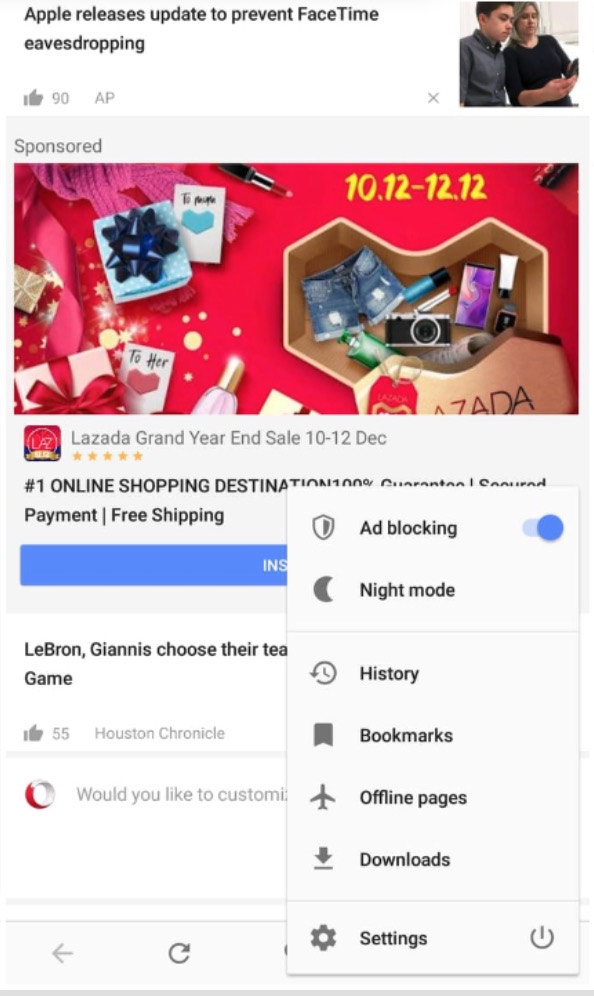
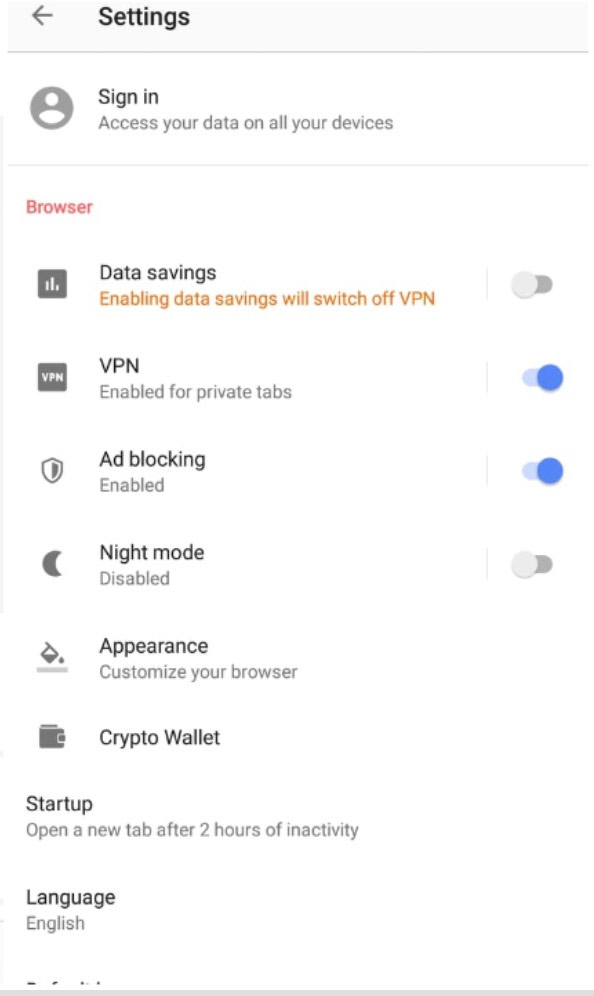
To access the on/off VPN section, access the Settings section by clicking on the Opera logo at the bottom right of the screen. Here, users can customize some things like bypass VPN on the search engine, only use VPN for anonymous tabs.
In addition, Opera has also warned that the speed of web surfing may be affected when enabling VPN.
FAQ
What is the main point of Opera on Android Has Unlimited Free VPN Integration?
Opera has long integrated a free VPN service into a browser on a computer and recently they have done this for mobile browsers on Android. This means that Opera browser users on Android can access anonymous, unlimited bandwidth and access to some blocked websites.
Why is Opera on Android Has Unlimited Free VPN Integration important?
Opera on Android Has Unlimited Free VPN Integration matters because it can affect how readers understand, choose, use, or respond to the subject discussed in the article.
What should readers verify about Opera on Android Has Unlimited Free VPN Integration?
Check the date, product or software version, compatibility, and any current guidance before acting, especially when technology, security, health, or pricing is involved.
Related Articles
 How to Save 3G Effectively with Opera Max Android6 minutes read
 Link Download Hola Unlimited Free VPN 1,172.4369 minutes read
 Reviews on Opera VPN: Simple, Fast and Free9 minutes read
 How to Speed Up Opera GX on Android: Clear Instructions11 minutes read
 Opera Introduces an Application That Helps Save 3G Costs on Android4 minutes read
 Opera Max Is Officially Available in Vietnam, Compressing Data More3 minutes read
Reader Comments 0
Sign in with email or Google to join the discussion.