Table of Contents
This guide covers netbook weighs only 1kg, msi's 15 hour battery with practical context and easy-to-follow details. Use it to understand the subject and apply the information confidently.
 MSI Wind U160DX
MSI's new netbook features a 10-inch LED backlight screen with WSVGA resolution of 1, 024 x 600 pixels and hardware options including Intel Atom N455 processor with 1. 66 GHz speed, DDR3 2GB RAM memory, Intel Graphics Media Accelerator 3150 graphics chip, 160GB hard drive
U160DX is also equipped with connections such as Wi-Fi, Bluetooth with LAN port, 2 USB 2. 0 ports, memory card reader and 1. 3 Megapixel camera supporting remote video conversation.
The most special feature in the Wind U160DX is with the optional 6-cell battery, the duration of use of the device can be up to 15 hours continuously according to the manufacturer. It also has a slim design and weighs only about 1kg. U160DX is preinstalled with Windows 7 Starter Edition operating system
There is no information about the price and time of official sale of U160DX.
Configure MSI Wind U160DX
Intel AtomTMProcessor N455 CPU (1. 66GHZ) ChipsetNM10 GraphicsGMA3150 (Share with System Memory) DDR3 667 memory supports up to 2 GB (1 DIMM slot) Monitor 10 "(1024 x 600) WSVGA LEDHDD160 GB or more (2. 5" SATA) Reader2 card in 1 (support SD, MMC, ) I / OD-sub * 1, USB 2. 0 * 3, Mic-in, Headphone, RJ45Pin3 cells / 6 cells (optional) Wireless802. 11 b / g / n, Bluetooth v2. 0 + EDRWebcam1. 3 M Webcam Audio HD Audio, Stereo speakers Size265 x 165 x 19. 8-25. 4mm Weight1Kg (3 cell) Operating System Microsoft Windows 7 Starter
FAQ
What should I check before following these steps?
Confirm device and software compatibility, save important data, and make sure you have the required permissions, files, and account access.
Why might the process not work?
Common causes include outdated software, missing permissions, incompatible hardware, an unstable connection, or completing a step in the wrong order.
Can I undo the changes if necessary?
That depends on the tool or setting. Use built-in restore options when available, keep a backup, and record the original configuration first.
Related Articles
 Samsung's 10. 5-hour Battery Netbook3 minutes read
 Samsung's 9-hour Battery Netbook3 minutes read
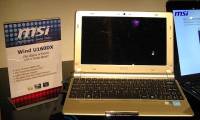 MSI's 15-hour Battery Netbook3 minutes read
 Netbook Battery 13. 5 Hours, with Samsung 3G Connection3 minutes read
 Netbook with USB 3. 0 Standard, Asus 13-hour Battery3 minutes read
 Samsung's Nearly 14-hour Battery Netbook3 minutes read
Reader Comments 0
Sign in with email or Google to join the discussion.