Table of Contents
This guide covers msi's ultra-thin laptop trio with practical context and easy-to-follow details. Use it to understand the subject and apply the information confidently.
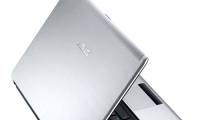
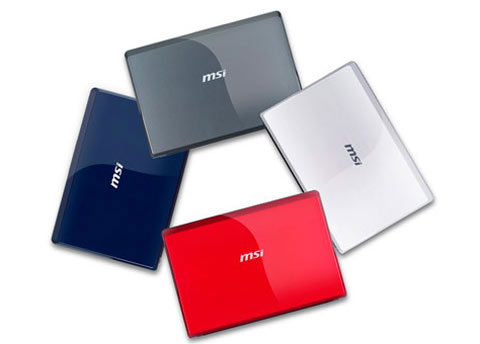 Wind U123 has 4 different colors Photo: Cnet .
The Wind U123 has just been announced in detail by the company, which will run on the latest Intel N280 Atom processor, in addition, it also has a TV tuner and 3G connectivity options. This model has two black and red colors compared to the white and gray versions for the U100 before. With a 10-inch screen, the U123 will be swapped with the Asus Eee PC 1000HE or the Acer Aspire One D150 by its ultra-slim design and unique features. It runs on Windows XP, 1 G RAM and 160 GB hard drive. In addition, the new MIS netbook also has a 4-in-1 memory card reader, with optional 6-cell or 9-cell battery, 1. 3 Megapixel webcam, and two outstanding external speakers.
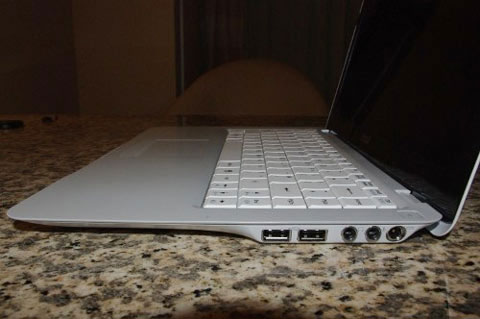 MSI X340 competes with the MacBook for thinness Photo: Engadget .
Besides the new generation netbook, MSI also offers detailed specifications of two ultra-thin 13-inch computers in the previous X-Slim series. The X320 and X340 both use screens with resolutions up to 1, 366 x 768 pixels, running Windows Vista. However, the X320 uses the Atom Z530 processor, while the X340 will use Intel CULV's new platform at a higher price. At just 17. 8 mm thin and weighing 1. 27 kg, both will enter the cheap market, but compete with the Dell Air and MacBook Air for design flimsy. Three new MSI laptops will be available in May this year.
FAQ
What should I check before following these steps?
Confirm device and software compatibility, save important data, and make sure you have the required permissions, files, and account access.
Why might the process not work?
Common causes include outdated software, missing permissions, incompatible hardware, an unstable connection, or completing a step in the wrong order.
Can I undo the changes if necessary?
That depends on the tool or setting. Use built-in restore options when available, keep a backup, and record the original configuration first.
Related Articles
 Dell Launches an Ultra-thin Laptop4 minutes read
 The Best Ultra-thin Laptops4 minutes read
 Dell Launches a New Ultra-thin Laptop in China5 minutes read
 New Generation Ultra-thin Laptops Can Be Made of Glass Fiber3 minutes read
 The Trio of 13. 3-inch Ultra-thin Laptops from Asus4 minutes read
 Lack of Components Because Demand for Ultra-thin Notebooks Increased3 minutes read
Reader Comments 0
Sign in with email or Google to join the discussion.