Table of Contents
This article examines Lexar's New SL100 Pro Portable SSD Has a Read Speed of 950MB/s - Recording 900 MB/s. It presents the main facts, practical implications, and key points in a clearer, easier-to-follow format.
Understanding Lexar's New SL100 Pro Portable SSD Has a Read Speed of 950MB/s
Lexar has launched the Lexar® Professional SL100 Pro mobile SSD with read speeds of up to 950MB/s and write at 900MB/s to enable users to access and store data, images, videos. effectively. Most effective and reliable. This new product of Lexar is for those who move, videographer, photographer.
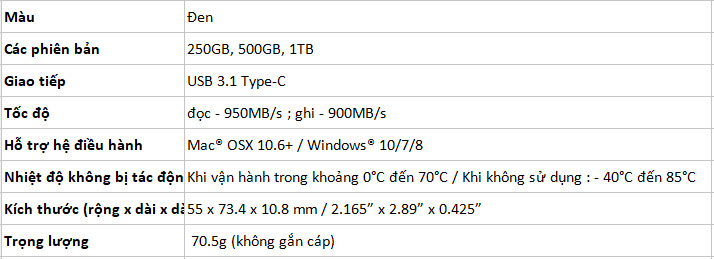
The SL100 Pro SSD has 3 250GB, 500GB and highest 1TB models and is sold for $88.99, $134.99 and $239.99, respectively.
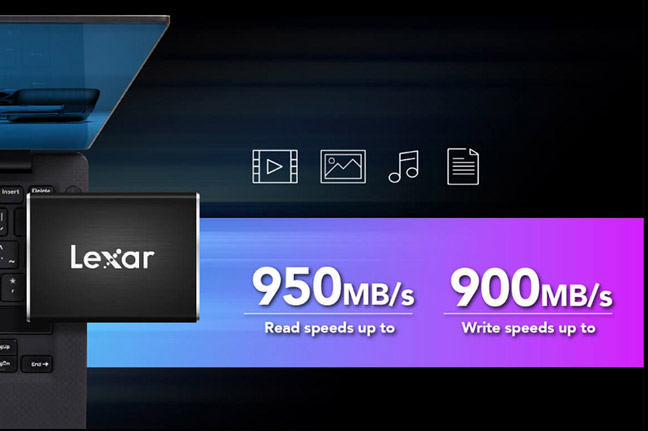
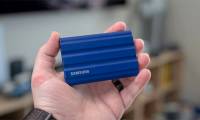
The Lexar SL100 Pro SSD has a high-grade aluminum housing so it is very solid. It has a compact size of 73.4mm x 55mm and has a weight of 70.5g, convenient to move and needs to copy or store data.
The Lexar SL100 Pro SSD only has Type-C 3.1 interface, no need for any extra supplies.
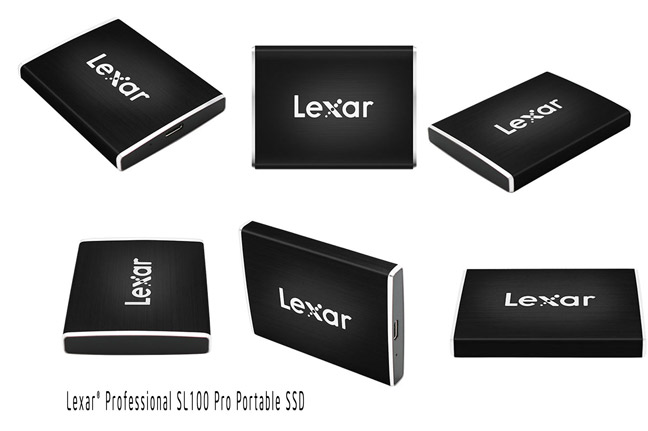
Lexar said that the SSD is equipped with shock, vibration, and impact resistance. In addition, Lexar SL100 Pro can withstand temperatures in the range of -40 ° C to 85 ° C in unused condition and in the range of 0 ° C to 70 ° C when in use.
To ensure the safety of data without unauthorized access and recovery of deleted files, this SDD is equipped with DataVault Lite software with AES 256 bit encryption.
Details of the SSD Lexar SL100 Pro specification:
FAQ
What is the main point of Lexar's New SL100 Pro Portable SSD Has a Read Speed of 950MB/s - Recording 900 MB/s?
Lexar has launched the Lexar® Professional SL100 Pro mobile SSD with read speeds of up to 950MB/s and write at 900MB/s to enable users to access and store data, images, videos. Most effective and reliable.
Why is Lexar's New SL100 Pro Portable SSD Has a Read Speed of 950MB/s - Recording 900 MB/s important?
Lexar's New SL100 Pro Portable SSD Has a Read Speed of 950MB/s - Recording 900 MB/s matters because it can affect how readers understand, choose, use, or respond to the subject discussed in the article.
What should readers verify about Lexar's New SL100 Pro Portable SSD Has a Read Speed of 950MB/s - Recording 900 MB/s?
Check the date, product or software version, compatibility, and any current guidance before acting, especially when technology, security, health, or pricing is involved.
Related Articles
 Samsung's Portable SSD X5 SSD Is Capable of Copying 20 GB of Data in Just 12 Seconds4 minutes read
 Don't Buy a Portable SSD Just Because of the Speed Rating Printed on the Box7 minutes read
 MacBook Pro 13 'Retina: Measuring File Recording Speed4 minutes read
 The Best Portable Software for Your Computer9 minutes read
 7 Best Portable Ssds7 minutes read
 Which Portable Hard Drive Is the Best With Cheap Price?9 minutes read
Reader Comments 0
Sign in with email or Google to join the discussion.