Table of Contents
This guide covers lenovo sets a pair of cheap chromebooks with practical context and easy-to-follow details. Use it to understand the subject and apply the information confidently.
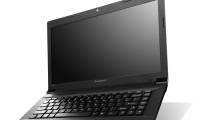
The N20 and N20p are aimed at students and students with a starting price of 279 USD ( 5. 8 million VND ) and 329 USD ( 6. 8 million VND ). The two products have a similar configuration including 11. 6 inch screen with 1366 x 768 pixel resolution, Intel Celeron processor Haswell code, 2 GB of RAM and 16 GB internal memory. The N20p has a higher price because it has a 10-tap tap screen and can fold the screen up to 300 degrees, similar to the Yoga line that Lenovo released earlier.
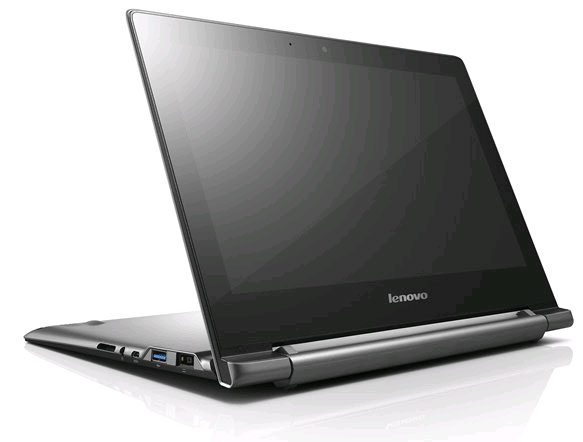 Lenovo N20p
According to Lenovo, the N20 and N20p will operate for 8 consecutive hours after each charge, and can expand to store another 100GB through Google Drive service. These two products will be sold in late July and early August, but the distribution market so far has not been officially confirmed by Lenovo.
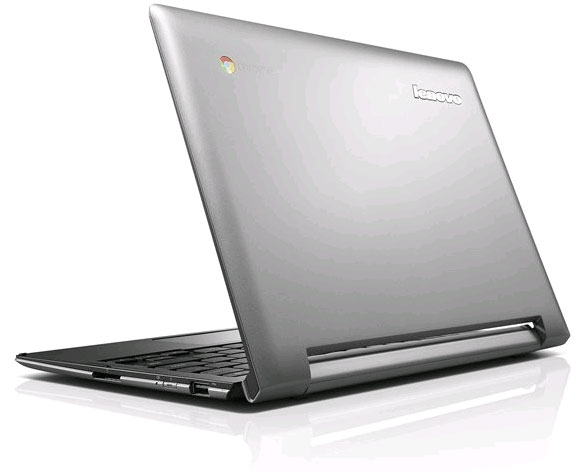 Lenovo N20
FAQ
What should I check before following these steps?
Confirm device and software compatibility, save important data, and make sure you have the required permissions, files, and account access.
Why might the process not work?
Common causes include outdated software, missing permissions, incompatible hardware, an unstable connection, or completing a step in the wrong order.
Can I undo the changes if necessary?
That depends on the tool or setting. Use built-in restore options when available, keep a backup, and record the original configuration first.
Related Articles
 The Best Cheap Laptops7 minutes read
 Review Lenovo Legion 5: Good Cheap Gaming Laptop7 minutes read
 Lenovo B450 Configured Well, Cheap6 minutes read
 Laptop Series for 2012 from Lenovo4 minutes read
 Lenovo Introduced Cheap Laptops for Entrepreneurs3 minutes read
 COVARIANCE. S Function - Returns the Covariance Pattern, the Average of3 minutes read
Reader Comments 0
Sign in with email or Google to join the discussion.