Table of Contents
This guide covers laptop uses ivy bridge chip to vietnam with practical context and easy-to-follow details. Use it to understand the subject and apply the information confidently.
 ThinkPad Edge E430.
Introduced at CES 2012 at the beginning of the year and in the Edge line, the E430 has more improvements in traditional ThinkPad than the "rejuvenating" Trend as previous models of the series. It has a rugged upper lid and metal hand cover with black tones. Although quite thick (2. 8 cm), the E430 weighs only 2. 1 kg, which is 2. 2 to 2. 4 kg lighter than the average model with 14 inch screen size. .
However, the points still easily recognizable from the Edge line such as rounded corners, mirror screen with glossy plastic trim layer as well as stylized chiclet keyboard or ThinkPad logo located at hand rest with top letter i can play light instead of the power lamp.
The most outstanding feature of the E430 is the inner strength with the Intel Core i 3rd generation processor. According to Lenovo Vietnam representative, this model will be sold in the domestic market by the end of April. The Intel Core i3 version is priced at VND13 million, the Core i5 version costs VND14 million. Both use a 500 GB hard drive, 2 GB of RAM, no built-in operating system and a 2-year warranty.
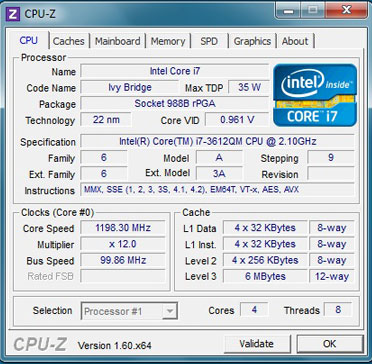 Intel Core i7-3612QM chip on E430 (Screenshots).
The version introduced below is equipped with Intel Core i7-3612QM processor with 2. 1 GHz speed, 8GB of RAM, 500 GB hard drive and pre-installed Windows 7 Professional operating system with reference price of about 19. 5 million dong.
In addition to Ivy Bridge chips, the E430 also carries the trend of 2012 laptop products like many USB 3. 0 ports (3 compared to just one USB 2. 0 port) combining HDMI and VGA. However, the device is still equipped with a screen with the same resolution as most popular products of 2011 is 1, 366 x 768 pixels.
Previous tests by Anandtech showed that Intel's new Ivy Bridge chip improved both CPU and graphics performance compared to Sandy Bridge. In particular, CPU performance on Ivy Bridge processors increased by 5-15% while GPU performance increased by 20-50% when compared to the Sandy Bridge platform chip.
The price of Ivy Bridge models at the first time is not much higher than the Sandy Bridge line, so the laptops running this platform will also be very competitive. It is expected that in the coming time, the price of old Sandy Bridge models will have a sharp decrease.
Actual Photo of Lenovo ThinkPad Edge E430
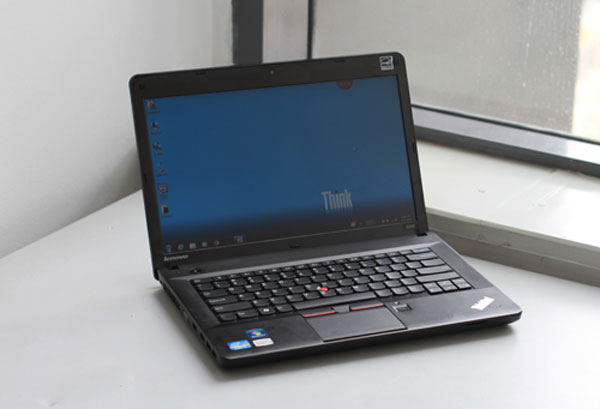 ThinkPad Edge E430 with 14 inch screen resolution of 1366 x 768 pixels.
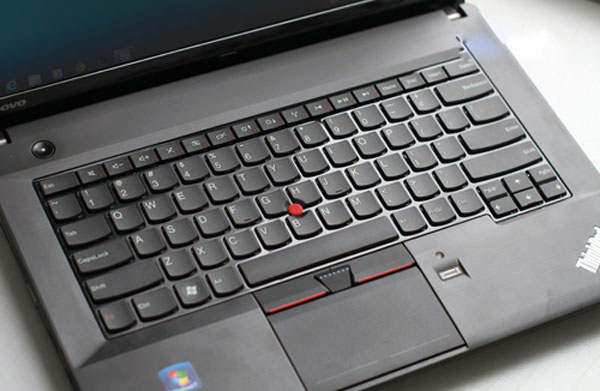 Chiclet stylized keyboard.
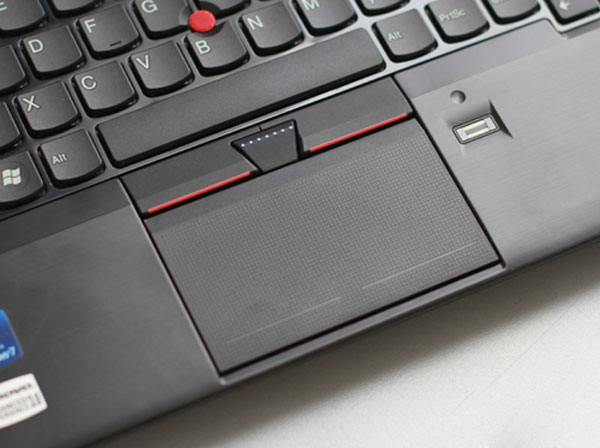 Traditional touchpad and joystick of ThinkPad.
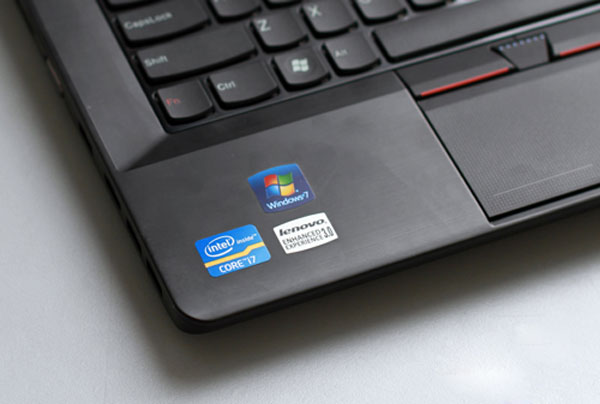 3rd generation Intel Core i7 logo.
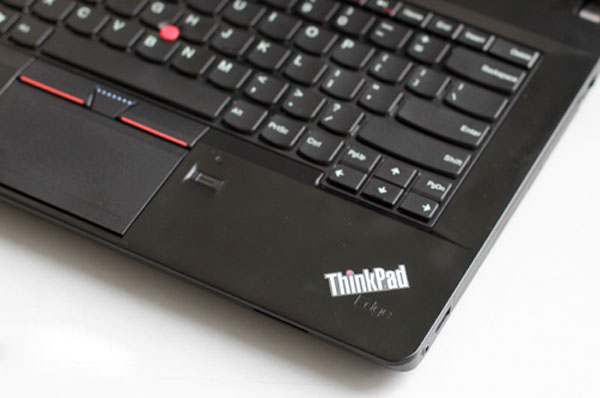 The ThinkPad logo with an i-head can glow.
 Left edge with USB 3. 0 port, USB 2. 0, HDMI, VGA.
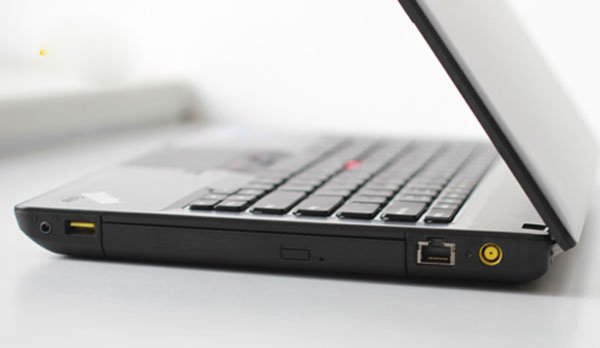 Right side is USB, LAN, power jack and optical drive.
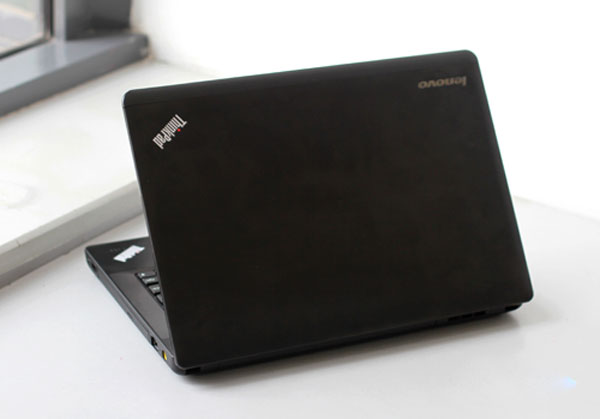 The device will start selling at the end of April.
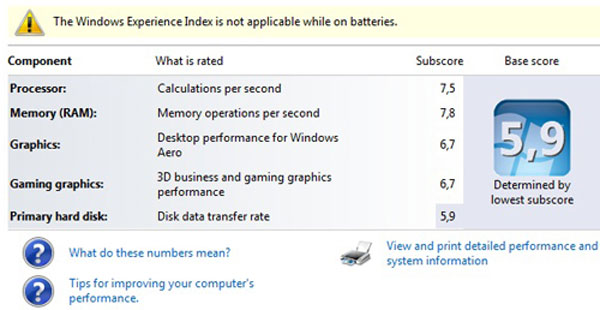 Hardware dictionaries on Windows.
FAQ
What should I check before following these steps?
Confirm device and software compatibility, save important data, and make sure you have the required permissions, files, and account access.
Why might the process not work?
Common causes include outdated software, missing permissions, incompatible hardware, an unstable connection, or completing a step in the wrong order.
Can I undo the changes if necessary?
That depends on the tool or setting. Use built-in restore options when available, keep a backup, and record the original configuration first.
Related Articles
 Panasonic Launches a Laptop 'Hole' Running Ivy Bridge Chip in Japan3 minutes read
 Choice of Sandy and Ivy Bridge Laptops8 minutes read
 Toshiba Ivy Bridge Laptop Costs 13. 3 Million4 minutes read
 6 Most Awaited Ivy Bridge Laptops in 20126 minutes read
 How to Replace a Broken Laptop Screen4 minutes read
 Sandy Bridge Laptop in Off Season6 minutes read
Reader Comments 0
Sign in with email or Google to join the discussion.