Table of Contents
What is Jitsi Meet?
Explore jitsi meet -- open source zoom alternative, including the key concepts, practical examples, important considerations, and useful guidance.
Jitsi Meet Features
Simplify online meetings
When it comes to online meetings, Zoom is probably one of the most used apps. However, if you are thinking about ditching it – whether because of privacy concerns or other usability issues – remember that there are plenty of other video calling tools available to you. One of them is Jitsi Meet. This app simplifies the process of conducting online meetings. As mentioned, it is easy to use and does not require an account. Starting a meeting is as easy as setting up and sending the other members the link.
Detailed instructions are in the article: How to install and use Jitsi Meet on your computer.
The program can support up to 75 callers at a time. Additionally, there is no time limit for any call. However, the application is prone to glitches if there are many participants.
Simplicity is Jitsi's greatest advantage
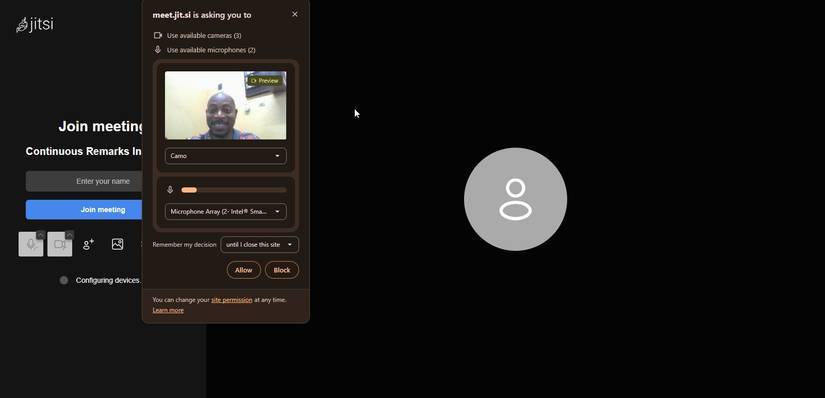
Jitsi Meet lets you start meetings quickly. Just type a custom link into your browser, hit Enter , and the meeting room pops up instantly. There's no sign-in or app installation required. After years of using Zoom and Teams, this hands-off approach to meetings feels strange, but in a good way.
This lightweight approach is also great because no one wants to struggle with a new setup on their computer. Many people join meetings from older computers using shared links without any setup. Jitsi Meet uses WebRTC to handle the entire connection within the browser. This results in consistent performance across browsers like Chrome, Edge, and Firefox; it really feels universal.
What people love most, however, is how clean it feels. There seems to be nothing vying for your attention, with controls exactly where you expect them to be. This makes for a real productivity boost for support sessions or spontaneous team check-ins, where you can spend time on the meeting rather than managing it.
Privacy and control at no cost
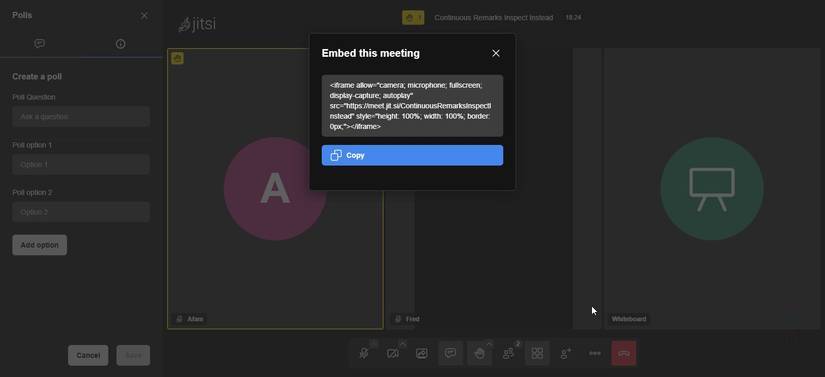
Jitsi Meet has privacy built in from the start, which sets it apart from most conventional meeting tools. It uses DTLS-SRTP to encrypt audio and video streams by default, avoiding the need for persistent account systems to track your meeting habits. Not requiring a login removes a layer of data collection that many people may not have considered.
Using temporary meeting rooms is reassuring – they disappear from the server as soon as the last person leaves. This approach ensures nothing exists in the background, minimizing the possibility of information being exposed. When you record meetings on a public server, the files are saved to Dropbox or your local device, eliminating the need to use a provider's cloud.
You get maximum control over your deployment, data, and recordings by running Jitsi Meet on a self-hosted cloud solution. This way, you store all media, metadata, and recordings on your infrastructure. It's rare to find tools that don't lock this level of ownership into a subscription or enterprise plan.
Other features
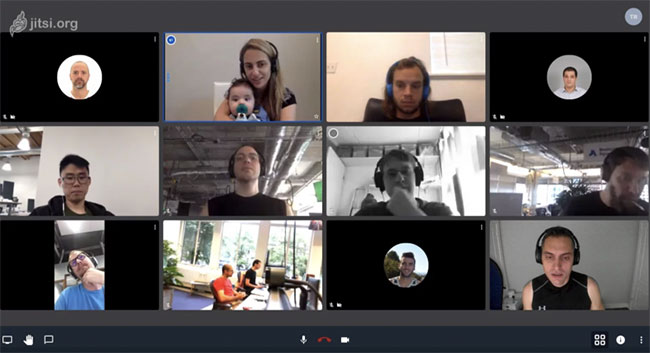
Jitsi Meet has a lot of features that can compete directly with even paid online meeting apps. For starters, you can share your screen or record the meeting. You can also switch to tile view if there are more people on the call. To do so, just click on the four small boxes in the bottom right corner when the call starts.
The app also lets you automatically blur your background if you don't want other participants to see the room you're in on the call. Just select the Blur my Background option from the settings menu (three vertical dots) in the bottom right corner of your screen. To make meetings more organized, Jitsi offers a fun solution with the hand-raising/lowering tool. If you click the icon, other participants will see a small hand icon on their screen and know that you have something to say.
In addition to recording meetings, the app also lets you live stream them. You can even share YouTube videos with your contacts during the call. If you don't have a stable connection, you can manage the video quality and set it to a low bandwidth so that the call doesn't drop. The software encrypts all calls by default, so you can rest assured that your conversations are secure.
Replace popular video calling apps
Overall, Jitsi Meet is a good alternative to popular video calling apps. It is easy to use and does not require complicated account setup. Moreover, Jitsi Meet does not limit the number of participants. However, having a large number of people in a call can cause problems. Many times, the app has audio lag and some connection issues.
Advantage
- Unlimited users
- Easily create and join calls
- No account required
- Encrypted calls
Disadvantages
- Some connection issues
- Audio delay
Final Thoughts
Understanding jitsi meet -- open source zoom alternative makes it easier to evaluate the information and apply the most relevant recommendations. Focus on the key points above and verify details that may change over time.
FAQ
What is jitsi meet -- open source zoom alternative?
Explore jitsi meet -- open source zoom alternative, including the key concepts, practical examples, important considerations, and useful guidance.
What key points does this article cover?
The article focuses on What is Jitsi Meet?, Jitsi Meet Features, Simplify online meetings, with practical explanations and examples.
How can you use this information in practice?
Use the explanations to compare options, verify important details, and make a more informed decision. Apply the recommendations that best match your goals and situation.
Related Articles
 How to Install and Use Jitsi Meet on Ubuntu Server4 minutes read
 Zoom Application Alternatives5 minutes read
 Meet Now: How to Use Skype's Free Zoom Alternative for Video Calls4 minutes read
 Open-Source Activepieces7 minutes read
 How to Open Full Screen Google Meet on Phone, Computer5 minutes read
 4 Great Benefits of Using Open Source Software6 minutes read
Reader Comments 0
Sign in with email or Google to join the discussion.