Table of Contents
The 2TB iPhone 17 Pro Max makes sense primarily for people who need a large amount of local storage, such as frequent high-quality video shooters. Choosing the highest capacity does not by itself improve the camera or processor. Before paying the storage premium, measure how much space your own files use and how often you can offload them.
What the top storage tier actually adds
Apple introduced a 2TB option for iPhone 17 Pro Max alongside lower-capacity configurations. The original article's near-$2,000 figure refers to a US launch-era configuration, not a current worldwide price. Check the exact capacity, local taxes, warranty and any included coverage when comparing offers.
Moving from 256GB to 2TB is not “an extra 2TB”: 2TB is the advertised total capacity, and some space is used by the operating system and formatting. Compare usable headroom against your needs rather than treating the largest number as the default choice.
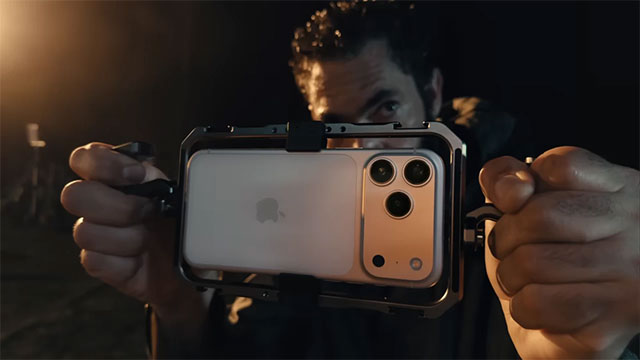
Who is likely to use the extra space?
- Frequent video creators: large projects and high-data-rate recording can require substantial working space between transfers.
- Travelers with limited connectivity: offline maps, downloaded media and original photos can accumulate when cloud access is unreliable.
- People keeping large libraries locally: the value depends on whether those libraries actually exceed a smaller capacity.
For everyday messaging, streaming and occasional photos, unused storage provides little immediate benefit. It also does not replace a backup: losing or damaging the phone can still put locally stored files at risk.
Estimate your storage needs before buying
- Open Settings > General > iPhone Storage on your current phone and note the total used.
- Separate long-term files from replaceable downloads and unused apps. Our storage cleanup guide can help identify the difference.
- Record a short sample in the video format you actually use and inspect the file size. Allow headroom for a day's shooting, editing copies and exports.
- Decide how often you can transfer and back up files. A larger phone may reduce transfer frequency but does not remove the task.
Camera upgrades are a separate decision
The iPhone 17 Pro models introduced A19 Pro, vapor-chamber cooling and updated camera and video capabilities. Those are reasons to compare the phone generation; they are not exclusive benefits of choosing 2TB. Apple also uses “optical-quality” to describe its 8x option, which should not be confused with a separate 8x optical lens.
Recording mode, resolution and frame rate affect both your workflow and storage demand. Our guide to iPhone video settings explains related choices. Consult Apple's launch specifications for the supported hardware and features.
Choose 2TB when the added local space solves a measured problem. If a smaller model comfortably holds your working files and you already transfer them regularly, compare the price saving against other needs.






Reader Comments 0
Sign in with email or Google to join the discussion.