Table of Contents
Explore guide on how to get simulator data in blox fruits and how to use it.
1. How to obtain Simulation Data in Blox Fruit
Currently, there are two main ways to acquire this valuable resource. Note that you cannot obtain them by entering a code.
Method 1: Cracking Trinkets

This is how dedicated gamers grind:
- Step 1: Participate in dungeons to collect free Trinkets.
- Step 2: Move to the dungeon area and find the Trinket Refiner NPC.
- Step 3: Select the Scrape option and choose the Trinkets you want to shred.
Note: The higher the rarity of the Trinket, the greater the amount of simulation data you get after decay.
Method 2: Using Robux
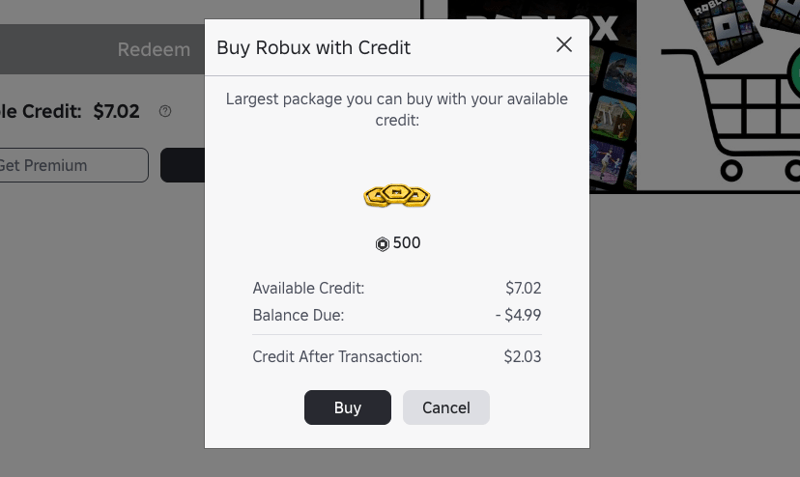
If you want to save time and own it immediately, you can buy it directly:
- Open a shop in the game.
- Choose to purchase Simulation Data packages using Robux.
2. What is the simulation data in Blox Fruit used for?
In the Control Rework update, Blox Fruit simulation data became the "backbone" of the new power progression system. This currency is not simply a collectible item, but also the key to unlocking the character's hidden potential.

Sole source: Trinket system (Jewelry)
Simulation data cannot be found in regular quests or from the code. The only way to farm this type of resource is through Trinkets collected from dungeons.
- Conversion process: You must bring the jewelry (Trinkets) to the Trinket Refiner NPC in the dungeon area.
- Scrape operation: Here, you select the "Scrape" feature to destroy unused Trinkets and exchange them for simulation data.
- Conversion rate: The amount of data received depends directly on the rarity of the Trinket. The rarer the Trinket, the greater the amount of simulation data obtained.
Key applications of simulation data
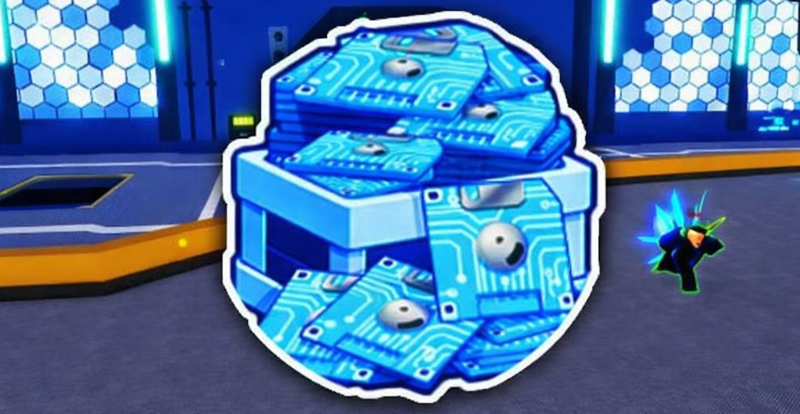
This type of data plays a crucial role in optimizing end-game gameplay:
- Control Awakening: This is the most sought-after ability, allowing users of the Control Fruit to reach a new state of power after reworking it.
- Jewelry Upgrades: Simulation data is used to purchase, fuse, or refurbish Trinkets to obtain better hidden stats.
- Maintain the Dungeon loop: You need simulation data to continue purchasing tickets for subsequent dungeon raids.
Tips for optimizing simulation data acquisition
To obtain a large amount of simulation data without spending Robux, gamers should focus on the following strategies:
- Prioritize Dungeon farming: Continuously participate in dungeons to accumulate large amounts of junk Trinkets before proceeding with mass dismantling.
- Resource management: Robux should only be used to purchase simulation data packages in the store if you need rapid power progression without spending time grinding.
Simulation data is key to unlocking advanced features in the game, especially those related to the Trinket system and Devil Fruits:
- Dungeon entry: Used as a "ticket" to participate in dungeon raids.
- Trinket Upgrades: Includes features such as reforging, fused, or purchasing new Trinkets.
- Awakening the Control Fruit: This is the most important goal for many players in this update.
3. Summary
Blox Fruit simulation data is an indispensable resource if you want to maximize your character's power and experience the full content of the Control Rework update. Start your dungeon conquest journey to collect Trinkets today.
Have you gathered enough data to awaken your Devil Fruit? Share your experience in the comments below!
FAQ
What do you need before following this Guide on How to Get Simulator Data in Blox Fruits and How to Use It guide?
Review the required tools, accounts, settings, or materials mentioned in the article. Explore guide on how to get simulator data in blox fruits and how to use it.
What are the main steps for guide on how to get simulator data in blox fruits and how to use it?
Follow the sections in order, especially 1. How to obtain Simulation Data in Blox Fruit, Method 1: Cracking Trinkets, Method 2: Using Robux. Complete each step before continuing and verify the result as you go.
What should you do if the process does not work as expected?
Recheck the prerequisites, update the relevant app or service, review the settings, and repeat the step that caused the issue. Use any troubleshooting notes included in the guide.
Related Articles
 Complete Guide to Fishing in Blox Fruits6 minutes read
 How to Get Oni Token in Blox Fruits and Use It6 minutes read
 Full List of the Latest Blox Fruits Gift Codes: Explained8 minutes read
 How to Get All Dojo Belts in Blox Fruits13 minutes read
 How to Get Celestial Token Blox Fruits and How to Use It: Step-by-Step Guide5 minutes read
 Blox Fruits Map - All Islands, Locations, and Level Requirements24 minutes read
Reader Comments 0
Sign in with email or Google to join the discussion.