Table of Contents
This guide organizes the entries in "Instructions on 4 Ways to Check Apple Warranty Accurately" and explains what each option, idea, or example offers. It also highlights practical details that matter when comparing the choices.
How to check iPhone warranty
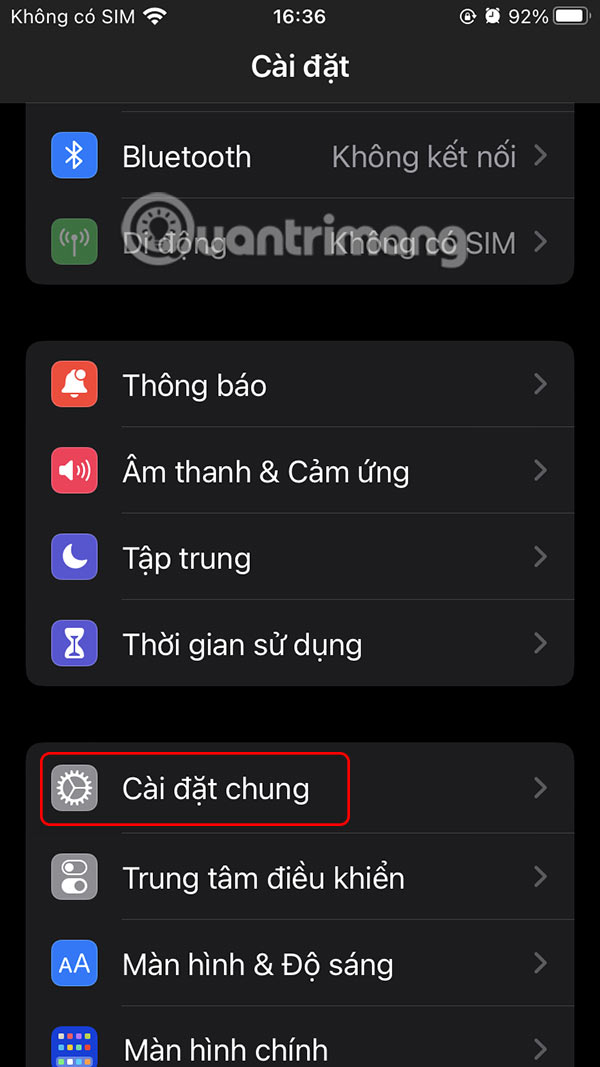
You access Settings and then select General Settings . Scroll down to the bottom of the interface and select About to see information about the device.
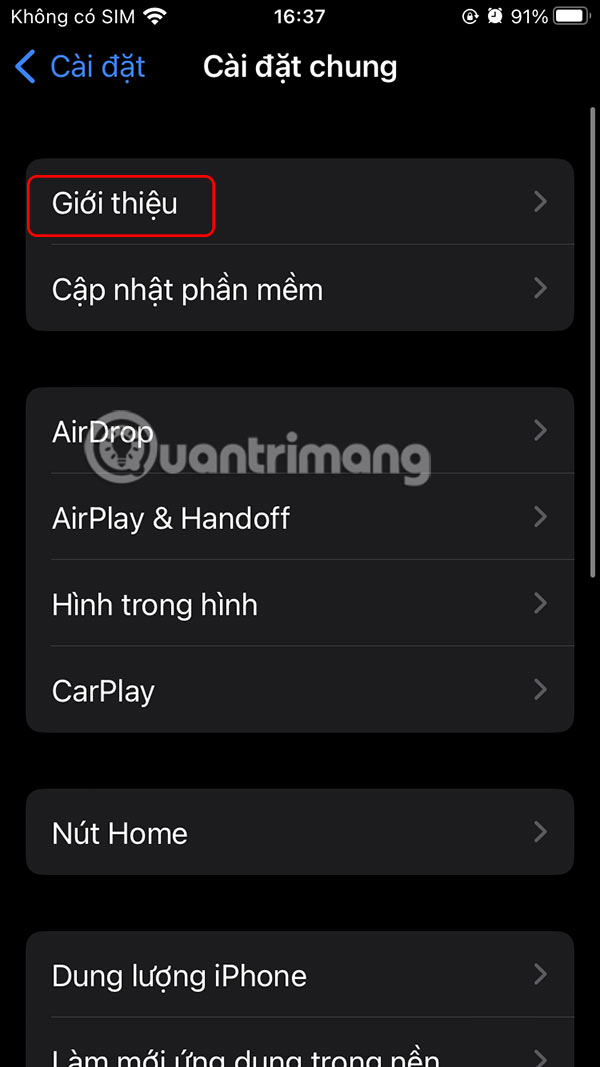
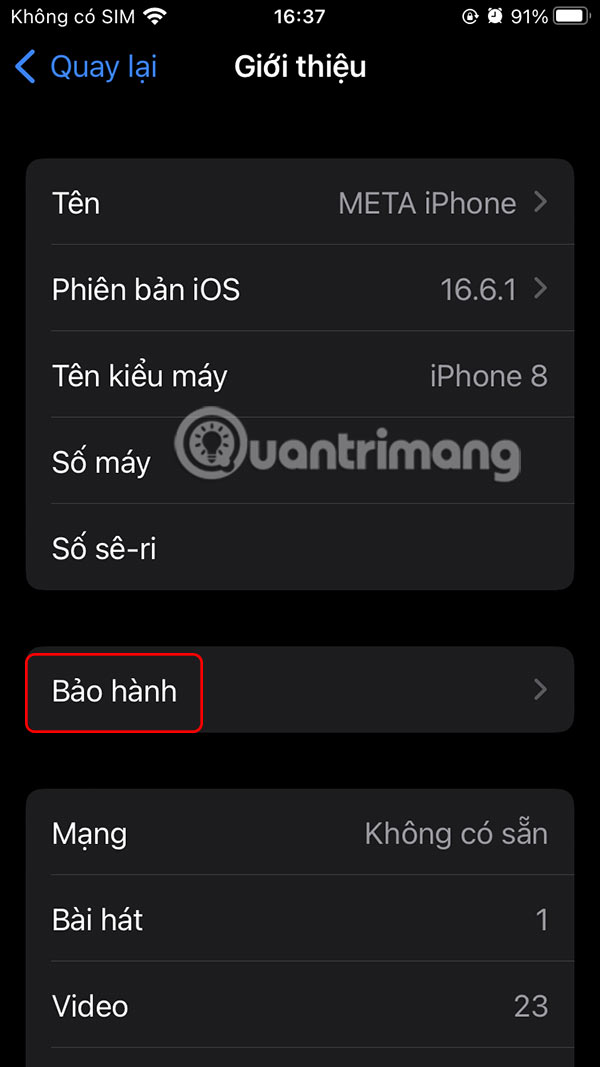
Now you will see information about Warranty , click to check if iPhone warranty has expired or is still valid.

How to checking Apple device warranty
When you use your Apple account for multiple devices, we can check Apple device warranty right on the iPhone.
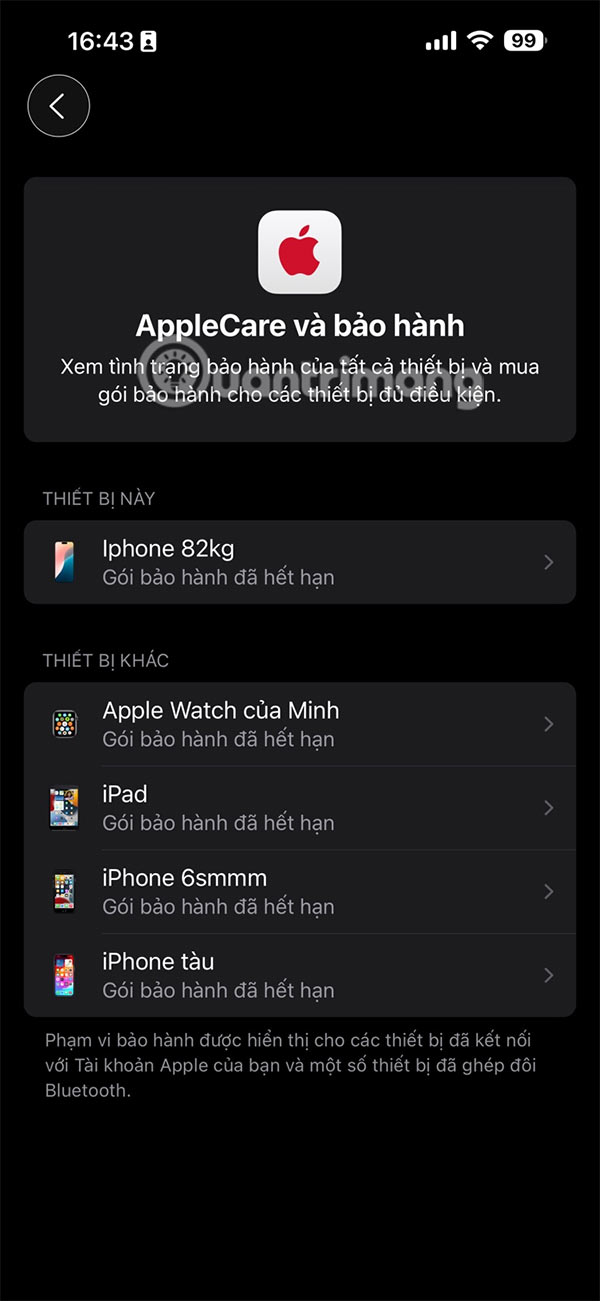
You go to Settings and General Settings , then select AppleCare & Warranty .
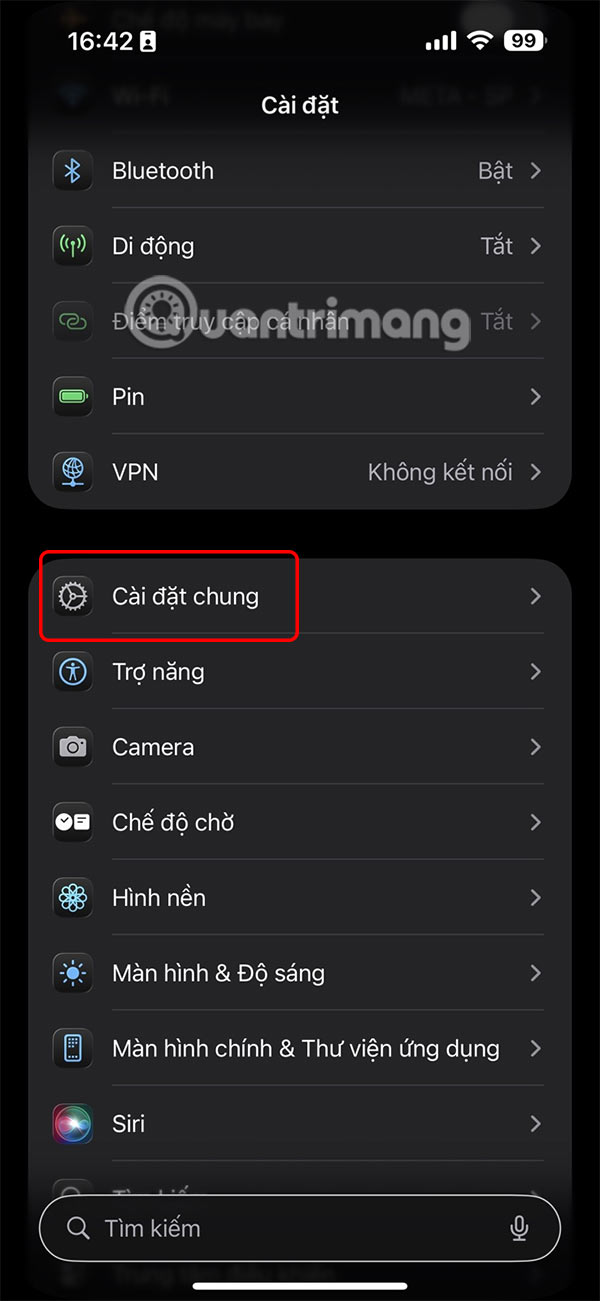
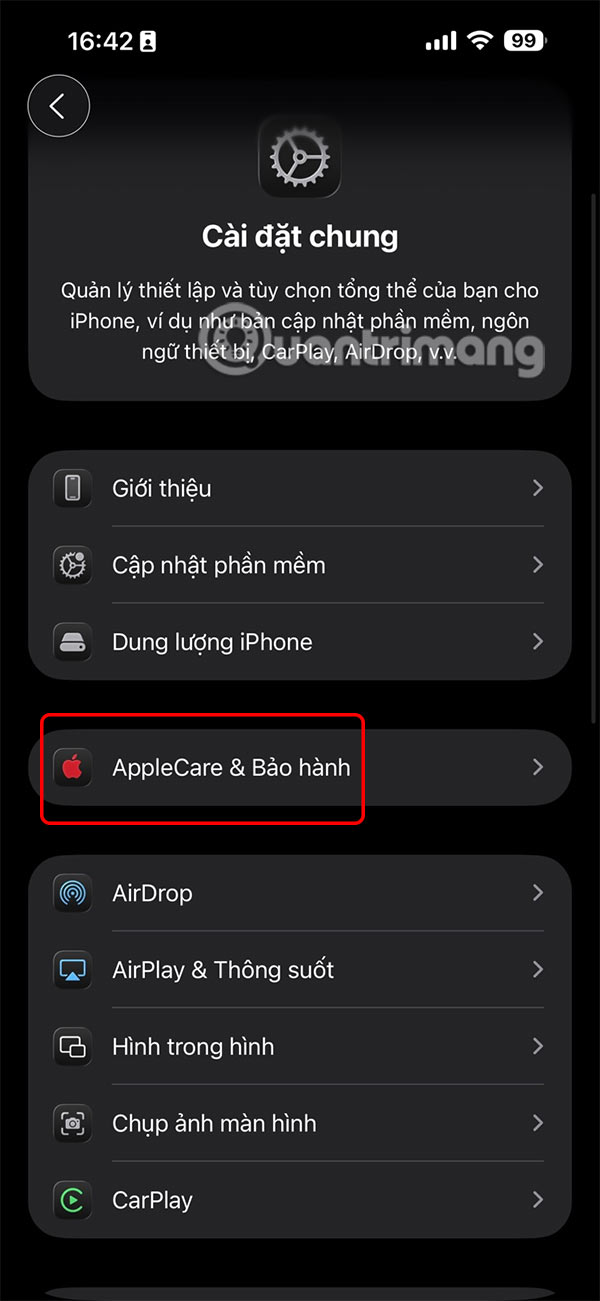
Shows a list of all devices in use and access to your Apple ID account. Here you will also see the warranty period of your Apple devices.

How to check Apple warranty via checkcoverage.apple
You can check the warranty status of your Apple device from any web browser on any device by visiting Apple's warranty coverage checker website at the link below.
- Visit checkcoverage.apple
You will enter your device's serial number and enter a confirmation character to receive a notification of your Apple device's warranty period.

Check Apple warranty via Apple Support
You access the Apple Support page at the link below.
- Visit Apple Support
Then the user enters the Apple ID and account password to log in. As a result, you will see a list of devices that are logged into the Apple account .
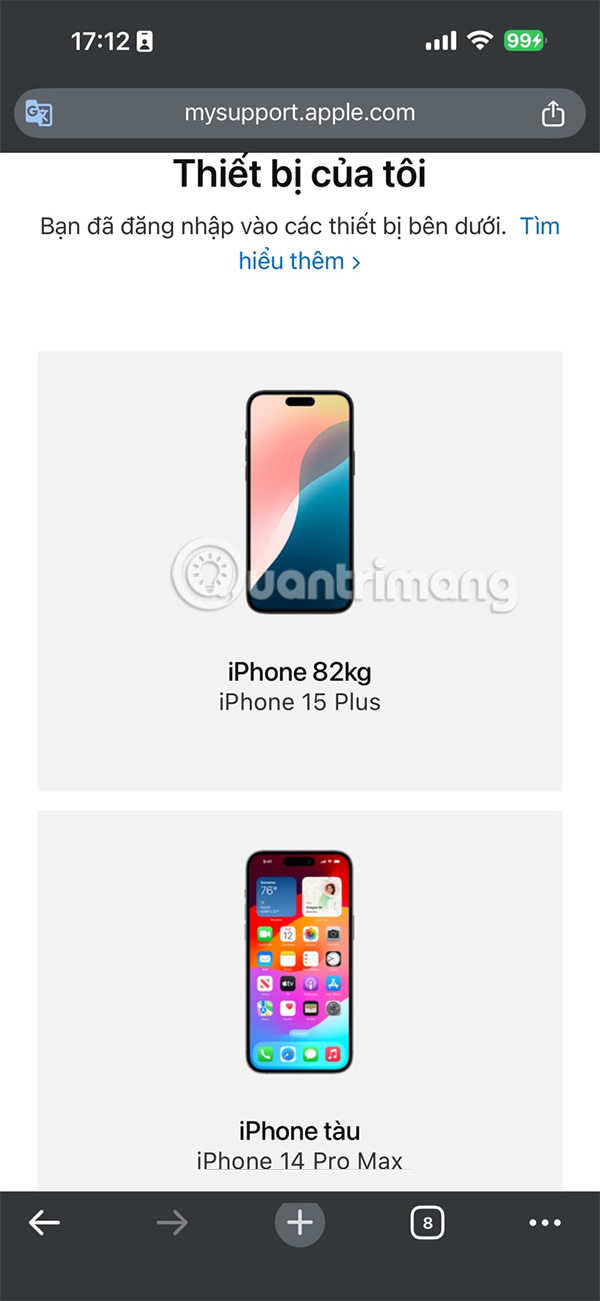
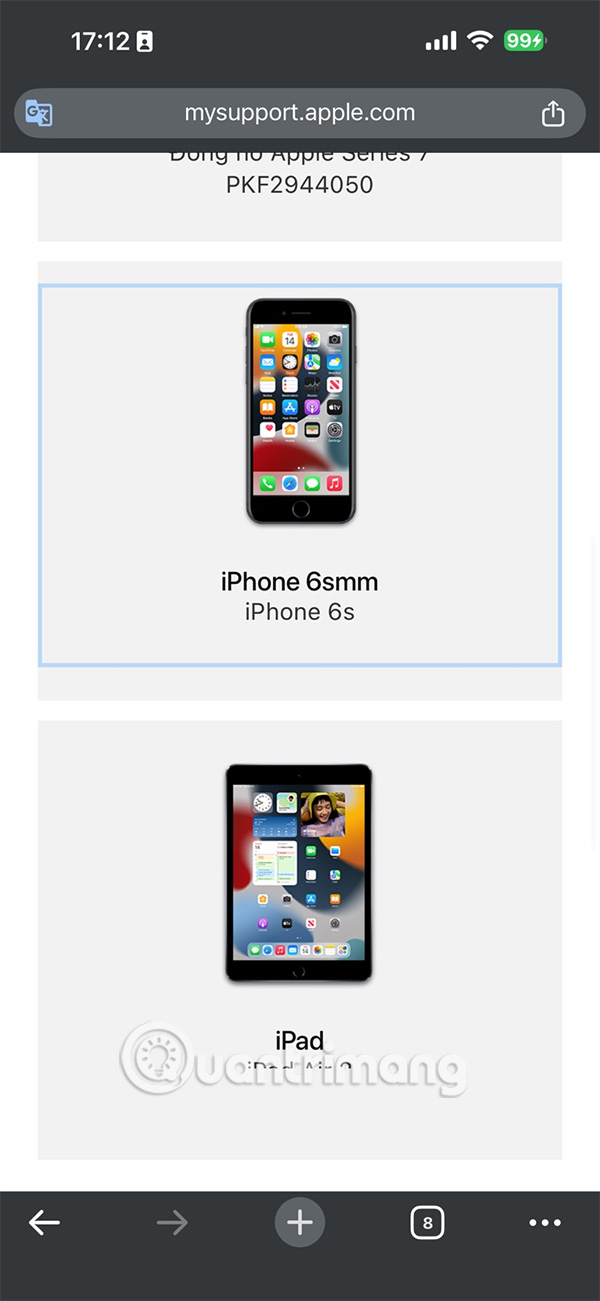
Click on the device you want to check warranty .


FAQ
How to check iPhone warranty?
You access Settings and then select General Settings. Scroll down to the bottom of the interface and select About to see information about the device.
How to checking Apple device warranty?
When you use your Apple account for multiple devices, we can check Apple device warranty right on the iPhone.
How to check Apple warranty via checkcoverage.apple?
You can check the warranty status of your Apple device from any web browser on any device by visiting Apple's warranty coverage checker website at the link below.
What should you know about check Apple warranty via Apple Support?
You access the Apple Support page at the link below.
Related Articles
 How to Check the Warranty of Apple Devices6 minutes read
 Instructions for Checking LG TV Warranty Information5 minutes read
 Get Your iPhone Warranty Checked Accurately and Quickly3 minutes read
 How to Check HP Laptop Warranty Accurately3 minutes read
 How to Check Macbook Warranty Quickly and Accurately4 minutes read
 Warranty Notes When Buying an Old Apple Computer7 minutes read
Reader Comments 0
Sign in with email or Google to join the discussion.