Table of Contents
The good news is that there's often a hidden setting in your VPN app that can completely transform your experience.
By now, it's no secret that VPNs are one of the best tools for keeping your online activity private, protecting you when using public Wi-Fi, and unlocking region-locked content.
But there's one problem that almost every VPN user will encounter sooner or later: Slower internet speeds. Encryption, rerouted traffic, and overloaded servers all increase latency, sometimes making even simple web browsing feel sluggish.
The good news is that there's often a hidden setting in your VPN app that can completely transform your experience. Just enable it and you'll see an immediate speed boost without having to change providers or upgrade your internet connection.
Settings to help you get faster speeds when using VPN
Faster speeds at the push of a button
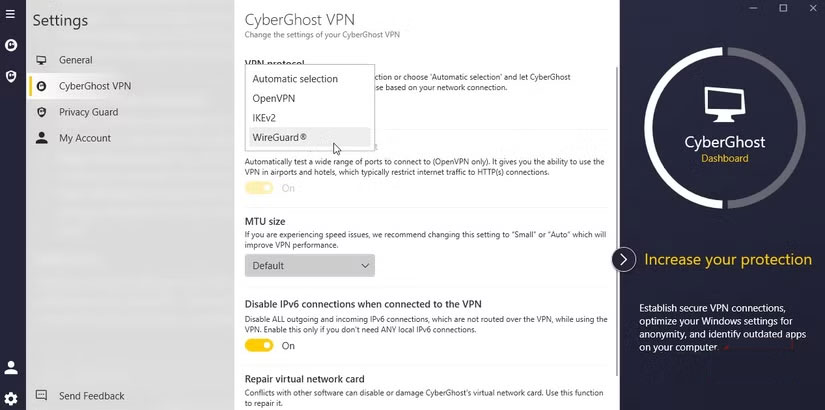
Essentially, every VPN uses a protocol. This is essentially a set of rules that determines how your data is encrypted and transmitted.
Most VPN providers default to the tried and tested OpenVPN protocol. OpenVPN has been around for years and is basically guaranteed to give you a stable connection, but it's not always the best option when it comes to speed. OpenVPN often struggles with high-bandwidth activities like 4K streaming or online gaming because it adds overhead and relies on old code.
WireGuard, on the other hand, is a new, lighter protocol designed with efficiency in mind. It uses streamlined encryption and fewer lines of code, meaning it can encrypt and transmit your data much faster. Many VPN providers have adopted this protocol, such as CyberGhost and Surfshark. However, some VPN providers use WireGuard under their own brand with some internal improvements, such as NordLynx (NordVPN) or Lightway (ExpressVPN). But at its core, WireGuard works. You can even use WireGuard to build your own ultra-private VPN on a Raspberry Pi.
When switching from OpenVPN to WireGuard, the difference was immediate. Download speeds skyrocketed, streaming stopped lagging, and even video calls were more responsive. It's the kind of performance improvement that people often think requires switching to a different VPN provider, but really just requires changing a setting.
So if your VPN app lets you choose WireGuard, you should give it a try.
Changing protocols isn't the only way to speed up your VPN
Since VPN directly affects your connection, other settings can also help deliver faster speeds
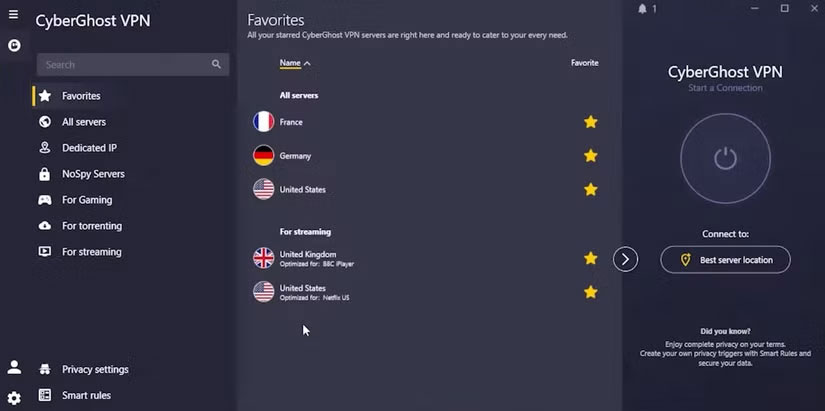
Many people have been surprised at the real difference when switching between OpenVPN and Wireguard. But when it comes to VPNs, that's not the only setting worth tweaking if you want to increase speed.
1. Choose the right server
Most VPNs automatically select a server for you, but 'automatic' doesn't always mean optimal. If you connect to a server that's far away or overloaded, your speeds will suffer. Manually selecting a server closer to your physical location, or one with less traffic, can give you a significant improvement.
Some VPN providers display server loads in their apps or have a page you can visit to see current server loads for your preferred locations.
2. Enable Split Tunneling
If you only need a VPN for specific apps (like streaming services or torrent apps), turn on Split Tunneling. This will route specific apps through the VPN while allowing everything else to use your regular connection. The result is less congestion and higher speeds where needed.
3. Use a wired connection
While Wi-Fi is great, nothing beats a wired connection, and that's true when it comes to VPNs. It's basically as simple as "wired connections are faster." This isn't some special or secret VPN setting, it's just the way it is.
4. Turn off background apps and services
Another tried-and-true method is to disable any additional apps and services while using a VPN. Anything that adds to network activity requires an internet connection, which can slow down your VPN.
After all, if everything is competing for traffic on an already slower network, your apps have to compete for a smaller slice of data. This just slows things down. So the next time your VPN feels sluggish, check to see if you have all the apps running in the background open on your device.
It doesn't take much effort to make your VPN faster.
You won't suddenly see gigabit speeds increase.
Another thing to consider is your actual internet connection. Some people's home internet connections are pretty bad, by all accounts. They don't have FTTP and are still using old copper wiring.
At this point, small changes seem to make a big difference compared to small speeds. But the changes you make should never push your VPN download speeds beyond what you're paying for. That's not how internet connections work.
That said, you should still experiment with this VPN setup to get extra speed boosts when needed, and VPN protocols are the best place to start.
FAQ
How do you install hidden VPN to speed up your internet connection: step-by-step guide?
In practical terms, the good news is that there's often a hidden setting in your VPN app that can completely transform your experience.
What should you check before getting started?
Review the requirements, compatible device or software version, and any warnings described in the guide before making changes.
What should you do if the steps do not work?
Repeat the steps in order, confirm that your app or system is up to date, and review the troubleshooting details provided above.
Related Articles
 Speed up Internet Connection by Using Cmd Command on Windowsxp //3 minutes read
 How to Check Internet Speed: Step-by-Step Guide7 minutes read
 Tips to Speed up the Internet, Connect to the Network Faster4 minutes read
 Internet Speed in the UK Loses… the Moon3 minutes read
 Speed up Internet Connection on Windows 10 Computers5 minutes read
 The Latest Way to Speed Up Internet Connection 202215 minutes read
Reader Comments 0
Sign in with email or Google to join the discussion.