Table of Contents
This guide covers hp 14 - good price for quality && design with practical context and easy-to-follow details. Use it to understand the subject and apply the information confidently.
HP 14 product is a HP product line oriented to the group of popular computing needs at a reasonable cost. The product offers 3 color options for the 14 'version including: Black, pearl white and fashionable red. The product has an elegant design with outstanding HP logo on the back cover and the words ' HEWLETT-PACKARD ' run along the edge of the frame subtly.
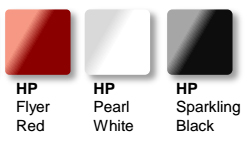 Many choices of fashion colors
Convenience and comfort in use are also focused and enhanced by HP engineers on this version. The refreshed keyboard with chicklet-style design helps increase accuracy in fast key operations. Mouse-over tables have also been increased by 20% in size, which makes it comfortable for multi-tap operations on Windows 8 / 8. 1. Left and right mouse buttons are detached to limit misplaced keys and keys. Sturdy steel screen joint structure is maintained by HP to ensure durability and solid screen support. Thermal exit slot and wiring plug ports (LAN, VGA, hdmi) are placed to the left edge, making it not entangled and inconvenient to use external mouse. The right optical drive makes it easy and quick to change the disc.
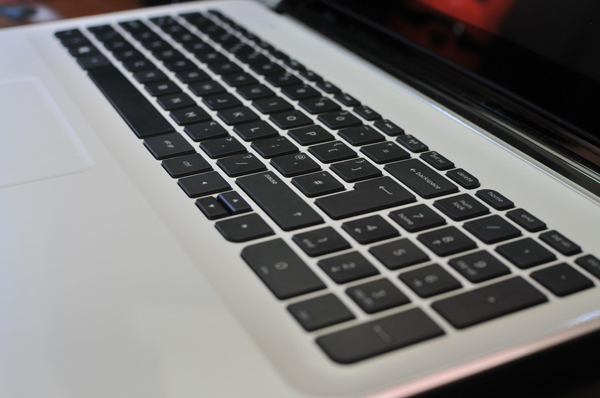 Stylish chicklet keyboard.
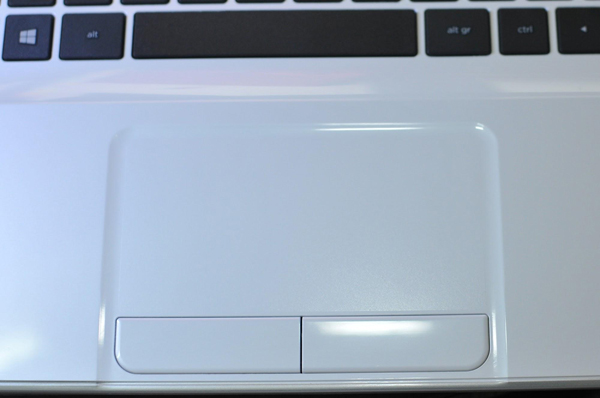 Extensive mouse table with 2 left and right keys is separate.
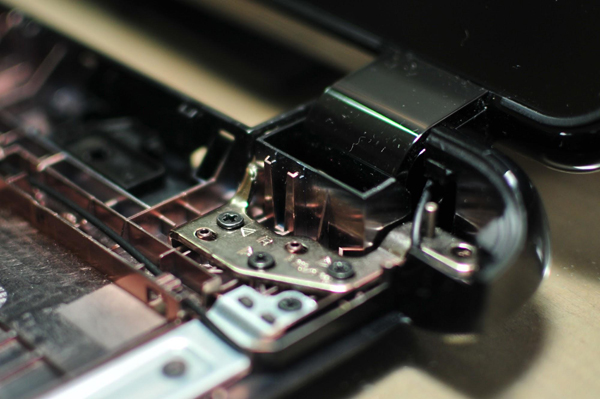 High-strength, durable metal screen joints.
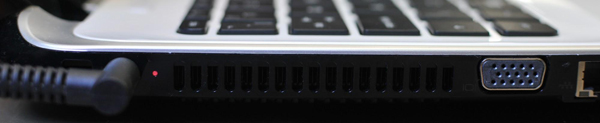 The thermal slot and wire connections are set to the left edge.
Due to popular demand, it is also important to connect computers to the outside world. The device is equipped with 1 USB 3. 0 port and 2 2. 0 ports For simultaneous connection with 3 devices such as external storage, mouse and 3G USB. The slim optical drive (read / write DVD) is also equipped on the device, the DVD will be more convenient than USB for occasions when data exchange is required without recipients' return. Wi-Fi, LAN, VGA and hdmi provide flexibility in networking and presentation anytime, anywhere.
The Amera HP Truevision HD High Definition Webcam HD Was first equipped on HP's popular line of machines. This technology makes images on video conversations clearer and more beautiful. Supported software is also provided free of charge by HP (requires installation) such as: YouCam for fancy real-time camera techniques. HP Connected Photo backs up photos from smartphones to computers and stores HP's Snapfish cloud.
It can be said that the HP 14 product is a typical product for HP's design quality while ensuring economic and cost factors.
The product is currently sold at IT companies and famous electronics centers nationwide: Phong Vu, The Gioi Di Dong, FPT shop, Nguyen Kim, Tran Anh, Pico, Ben , .
Follow HP
FAQ
What should I check before following these steps?
Confirm device and software compatibility, save important data, and make sure you have the required permissions, files, and account access.
Why might the process not work?
Common causes include outdated software, missing permissions, incompatible hardware, an unstable connection, or completing a step in the wrong order.
Can I undo the changes if necessary?
That depends on the tool or setting. Use built-in restore options when available, keep a backup, and record the original configuration first.
Related Articles
 Top 5 Cheap Mini Car Washers in Good Quality Should Buy5 minutes read
 Evaluate Quality and Price of Air Conditioner Casper7 minutes read
 Soundmax AW 300: Good Music Speaker for Less Than 1. 5 Million VND for Computers6 minutes read
 16 Best Free Icon Sets for UI Design14 minutes read
 Want a Quality Web Design? Here Are Some Expert Tips9 minutes read
 5 Lenovo Laptops Worth Buying, the Best Ones Currently Available8 minutes read
Reader Comments 0
Sign in with email or Google to join the discussion.