Table of Contents
This updated guide explains how to Watch Vines through clear steps, practical examples, and important checks that help prevent common errors.
Watching Random Vines on Vpeeker
-
 Go to http://www. vpeeker. com in a browser. You can use any web browser, mobile or desktop, to watch random Vine videos. As soon as the page loads, a random Vine will begin to play. After the first video plays, the next will begin automatically.
- The Vines in Vpeeker are harvested from Twitter. You can click the Twitter profile link (it starts with @) or the date near the top-right corner to view the person's Twitter profile.
-
 Click the Vine's URL to open the video in another tab (optional). It's the URL that starts with vine. co near the top-right corner of the page. This will open the video on the old Vine website in a separate tab, which allows you to watch it as many times as you want.
 -
 Interact with the video on Twitter (optional). You can like, retweet, or reply to a video on Twitter using the icons next to the Facebook "f" icon. The reply icon looks like a curved arrow pointing to the left, the retweet icon looks like a box made out of arrows, and the like icon looks like a star. Any of these actions require you to log in to Twitter.
Searching for Vines on YouTube
-
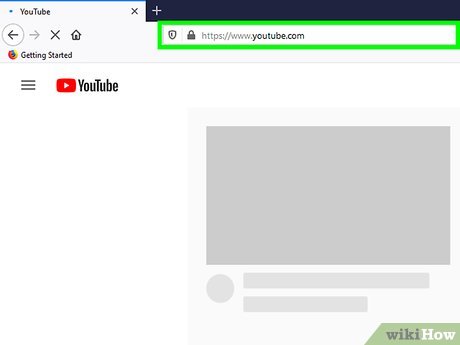 Open YouTube on your computer, phone, or tablet. You can use the YouTube mobile app or visit https://YouTube. com in a web browser.
 -
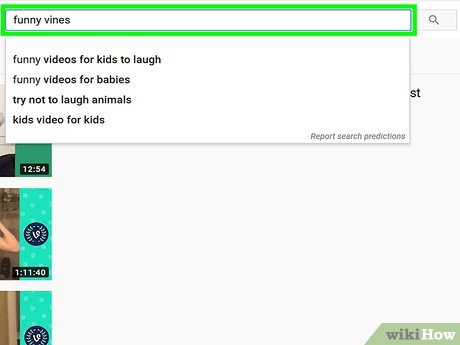 Search Vines in the search bar. It runs along the top of the page if you're using a computer. If you're using the mobile app, tap the magnifying glass icon at the top-right corner to open the search bar first.
- Add other keywords to your search to find exactly what you're looking for. For example, try searching for funny vines, fail vines, cat vines, or kids vines.
-
 Select a search result to watch it. You'll see search results from YouTubers like All of Vines, Funny Vines, and Best Viners.
- You can click or tap the YouTube channel's name to see all the uploads provided by that channel.
- If you like the channel, click or tap Subscribe to see future uploads.
FAQ
What is the easiest way to Watch Vines?
Start with the requirements in this guide, then follow each step in order. Check the result after every major change so problems are easier to identify.
Can beginners follow these instructions?
Yes. The process is organized into practical steps, and you can repeat any step before moving forward.
What should I check if the method does not work?
Confirm your software or device version, permissions, settings, file format, and internet connection when the task depends on online services.
Related Articles
 Google Donates LG G Watch to Google I / O Attendees3 minutes read
 How to Unpair Your Apple Watch5 minutes read
 Watch Fit 3: Huawei's Upcoming Watch Is Suspected of Imitating the Apple Watch5 minutes read
 Ways to Fix Apple Watch Not Receiving Notifications5 minutes read
 6 Top Apple Watch Watch Face Customization Apps: Recommended Choices9 minutes read
 How to Rearrange the Order of the Watch Faces on Apple Watch5 minutes read
Reader Comments 0
Sign in with email or Google to join the discussion.